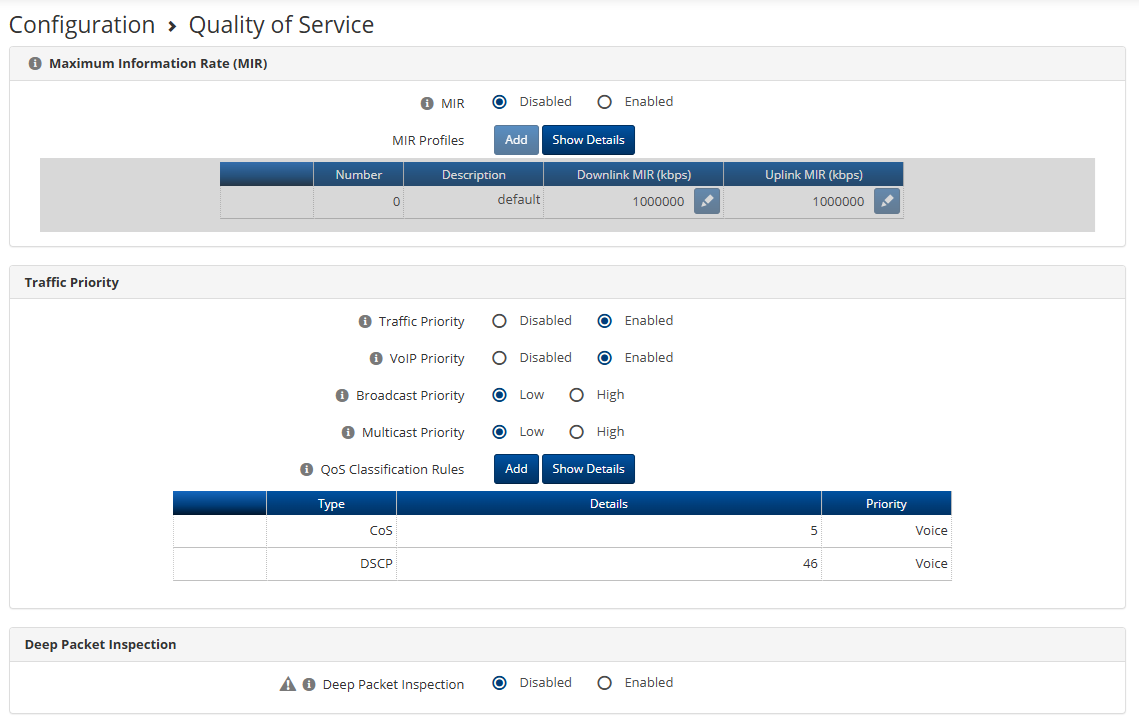
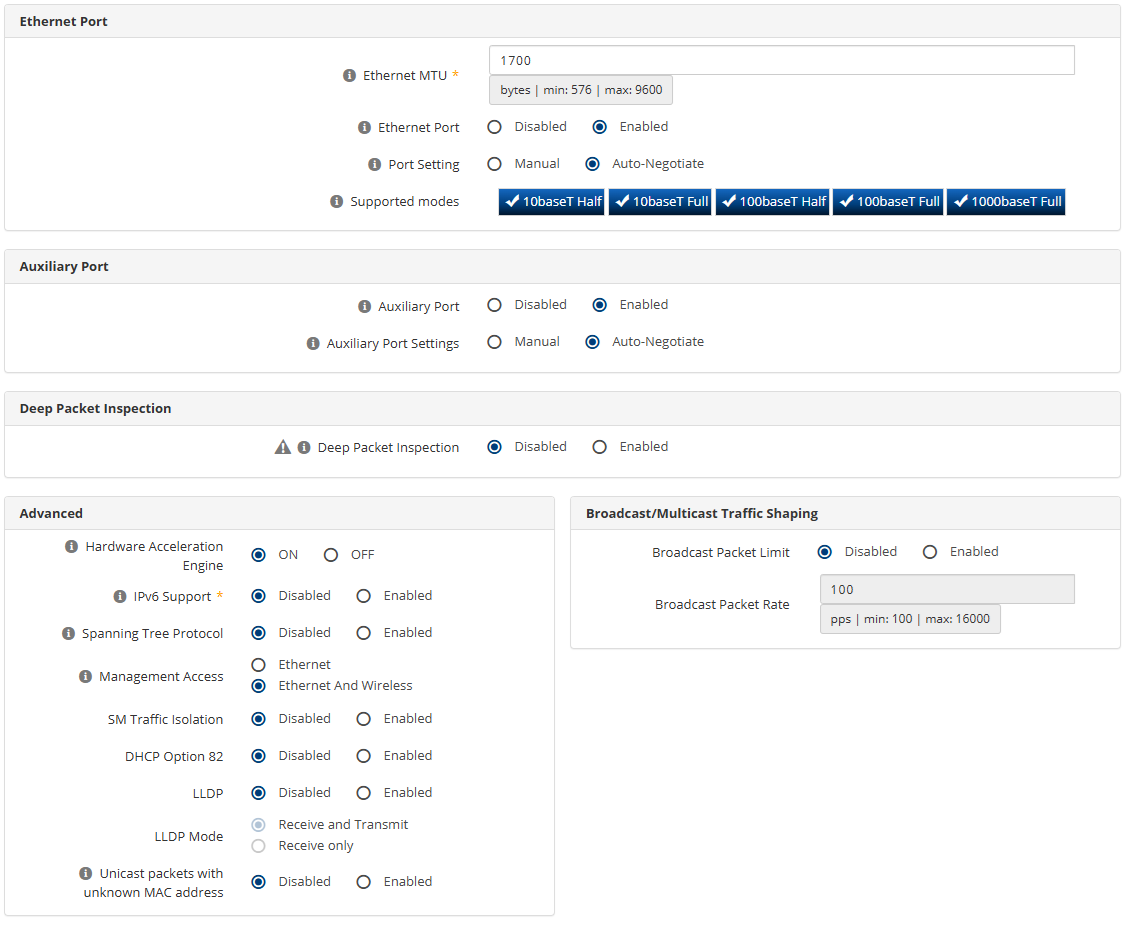
Alright so we have a 6GHz 4600 AP on the Bench, with a 4625 Radio linked.
AP configured for TDD, 75/25, 80MHz channel.
SM is running MCS 11, -47dBm.
Link Capacity of 735/266 Mbps, pretty consistent.
After reading some posts about 160MHz channels, we tried TDD and WLR, and the absolute highest we’ve seen is 283/290 on WLR @ 80Mhz. However, with no timing or QoS on WLR, we want to use TDD.
The speed test results leave me wondering am I doing something wrong?
Between Ookla, and IP perf testing, the absolute best we can get was using TDD on 75/25 symmetry, 80MHz channel, was 190/170 Mbps with an Ookla speedtest. IP Perf was usually worse, around 150/120.
So this isn’t normal right? We’ve tried just about everything we can think of and we seem to be unable to figure out where the other 60% of the link capacity has gone?
IP Perf results for illustration:
PS C:\Users\Me\Downloads\iperf-3.19-win64> .\iperf3.exe -c speedtest.*****communications.ca -t 10 -R
Connecting to host speedtest.*****communications.ca, port 5201
Reverse mode, remote host speedtest.*****communications.ca is sending
[  5] local 192.168.1.151 port 63842 connected to xx.xx.xx.160 port 5201
[ ID] Interval           Transfer     Bitrate
[  5]   0.00-1.01   sec  16.9 MBytes   141 Mbits/sec
[  5]   1.01-2.01   sec  16.4 MBytes   137 Mbits/sec
[  5]   2.01-3.01   sec  16.4 MBytes   137 Mbits/sec
[  5]   3.01-4.01   sec  16.4 MBytes   138 Mbits/sec
[  5]   4.01-5.01   sec  15.8 MBytes   132 Mbits/sec
[  5]   5.01-6.01   sec  15.0 MBytes   126 Mbits/sec
[  5]   6.01-7.01   sec  17.9 MBytes   150 Mbits/sec
[  5]   7.01-8.01   sec  18.5 MBytes   155 Mbits/sec
[  5]   8.01-9.00   sec  18.5 MBytes   155 Mbits/sec
[  5]   9.00-10.00  sec  12.9 MBytes   108 Mbits/sec
- - - - - - - - - - - - - - - - - - - - - - - - -
[ ID] Interval           Transfer     Bitrate         Retr
[  5]   0.00-10.01  sec   167 MBytes   140 Mbits/sec    0            sender
[  5]   0.00-10.00  sec   164 MBytes   138 Mbits/sec                  receiver

iperf Done.
PS C:\Users\Me\Downloads\iperf-3.19-win64> .\iperf3.exe -c speedtest.*****communications.ca -t 10
Connecting to host speedtest.*****communications.ca, port 5201
[  5] local 192.168.1.151 port 63844 connected to xx.xx.xx.160 port 5201
[ ID] Interval           Transfer     Bitrate
[  5]   0.00-1.00   sec  14.1 MBytes   118 Mbits/sec
[  5]   1.00-2.01   sec  13.4 MBytes   112 Mbits/sec
[  5]   2.01-3.01   sec  13.4 MBytes   112 Mbits/sec
[  5]   3.01-4.01   sec  13.4 MBytes   112 Mbits/sec
[  5]   4.01-5.01   sec  13.4 MBytes   112 Mbits/sec
[  5]   5.01-6.01   sec  13.5 MBytes   113 Mbits/sec
[  5]   6.01-7.01   sec  13.5 MBytes   113 Mbits/sec
[  5]   7.01-8.01   sec  13.8 MBytes   115 Mbits/sec
[  5]   8.01-9.00   sec  13.4 MBytes   114 Mbits/sec
[  5]   9.00-10.02  sec  13.6 MBytes   113 Mbits/sec
- - - - - - - - - - - - - - - - - - - - - - - - -
[ ID] Interval           Transfer     Bitrate
[  5]   0.00-10.02  sec   135 MBytes   113 Mbits/sec                  sender
[  5]   0.00-10.02  sec   134 MBytes   112 Mbits/sec                  receiver

iperf Done.
PS C:\Users\Me\Downloads\iperf-3.19-win64> .\iperf3.exe -c speedtest.*****communications.ca -t 10 --bidir
Connecting to host speedtest.*****communications.ca, port 5201
[  5] local 192.168.1.151 port 63846 connected to xx.xx.xx.160 port 5201
[  7] local 192.168.1.151 port 63847 connected to xx.xx.xx.160 port 5201
[ ID][Role] Interval           Transfer     Bitrate
[  5][TX-C]   0.00-1.01   sec  11.1 MBytes  92.5 Mbits/sec
[  7][RX-C]   0.00-1.01   sec  4.12 MBytes  34.3 Mbits/sec
[  5][TX-C]   1.01-2.02   sec  10.5 MBytes  87.5 Mbits/sec
[  7][RX-C]   1.01-2.02   sec  4.62 MBytes  38.5 Mbits/sec
[  5][TX-C]   2.02-3.01   sec  10.2 MBytes  86.2 Mbits/sec
[  7][RX-C]   2.02-3.01   sec  4.25 MBytes  35.7 Mbits/sec
[  5][TX-C]   3.01-4.01   sec  10.9 MBytes  91.1 Mbits/sec
[  7][RX-C]   3.01-4.01   sec  4.25 MBytes  35.6 Mbits/sec
[  5][TX-C]   4.01-5.01   sec  8.75 MBytes  73.4 Mbits/sec
[  7][RX-C]   4.01-5.01   sec  3.38 MBytes  28.3 Mbits/sec
[  5][TX-C]   5.01-6.02   sec  6.75 MBytes  56.6 Mbits/sec
[  7][RX-C]   5.01-6.02   sec  3.00 MBytes  25.1 Mbits/sec
[  5][TX-C]   6.02-7.00   sec  8.25 MBytes  70.2 Mbits/sec
[  7][RX-C]   6.02-7.00   sec  4.25 MBytes  36.2 Mbits/sec
[  5][TX-C]   7.00-8.00   sec  10.0 MBytes  83.6 Mbits/sec
[  7][RX-C]   7.00-8.00   sec  6.00 MBytes  50.2 Mbits/sec
[  5][TX-C]   8.00-9.00   sec  9.75 MBytes  81.8 Mbits/sec
[  7][RX-C]   8.00-9.00   sec  6.62 MBytes  55.6 Mbits/sec
[  5][TX-C]   9.00-10.00  sec  7.88 MBytes  65.9 Mbits/sec
[  7][RX-C]   9.00-10.00  sec  6.75 MBytes  56.5 Mbits/sec
- - - - - - - - - - - - - - - - - - - - - - - - -
[ ID][Role] Interval           Transfer     Bitrate         Retr
[  5][TX-C]   0.00-10.00  sec  94.1 MBytes  78.9 Mbits/sec                  sender
[  5][TX-C]   0.00-10.07  sec  93.0 MBytes  77.5 Mbits/sec                  receiver
[  7][RX-C]   0.00-10.00  sec  49.9 MBytes  41.8 Mbits/sec    0            sender
[  7][RX-C]   0.00-10.07  sec  47.2 MBytes  39.4 Mbits/sec                  receiver

iperf Done.
Can anyone shed some light on this? I’m losing hope.