Good morning, we’re replacing the Force 300C PtPs mounted on the RF Elements with the TPA adapters for the new Force 400C or 4600, obviously using the respective 5 or 6 GHz TPA adapters. We’re experiencing chain misalignment issues and strange behavior in the software… aleego screen.
Does anyone know what’s going on?
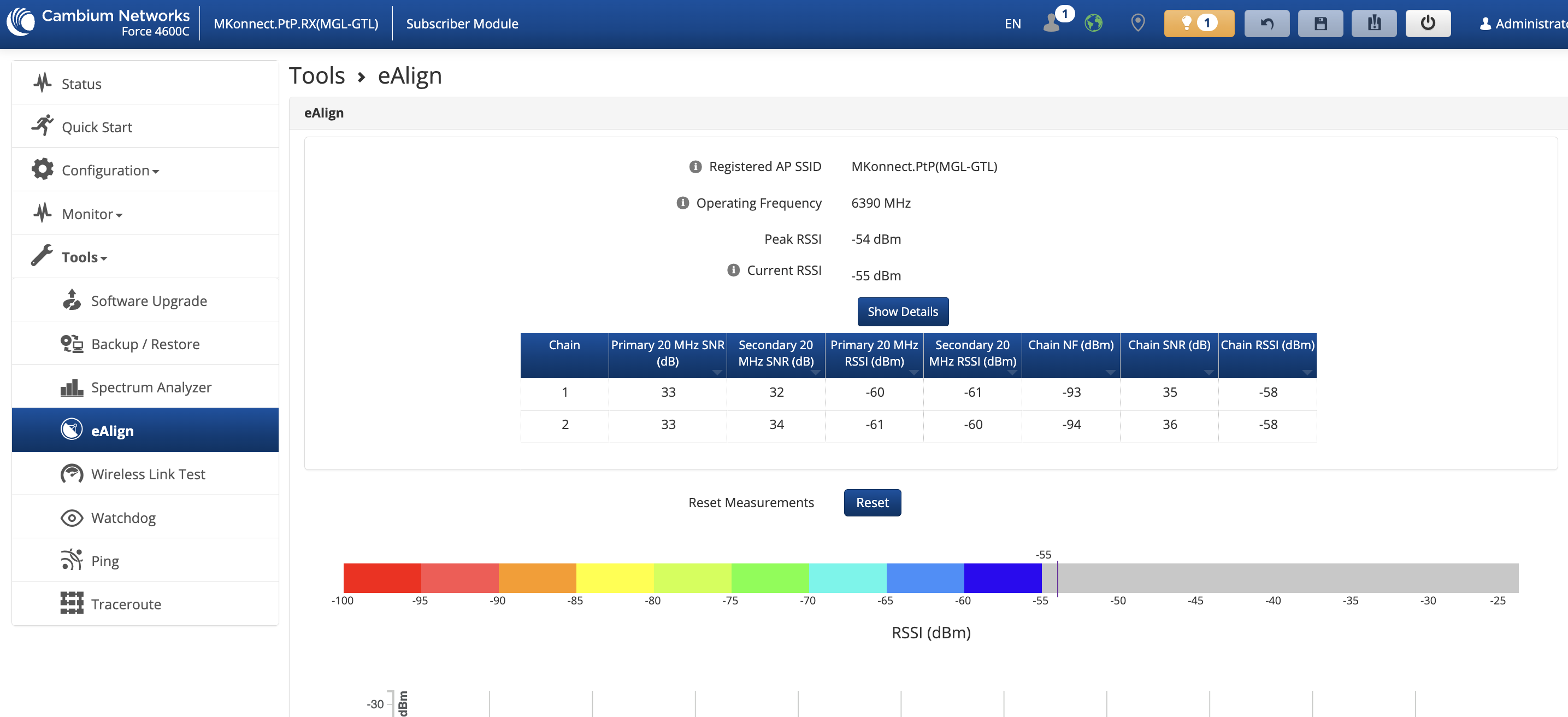
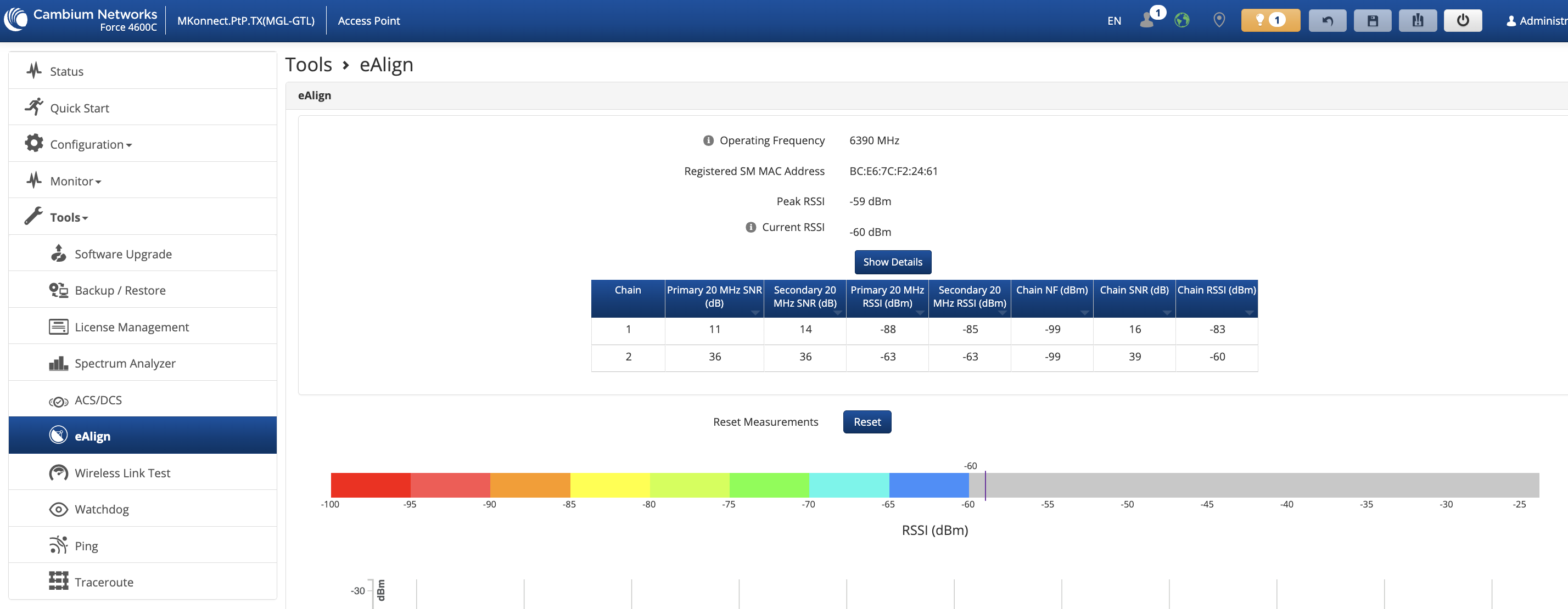
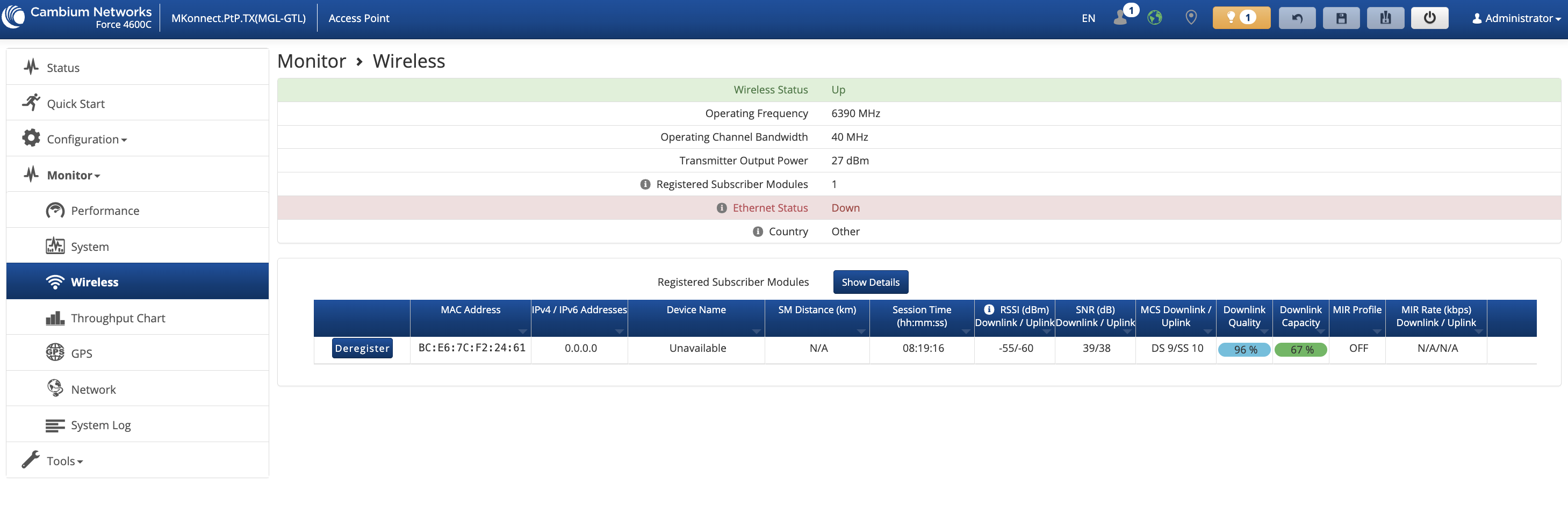
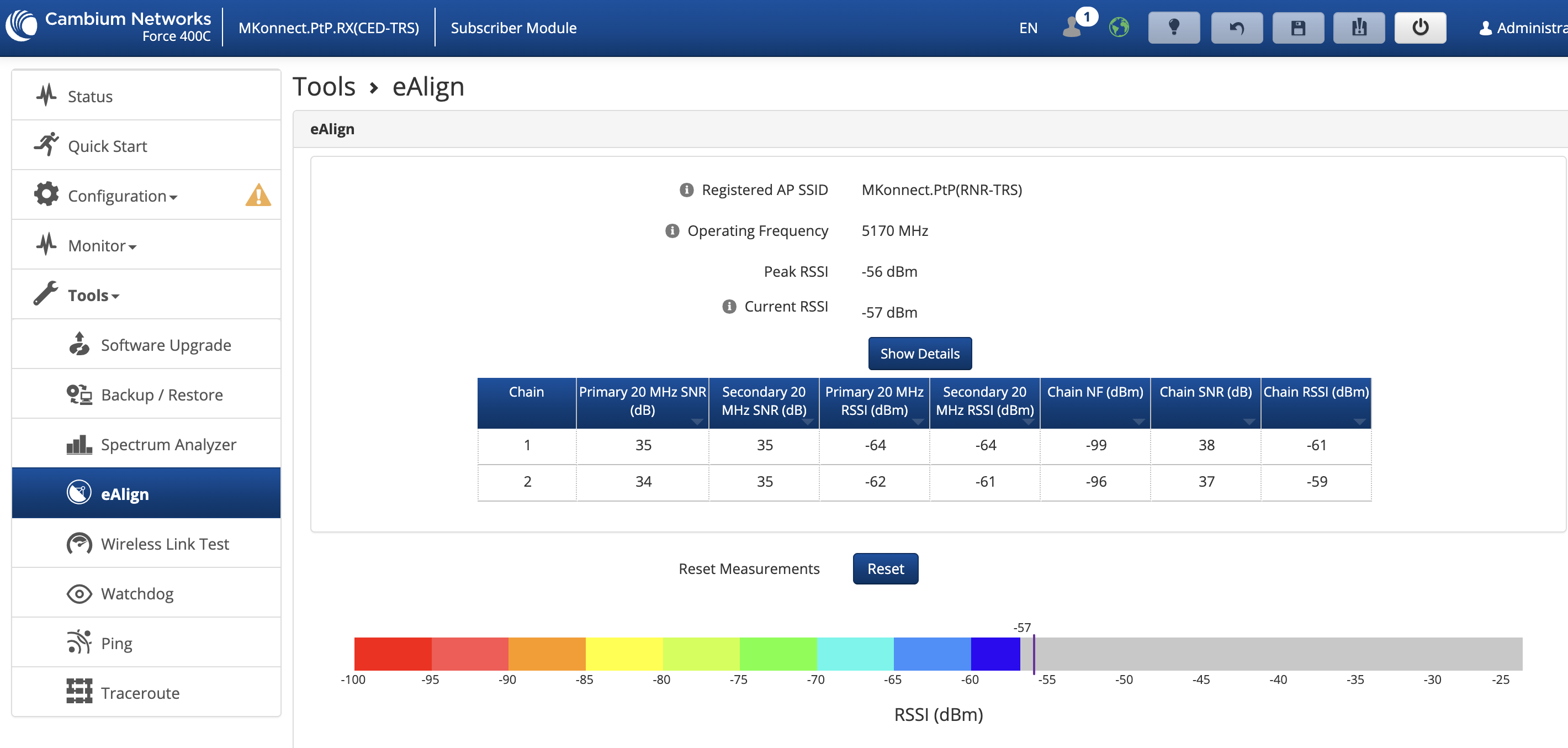
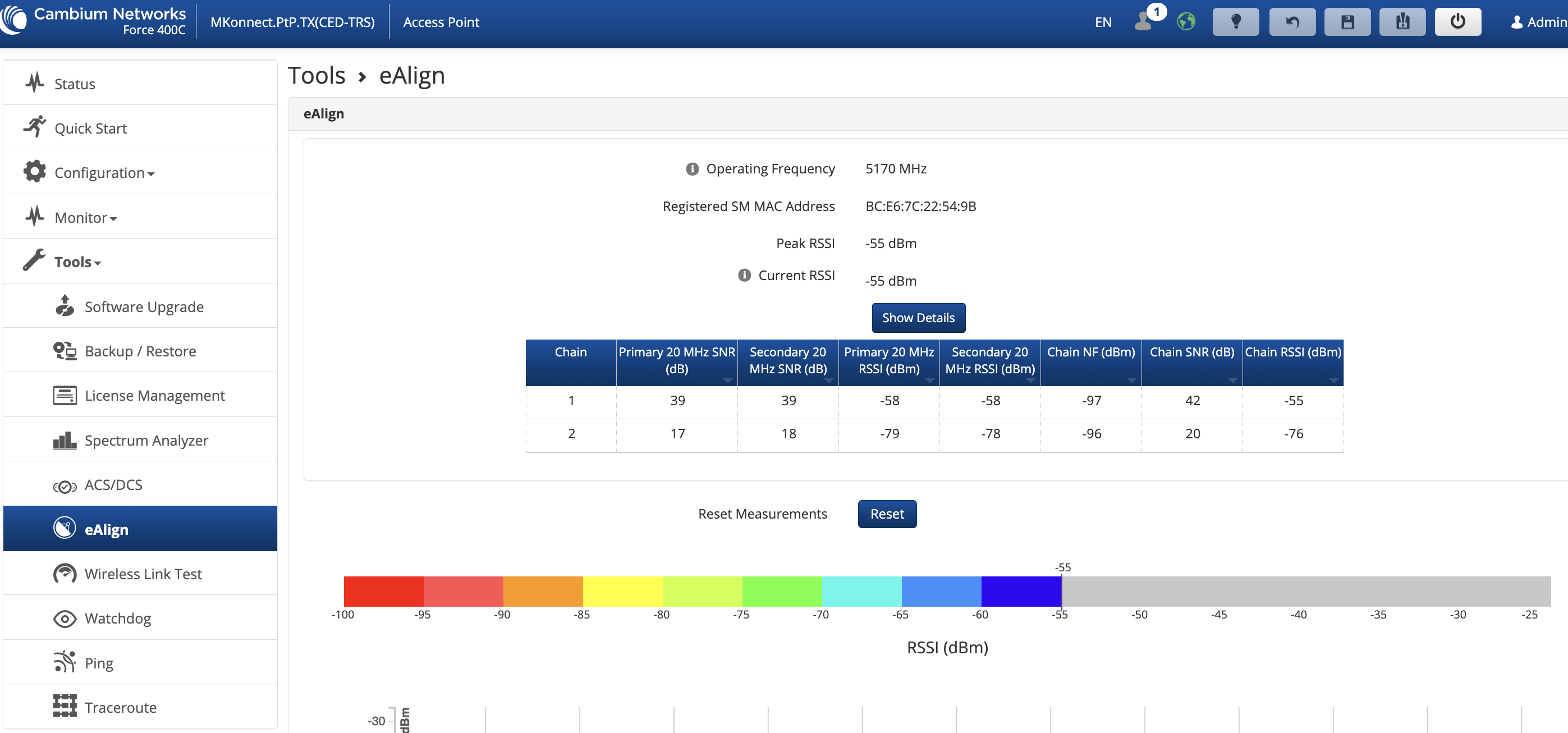
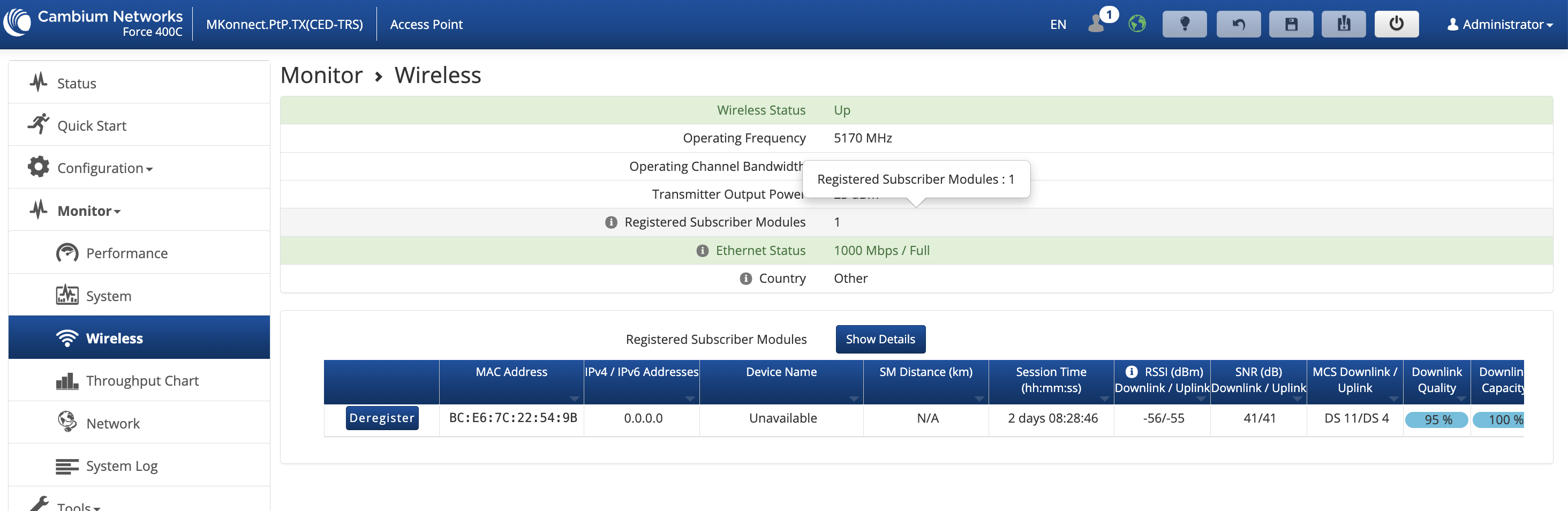
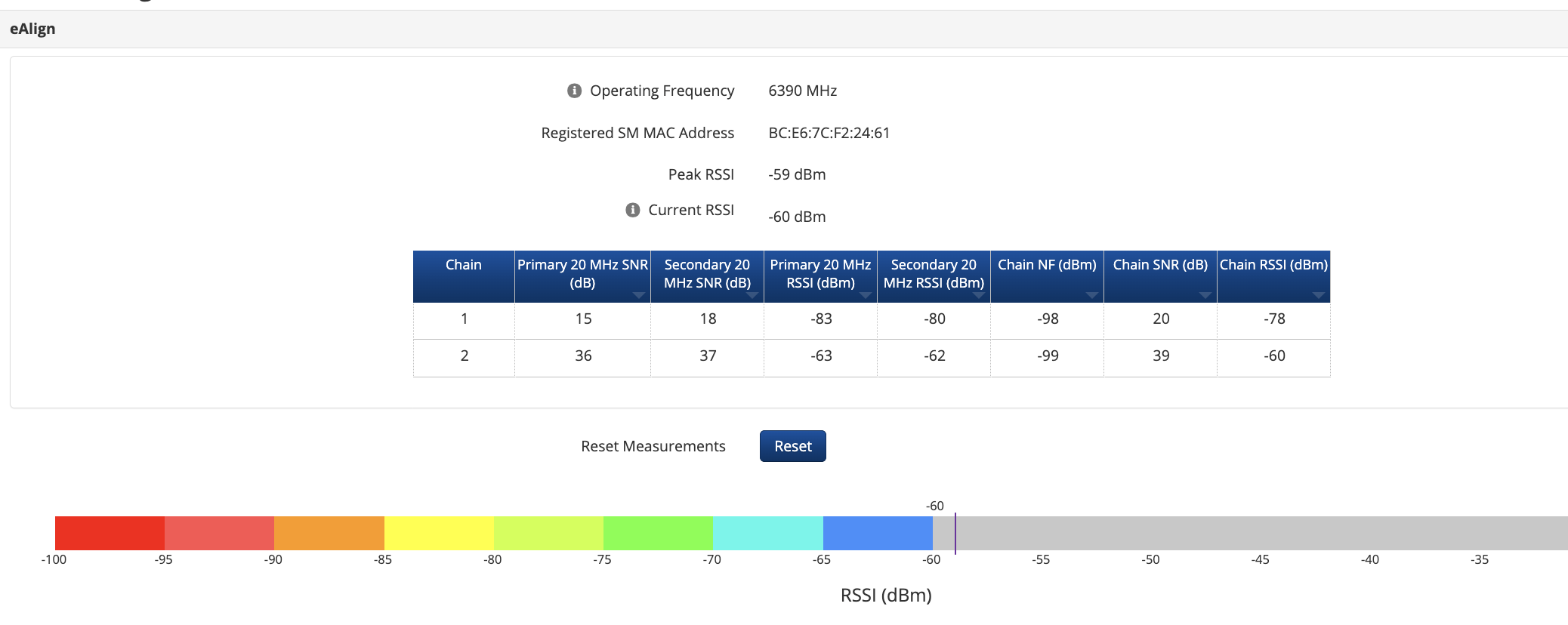
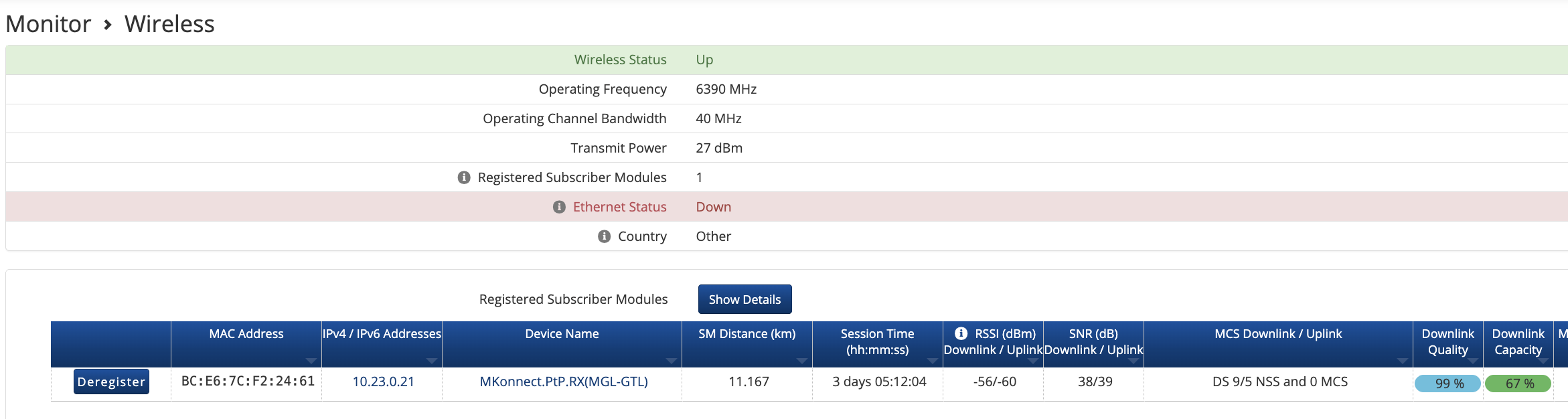
You may be seeing an issue where one of the chains fails on the radio. Definitely open a ticket with support and they can help determine if that is what’s going on and probably replace the radio for you.
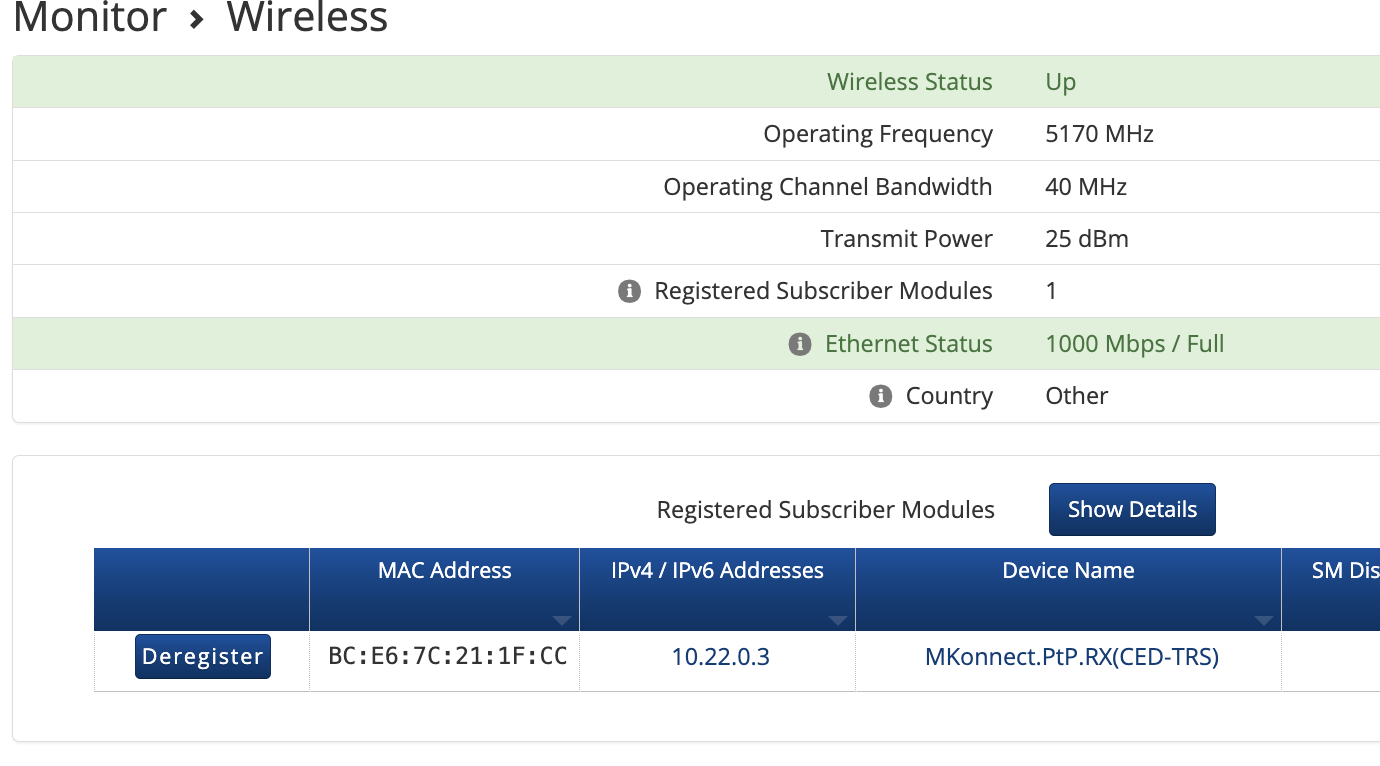
Tomorrow we will try to replace the AP first and then the SM, we have some spare parts in stock, we will see what happens and then contact the support team about this problem.
Hello @mksistemi,
@Jacob_Turner is correct regarding the chain imbalance observation. Please open a support ticket, and our engineering team will assist you with isolating the issue.
Regarding the missing IP address, we are actively working on this matter. Could you please send the tech support files from both the AP and the SM while the issue is in progress?
As far as we are aware, this issue does not affect the performance or management of the affected subscriber.
Thank you!
Sure, with 5.11 or higher, the device name and IP address are missing, but this doesn’t cause any link issues.
As for the unbalanced chain, we first replaced the AP on one PtP and it didn’t resolve the issue. Then we replaced the SM, and the problem was solved. This afternoon, a team will do the same thing on the other PtP, after which we’ll send the faulty radios for service.
With 5.11 and the radios in ePTP mode, there’s also a problem displaying parameters in tools/ealign.
Thanks
This chain issue was a real headache for us with the F425/400C líne.
We open at least 25 RMAs for this failure and make us to put these two models in the “black list”.
The easy way to identify this issue is look at the dBm value in the chains and if the difference is more than 10 dB It’s a hardware failure
We had some problems with this and it ended up having to do with characters being used in the device name. We simplified things and it started displaying properly.
That display bug seems to sneak back in time and again, in previous versions it had to do with either certain special characters, or with the length of the station name. It’s been reported and fixed in a couple versions over the years, but maybe this is a similar issue again? Maybe try temporarily editing the station name to something short and simple, just to see.