With cnHeat release 2.6.0, users in the US now have another option for purchasing cnHeat credits. To get setup, you will need to contact us at cnheat@cambiumnetworks.com.
We will direct you to a payment portal to enter your payment information. Upon completion we will link the user account to that payment account.
Once this is done, you will then see a Purchase Credits button in the Subscriptions pop-out. (Must be an Admin or Read/Write user for the project.)
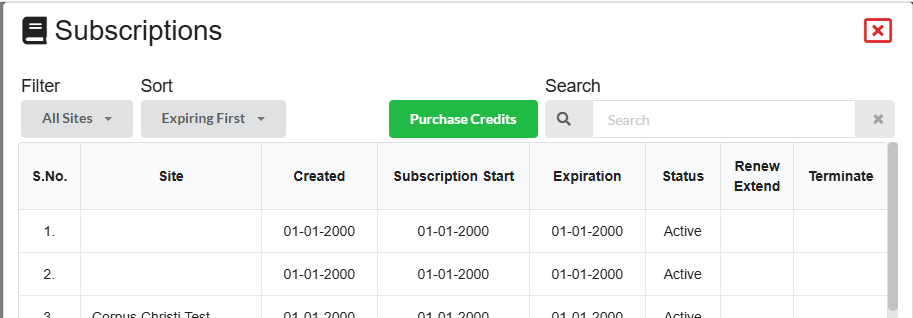
Clicking this button will bring up a parts list where the user can select the qty of each part that they would like.
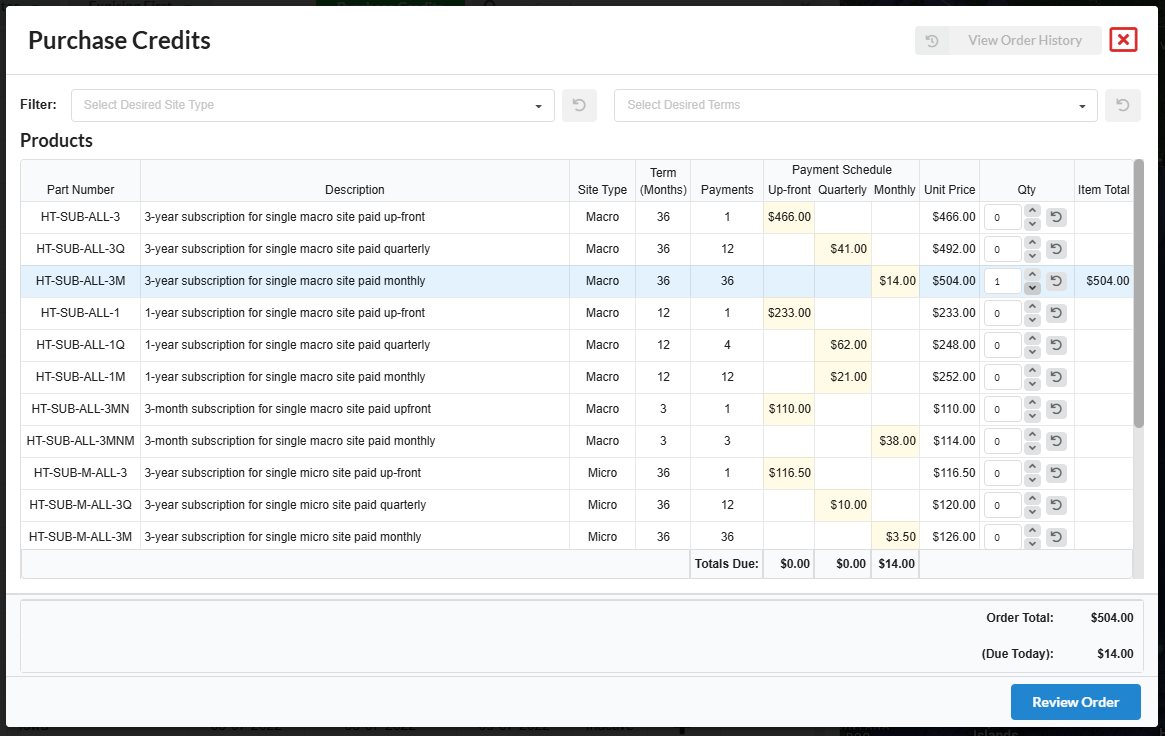
Parts can be filtered at the top with filter drop-downs. Note: Any parts with a qty greater than 0 will remain in blue in spite of the filters. In this example we are filtering to only show Micro site subscriptions, but we had already added a Macro site to our order (shown in blue).
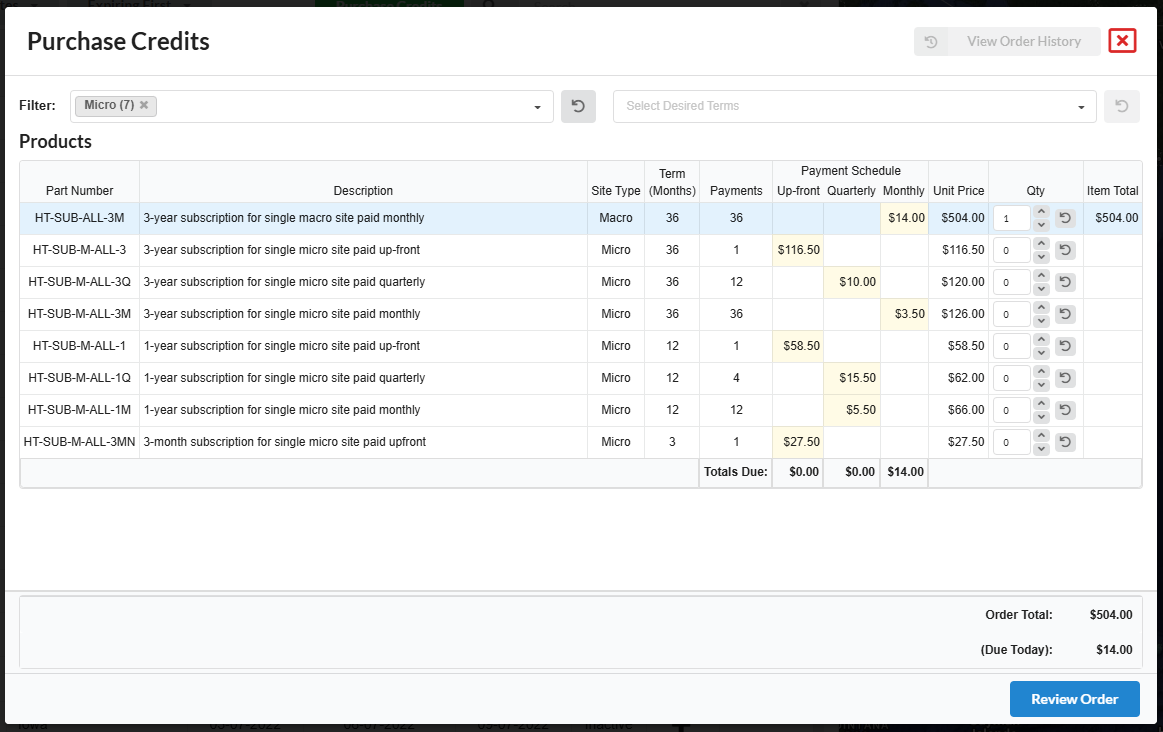
The cart shows the payment schedule in yellow and the total of all payments on the right. So as an example with the screenshot above, the user has selected a single macro tower site for 3-years which has a monthly payment of $14 and a total of $504 (36 x 14).
When the user clicks the Review Order button, they will be presented with a summary that breaks out the payments and shows what is due immediately upon placing the order.
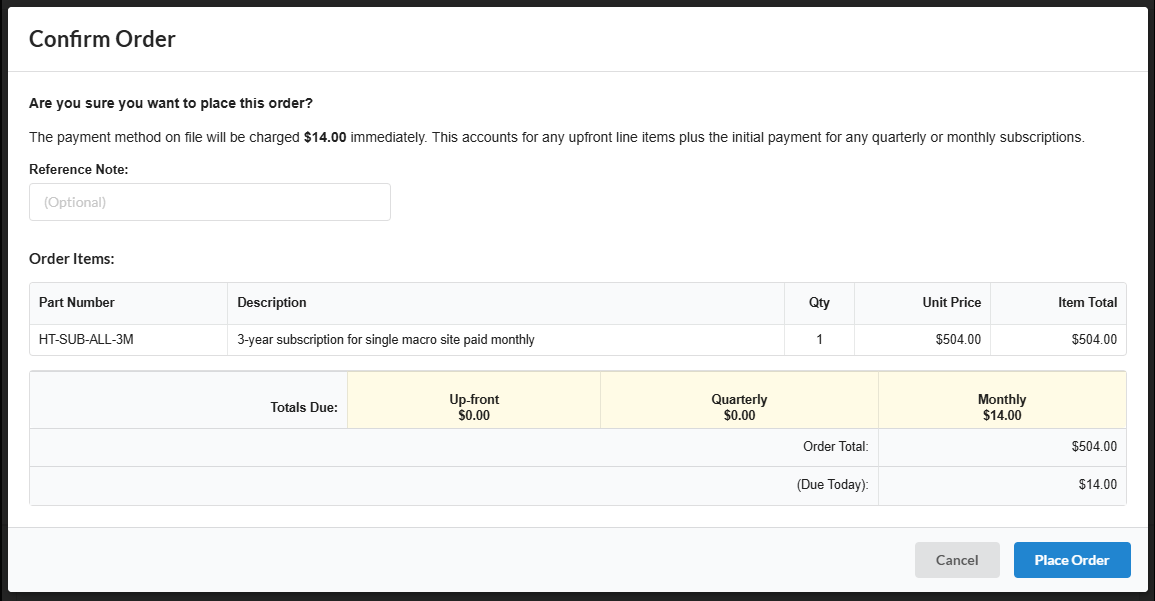
The order takes about 5-10 seconds to place, and then upon successful payment the credits are immediately added to the project.