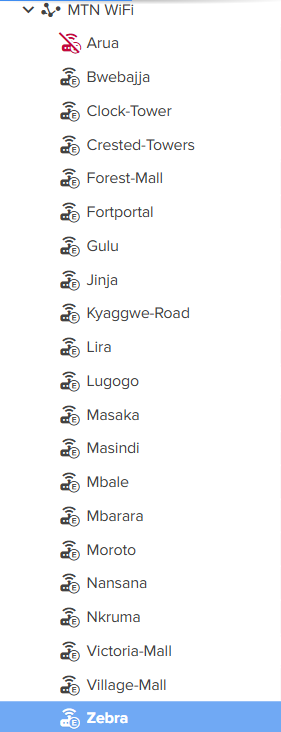
Have a scenario where APs lose their settings. connected to cnMatrix Switching, AP - if offline for any length of time (in this instance Uplink AP had failed) - 2/8 APs reset themselves to factory - and upon re-connecting did not resync automatically.
Upon inspecting cnMaestro - was able to see the APs, but they had also lost their Names (and presumably the rest of their config) in cnMaestro. They were back to default name.
This is NOT the first time that i have had this happen - but chalked it up to inexperience… In this instance, there is no reason this should happen.
Unfortunately I have a blanket AP group config for the APs so am unsure if any other settings are “lost”
Syncing Configuration did NOT restore the naming in this instance - whereas when I Activated the other half of the site this week that was adopeted to controller the other week, the APs were not there, then appeared with default name - then took the configured name and activated.
My questions are.
Why do these APs sometimes reset. There had ben no updates or interactions - as they were offline. Even if there was a physical reboot for whatever reason, why the hell would they lose their configuration.
When they do lose their confi on AP - why do they reset the config in cnMaestro. This should not be possible. I makes zero sense to have a Management platform that can be overwritten by an Access Point - kind defeats the purpose.
Will I need to re-enter the details for every ap that does this every time it happens - or should I leave for cnMaestro to correct itself - or are the settings such as name gone and need to be re-configured.
if the above are “features” - is there any way to turn these features off.
I am expecting to get told there is something wrong with my power of something - and that is beside the point - I reboot my computer and it keeps its settings… WTF don’t these.
We experienced the same issue with XV2-21X access points in cnMaestro after upgrading from version 6.6.0.3-r9 to 6.6.2.1-r5. Out of 21 APs, 19 lost their configuration and had to be manually reloaded with their respective AP group configurations one by one. The remaining 2 APs were completely reset to factory default. They were using static public IP addresses for management, so we had to physically visit each site to reconfigure them.
The client has now requested a report explaining the root cause of the issue. However, after reviewing the software release notes, we were unable to find any documented reference to this specific problem.
Oh Man… Sorry to hear that.
I don’t feel so bad now - Mine came back in and got their settings - just lost their specific config. The only issue I have is that I don’t know which one is where - as cnMaestro was the listing (I also have remote access should anything worse happen).
Makes me appreciate Grandstream - Quickest way to import to GDMS is with MAC AND Password - which you load into a CSV with a NAME - then save and upload.
Extra Steps vs cnMaestro - but I always know what was where due to the saves CSV - and they never lose that in GDMS (as that was part of adoption).
cireddy… “shall not” or “should not” - either way they did. IDK if I have done a support ticket yet - this fell down the priority ladder pretty quick - as it’s just a minor issue for me and client is not affected.
Thank you for bringing this to our attention, and we apologize for any inconvenience caused.
There are only three supported methods for performing a factory reset on the device:
CLI: Using the delete config command.
GUI: Via the Troubleshoot page in the graphical interface.
Physical Button: Pressing and holding the reset button as described in the user guide.
To help us analyze the issue and determine the root cause, could you please share the tech-support logs from the devices that have undergone a factory reset? Once we have those logs, I will investigate further and provide you with a detailed update.
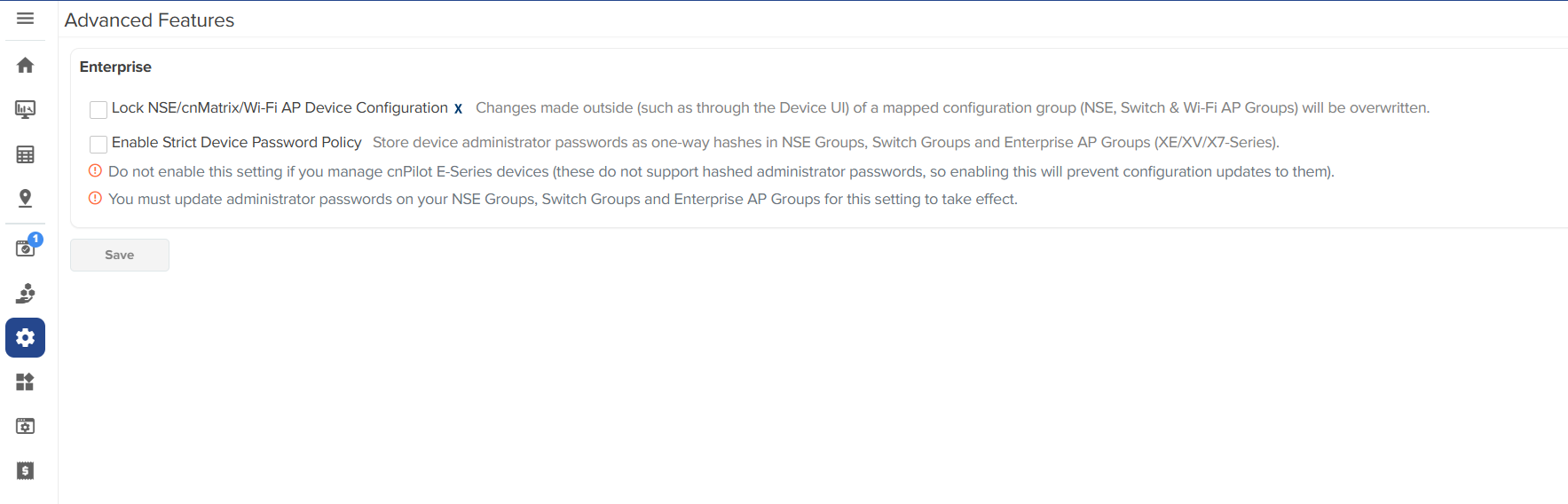
Additionally, to prevent the need for manual intervention after a factory reset, kindly ensure that the auto-sync option is enabled by selecting the relevant checkbox as outlined below.
Please let me know if you need further guidance or if there are any questions regarding the process. Looking forward to your response.
Yeah, Sorry, At this stage - I could not say which devices were they ones that reset anymore - and also, I do not know which logs you are referring to - so if you need something, will need a detailed explanation as to how to retrieve (if they are still retrievable at this time).
Anywho. For me this issue isn’t that the APs have reset (albeit that is part of the issue) - the issue is that becaus the APs have reset, the setting is cnMaestro have also reset… who is that possible that the reset of an AP deletes the settings of a site in a management platform. That has NEVER happened to me in ANY other platform. Usually the platform holds the settings for dear life (often making it hard to remove)… Why are the settings here being reset by the AP.
Now, in saying that - I know that one recent incident was caused by “site interaction” - the pressed the reset button on the ap, instead of just rebooting when issues occured. Unsure where they got that info from (i am working to install for another company that “manages”), but I have told them in no uncertain terms to never press the reset button.
So it is quite likely in my instance that the reset button has been the cause in all the resets… but still does not explain where the settings in cnMaestro went (device mane, channel settings, etc). Why would those settings dissappear with a reset of a physical device.
When a hardware factory reset is performed, the device reverts to its default factory configuration. Upon reconnecting to cnMaestro, the device pushes this factory configuration—including the default hostname—to cnMaestro. As a result, the hostname displayed in cnMaestro is overwritten with the factory default value.