The cnMaestro™ Cloud 6.2.0 release is now available. This release adds MarketApps Installer support for cnWave 60GHz, GA (general availability) release of EasyPass Hospitality PMS integration with TigerTMS, Wi-Fi offload enhancements, Snort3 support on the Network Service Edge (NSE), GA of integration with Teltonika cellular modems, and much more.
For more details on the new features in this release, refer to the video and release notes linked to below. A set of primary features are highlighted directly in this email.
- MarketApps Installer: Installation app support for 60 GHz cnWave deployments X
- EasyPass Hospitality PMS: TigerTMS integration with guest session management (GA) X
- Wi-Fi Offload: Integration enhancements plus new vendor support for American Bandwidth
- NSE: Snort3 support for the Network Service Edge (NSE) firewall
- NSE: Integration with Tailscale for remote connectivity behind NAT
- NSE: Integration with Teltonika cellular modems
Refer to the release notes for details on many additional features.
Features that require cnMaestro X subscription are denoted by X.
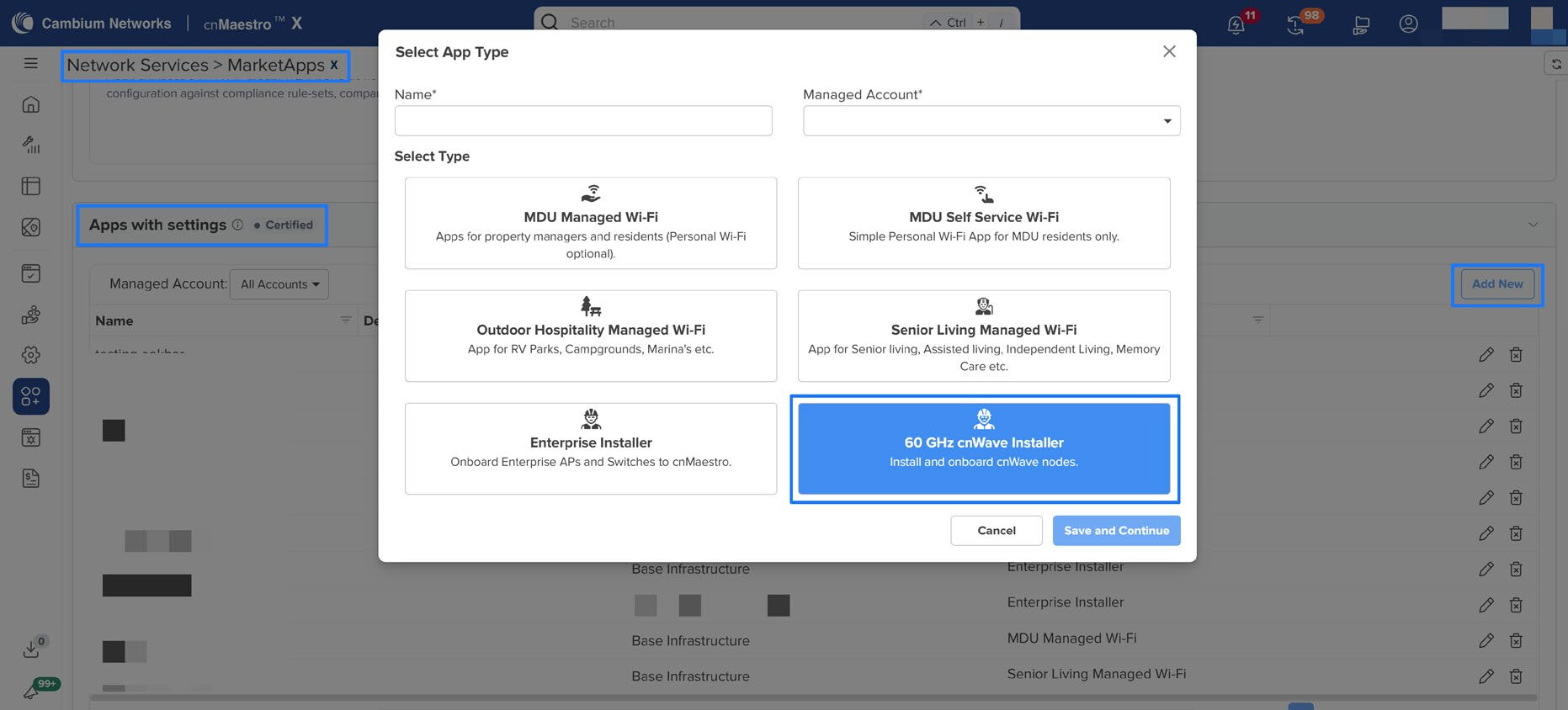
1. MarketApps: 60 GHz cnWave Installer App X
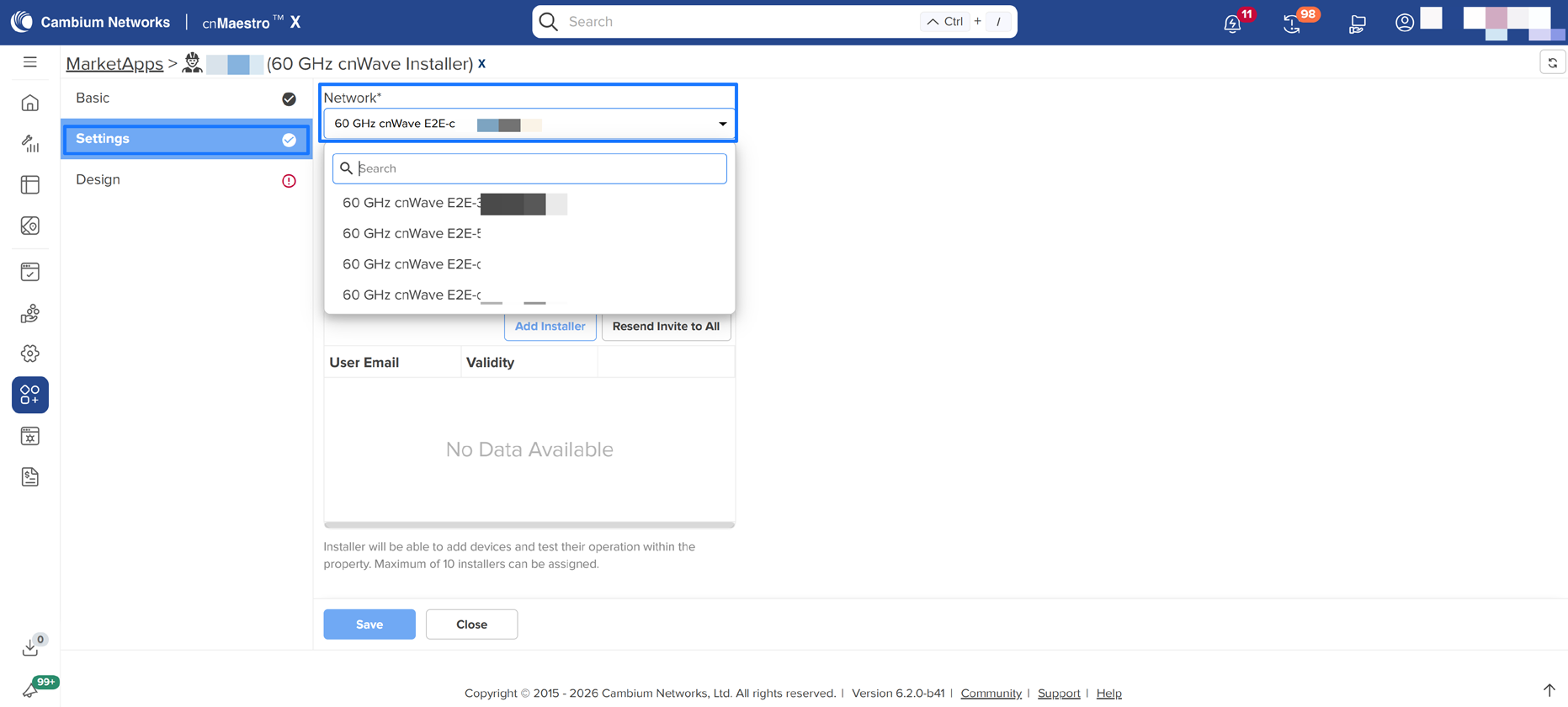
cnMaestro 6.2.0 introduces support for onboarding 60 GHz cnWave devices through the Installer MarketApp. This enhancement extends the existing field installation workflow, enabling installers to claim supported cnWave devices directly into cnMaestro during on-site deployment.
Using the Installer App, installers can enter the serial number or scan device details, select the deployment context configured by the MSP admin, and capture installation information as part of the onboarding process. This allows field teams to complete device installations without requiring access to the full cnMaestro administrative interface.
After onboarding, the 60 GHz cnWave device is automatically added to cnMaestro for centralized monitoring and management. Installation details captured through the Installer App are stored in the installation summary, helping administrators maintain accurate deployment records and track installation history.
NOTE: Before onboarding 60 GHz cnWave devices through the Installer App, the E2E controller must be onboarded first.
2. EasyPass Hospitality PMS Integration X
This feature is now Generally Available (GA) in 6.2.0 following a beta release in 6.1.0.
TigerTMS is a PMS system service provider for Hospitality. They provide a full management system for property managers from check-in, billing, etc. They provide API for Captive Portal deployment in their systems through which guests are authenticated, and session is managed through it.
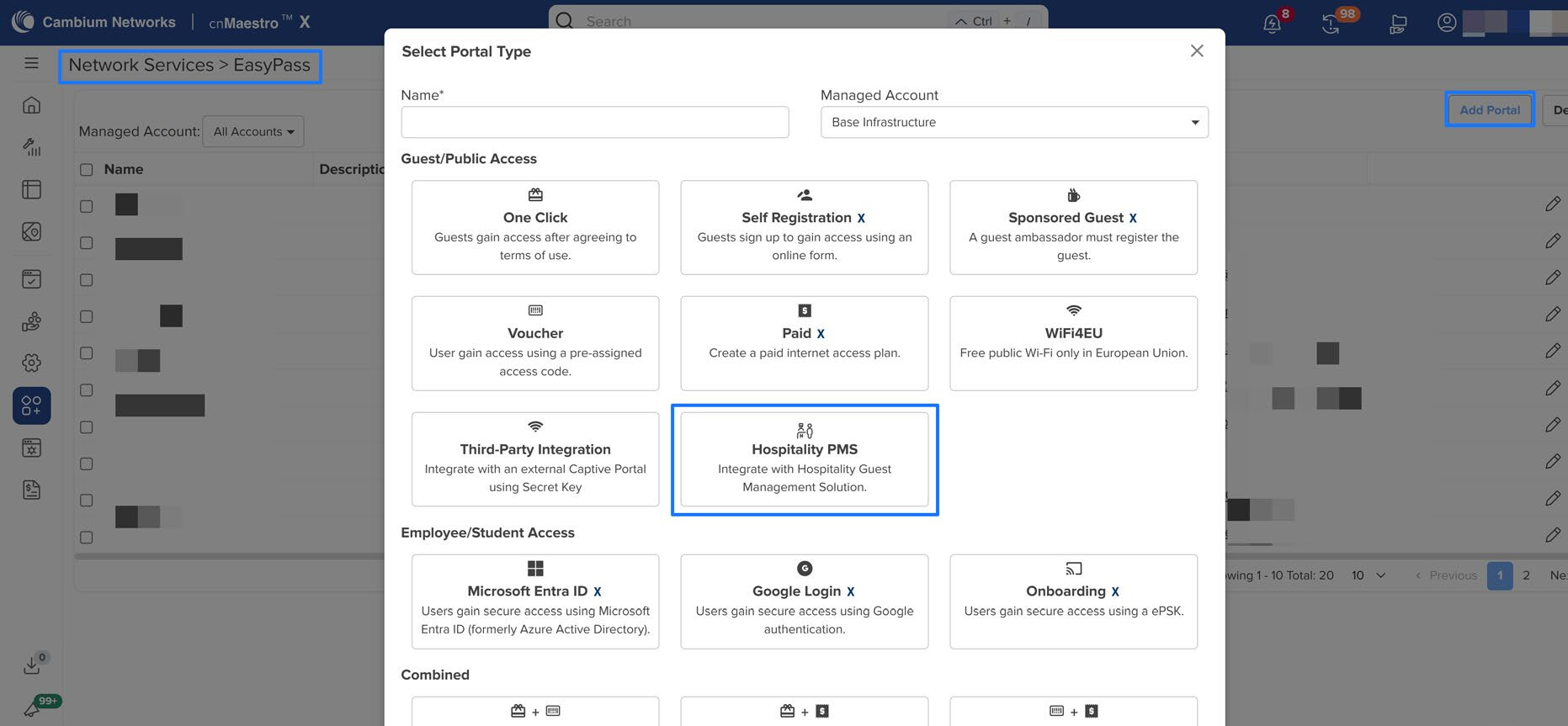
Navigate to EasyPass > Add Portal > Hospitality PMS
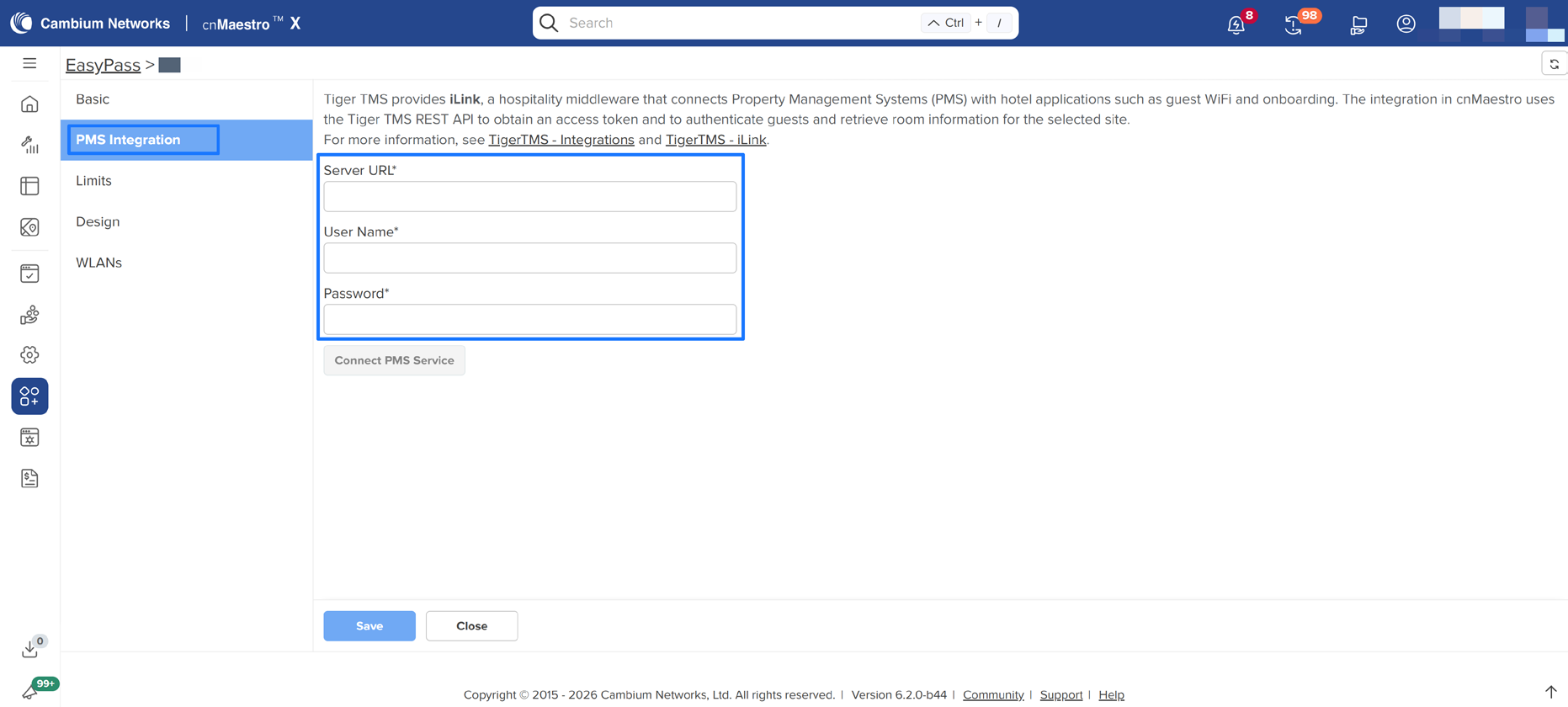
Configure Server URL, Username and Password under PMS integration page to connect with PMS service.
3. Wi-Fi Offload Integration Enhancements
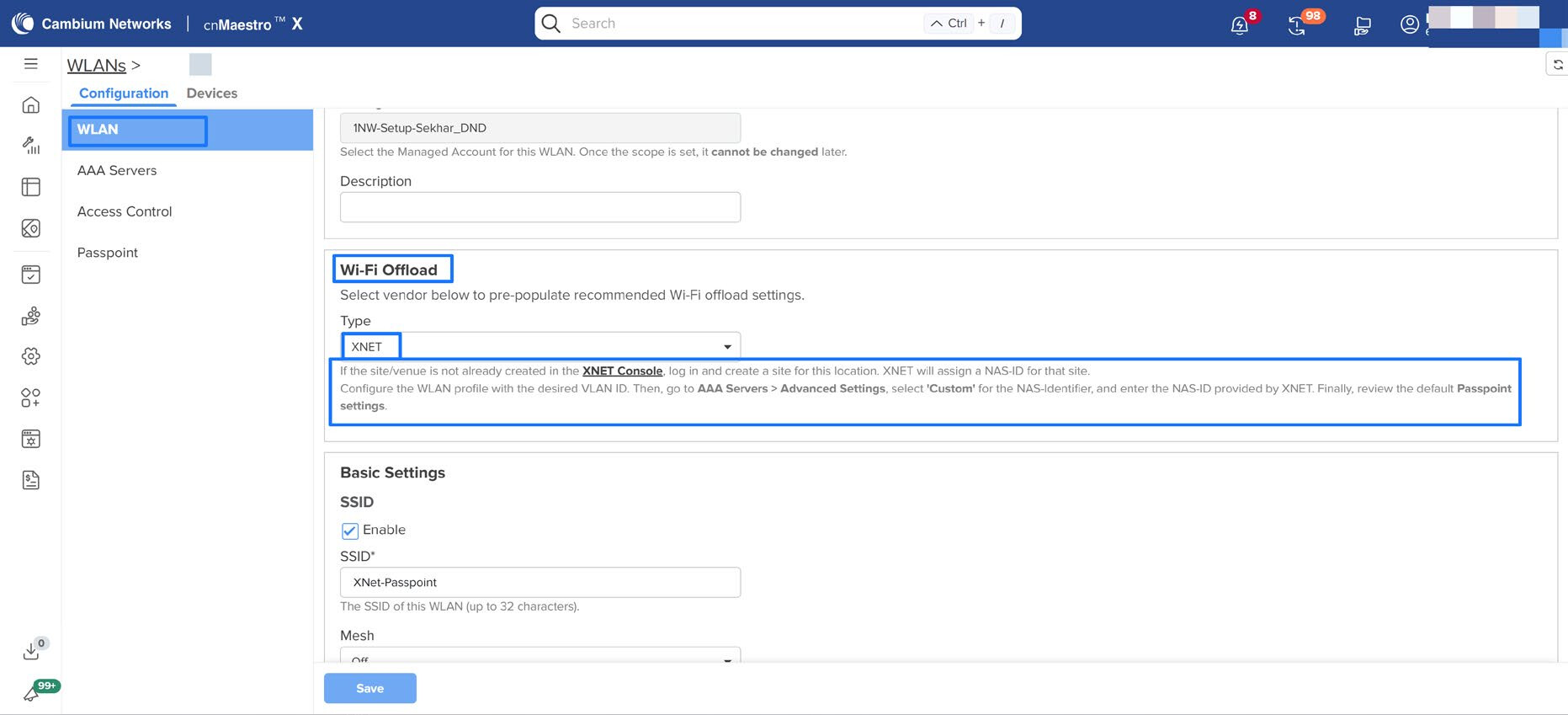
Wi-Fi Offload - Vendor URL and Help Text
This release enhances the Wi-Fi Offload configuration workflow by adding vendor URL support and updated help text for Wi-Fi offload vendors.
Administrators can now view vendor-related URL information while configuring Wi-Fi Offload settings under WLANs, making it easier to reference vendor-specific details during setup. The updated help text provides clearer guidance for selecting and configuring supported Wi-Fi offload vendors.
This enhancement improves usability, reduces configuration ambiguity, and helps administrators complete Wi-Fi Offload setup more efficiently.
Wi-Fi Offload American Bandwidth support
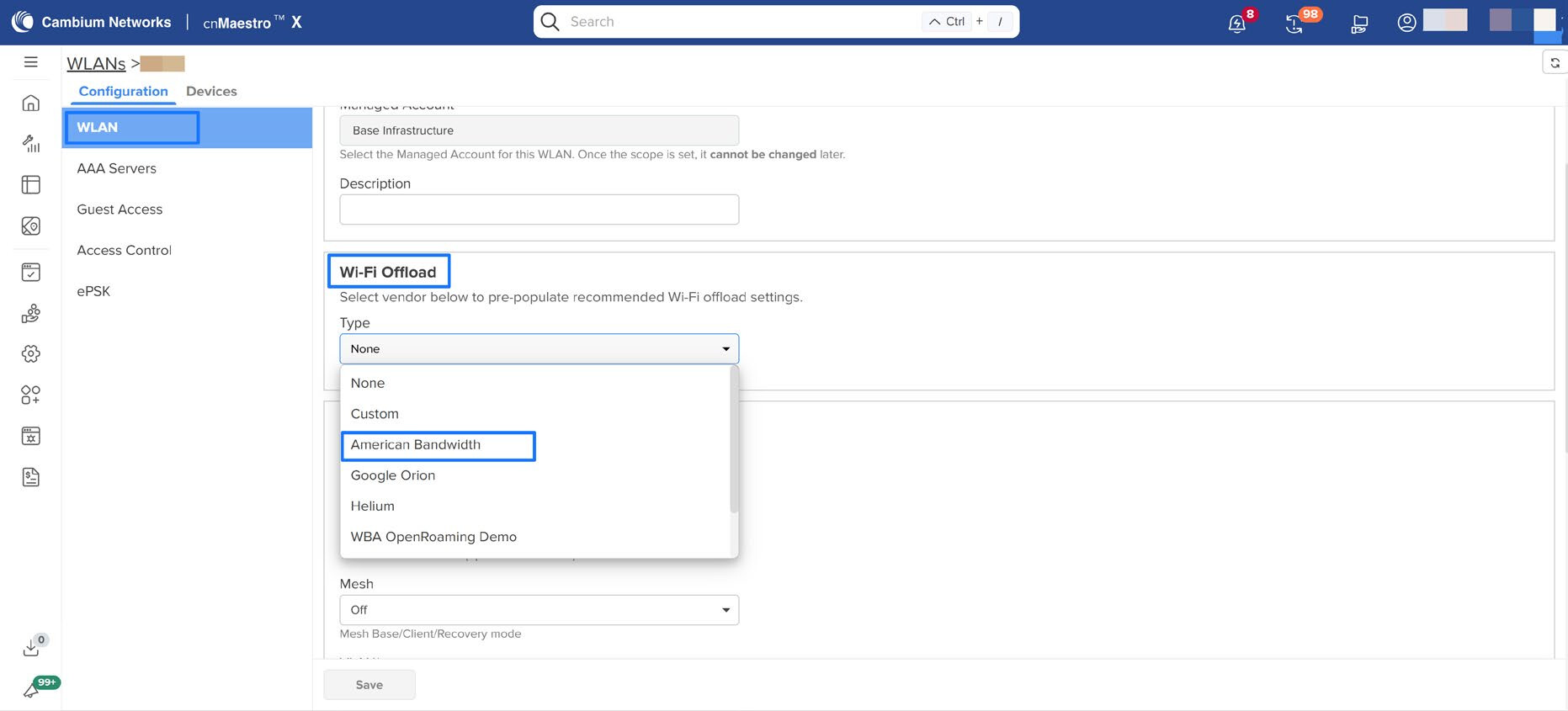
This release adds a Passpoint configuration profile for American Bandwidth under Wi-Fi Offload settings. Administrators can select the American Bandwidth vendor profile to populate the recommended Passpoint parameters, reducing the manual configuration required for Wi-Fi offload deployments.
This enhancement simplifies Passpoint setup, improves configuration consistency, and helps administrators onboard American Bandwidth Wi-Fi offload services more efficiently.
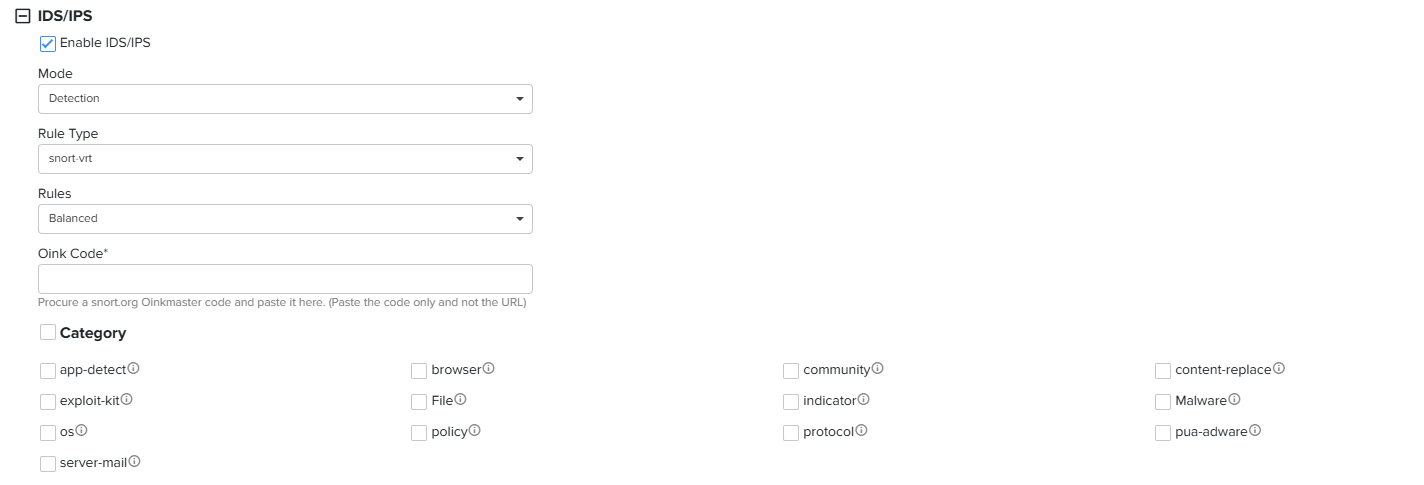
4. Snort3 support for NSE
This release introduces migration of Snort VRT categories. Since Snort2 and Snort3 use different VRT category definitions, migration ensures that existing IPS policies continue to function correctly after the upgrade.
cnMaestro automatically migrates configured Snort2 VRT categories to the corresponding Snort3 VRT categories during device upgrades.
No changes are required for IPS categories other than Snort VRT categories.
Note: This feature requires NSE devices running software version 2.3 or later.
5. Tailscale Integration
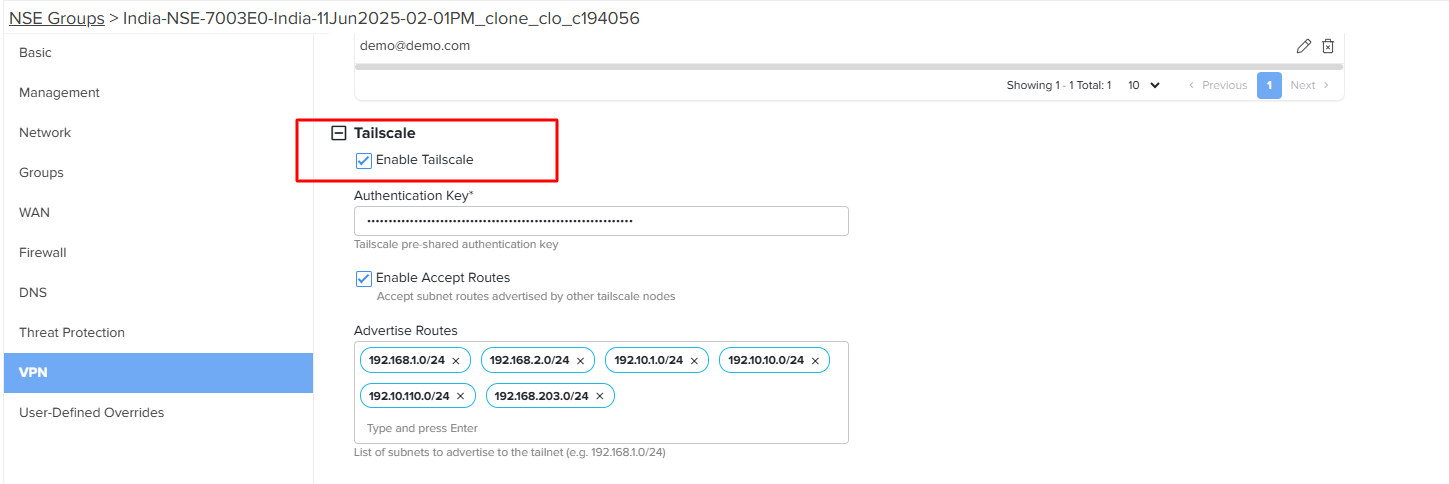
This release introduces Tailscale integration for the NSE, enabling administrators to securely connect branch networks that are behind NAT to a Tailscale peer (Tailnet) or to other branches that are also behind NAT, without requiring traditional VPN configuration or port forwarding.
The integration simplifies secure site-to-site and remote connectivity by leveraging Tailscale’s WireGuard®-based mesh networking, providing seamless, secure communication between distributed sites.
Configuration
Navigate to:
NSE Group → VPN → Tailscale
Note: This feature requires NSE devices running software version 2.3 or later.
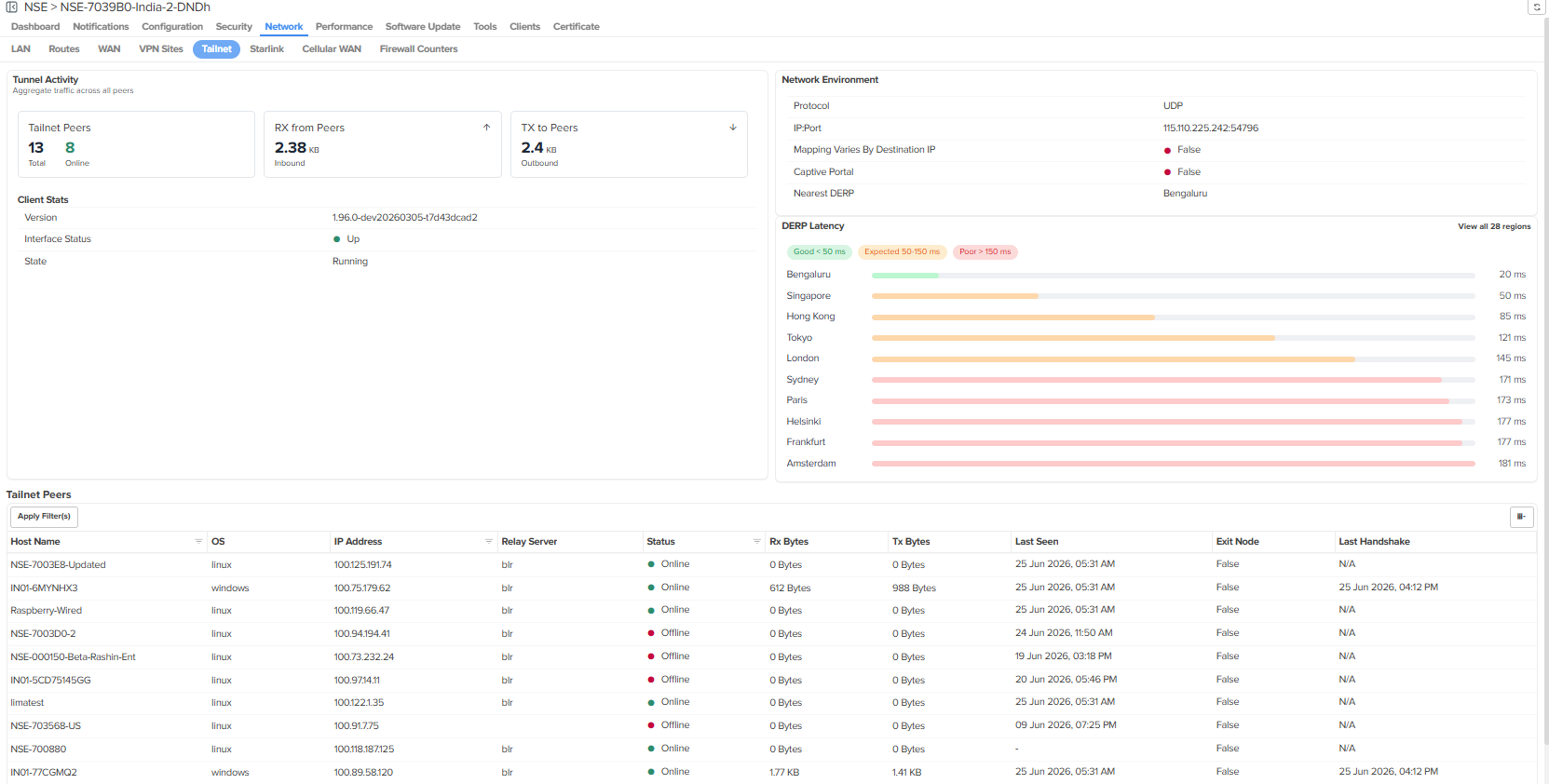
The Tailnet Dashboard for NSE, provides centralized visibility regarding the operational status and performance of the Tailscale client. Administrators can monitor peer connectivity, network activity, DERP latency, and client health from a single dashboard, simplifying troubleshooting and operational monitoring.
Navigate to NSE > Network > Tailnet
6. Teltonika Cellular WAN Integration
This feature is now Generally Available (GA) in 6.2.0 following a beta release in 6.1.0.
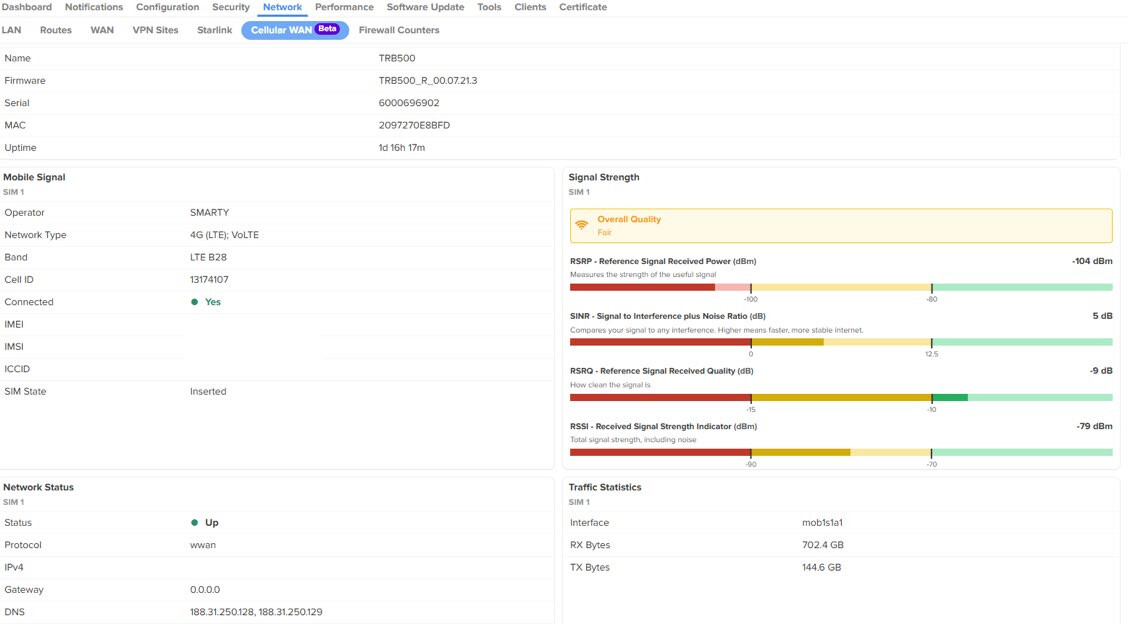
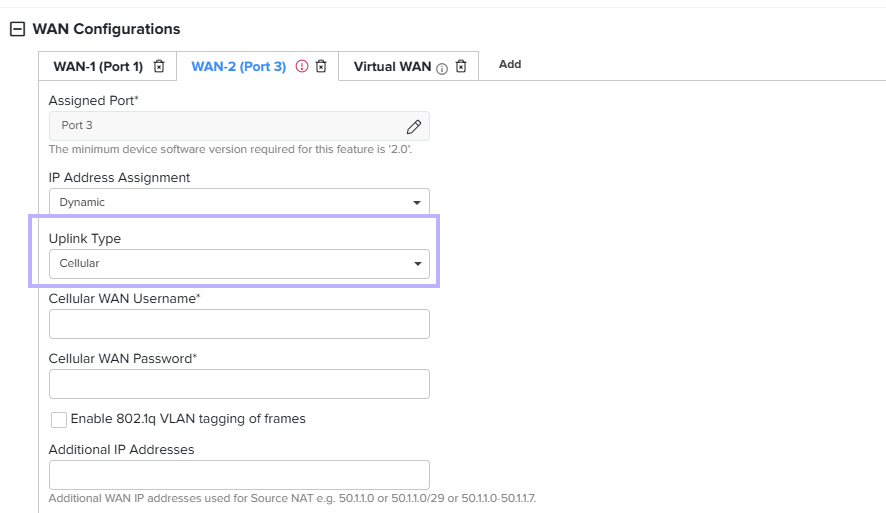
If the NSE is connected behind a Teltonika modem, it can fetch cellular statistics from the modem and display them in cnMaestro.
To configure this:
- Set the uplink type to Cellular under WAN configuration
- Provide the required username and password
Once configured, the NSE will fetch statistics from the modem and display them in cnMaestro.
Note: This feature requires NSE devices running software version 2.2 or later.
The statistics are available at Network > Cellular WAN.
As part of the statistics displayed, we provide the following details:
- Hardware and software version of the modem
- Mobile signal information
- Cellular signal strength details
- Network status
- Traffic statistics