Hello joelgonzaleze,
I would like some assistance with migrating from cloud to on-prem.
Hello joelgonzaleze,
I would like some assistance with migrating from cloud to on-prem.
Anthony,
I would like some assistance.
Hey Kyle,
How can I help? Feel free to PM me.
I can’t where to PM you.
Hi Kyle,
my mail is joel.gonzalez@insyst.net, if you agree send me mail to coordinate a call or something to review what you need.
Regards,
Joel.
How did you decide on “0.1” for that value, instead of something like 0.2 or 0.5?
Also, how are you “restarting cns-cloud_sync”? I don’t have a systemd service with that name. It seems like there’s something that runs within cnmaestro-server.service that has the name “CnsCloudSyncServer” though…
Care to share that script? I’m not sure how you are checking the status of the RabbitMQ queue…
A solution that will lock customers in their account is not a solution. Disconnected mode must be released. All cnMaestroX features and being able to add and remove devices one account to another.
Any update on cnMaestro X and it’s fate?
Not really… However – did receive an email from RSK administration team. I highly recommend we all [those that are concerned, and voice opinion] email them. Cambium.restructuring@rsmuk.com
Dear Sirs
Please see the Cambium Networks website (https://www.cambiumnetworks.com/) where the Joint Administrators of Cambium Networks, Ltd (In Administration) (“Cambium Networks”) have provided an update on the Administration, which notes:
Cambium Networks and Airspan Communications Limited, (“Airspan”) entered into a business sale agreement on 22 September 2026 regarding certain assets of the business, focused on the defence division. Cambium Networks, Inc. concurrently entered into a bill of sale to transfer certain associated assets to Airspan Networks Inc. The acquired product portfolio includes the PMP 450 platform, PTP 670, PTP 450i, PTP 700, 28 and 60 GHz cnWave, and cnReach. The management system and planning software for the acquired portfolio, including LINKPlanner, cnHeat, and cnMaestro as it relates to the referenced products, are included in the business sale agreement.
The Joint Administrators had actively been progressing several potential going-concern transactions for the remaining business units of Cambium Networks. We have entered into a period of strict exclusivity with Univastu India Ltd, in relation to a sale of the remaining assets of Cambium Networks. I attach their press release, dated 30 September 2026, which contains more details surrounding these discussions.
In conjunction with those efforts, Cambium Networks is extending support of cnMaestro Cloud through at least October 2026, including support of the entire enterprise product portfolio. Cambium Networks’ objective is to find an acquiror for cnMaestro to ensure long-term access or, alternatively, to allow the ability to transition from a cloud environment to an on-premises implementation deployment. Regarding Network Service Edge (NSE), while cnMaestro Cloud support is extended, Cambium Networks is also advancing an on-premises implementation of NSE and expects to release it to the existing user community.
Please refer to the Cambium Networks website for further updates.
Yours faithfully
For and on behalf of
Cambium Networks, Ltd – In Administration
RSM UK Consulting
T: +44 20 3201 8000 | W: www.rsmuk.com
Funny, I just got the same announcement. Tell us something we don’t already know… I’m so disgusted.
@Braden, thanks for the questions.
Why 0.1?
Honestly: we did not calculate it or test other values. We picked something clearly lower than the waits we were seeing (30 s to 120 s) but not instant. The code (services/cloud_sync/client.js) uses 60 * rpcTimeoutInMin * 1000 ms, so 0.1 = 6 s.
How do we restart cns-cloud_sync?
You are right, it is not a systemd service. It runs under PM2 as the cnmaestro user (cnmaestro-server.service starts PM2). It is the “CnsCloudSyncServer” process you see in the logs:
sudo -H -u cnmaestro env PM2_HOME=/var/lib/cnmaestro/.pm2-srv /usr/bin/pm2 restart cns-cloud_sync
(list them with: … pm2 list). The broker is systemd:
sudo systemctl restart cnmaestro-mon8zn-broker
Result so far
The broker’s Redis connections have stayed in single digits for almost 2 days, with no “pool exhausted” since the change. Before, they grew about 5 per hour until reaching 100. This is a single case, not a guarantee. We keep measuring.
(The question about the script and the RabbitMQ queue is for Miguel; we do not use a restart cron.)
My Anchor is suddenly working today. Perhaps they are migrating cnMaestro anchor accounts to another server run by the other company.
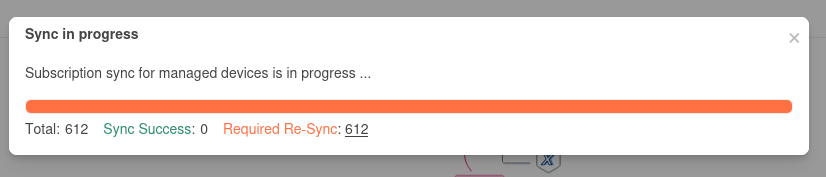
With the actual anchor problem, it mean that we can’t add new AP anymore?
I got this from Cambium…Read on… “possible” light at the end of the tunnel? Do not quote me, just passing the info to the message board.
To,
The Manager,
Listing Department,
The National Stock Exchange of India Limited,
Exchange Plaza, C/1, Block-G,
Bandra-Kurla Complex,
Bandra (E), Mumbai - 400 051
Company’s Scrip Code: UNIVASTU
Sub.: Outcome of Board Meeting.
Ref.: Regulation 30 of the Securities and Exchange Board of India (Listing Obligations and
Disclosure Requirements) Regulations, 2015, as amended (“Listing Regulations”).
Dear Sir/Madam,
Pursuant to Regulation 30 of the Securities and Exchange Board of India (Listing Obligations and
Disclosure Requirements) Regulations, 2015, we wish to inform you that the Board of Directors of the
Company at its meeting held today, i.e. on Wednesday, 30th September, 2026 inter alia, discussed,
considered and approved following matters;
It’s ok again on my 2 instances. New AP onboard wainting for subscription is ok too now.
My CnMaestro is functional only after a reboot of the VM.
Anybody know of any trick to speeding up the deletion from the Cloud side, or if there is any way to select and delete every device in a “Site” at once?
Quickest thing I’ve found so far is to click on the top “Site” level, then go to the “Devices” tab, and then on the “List” section below that, mouse down the list one by one and hit trashcan, then Tab key on keyboard 2x, then spacebar (to confirm the delete). Then you still have to wait several seconds for the deletion to “go through” before you can flip back to your onprem and “approve” the device.