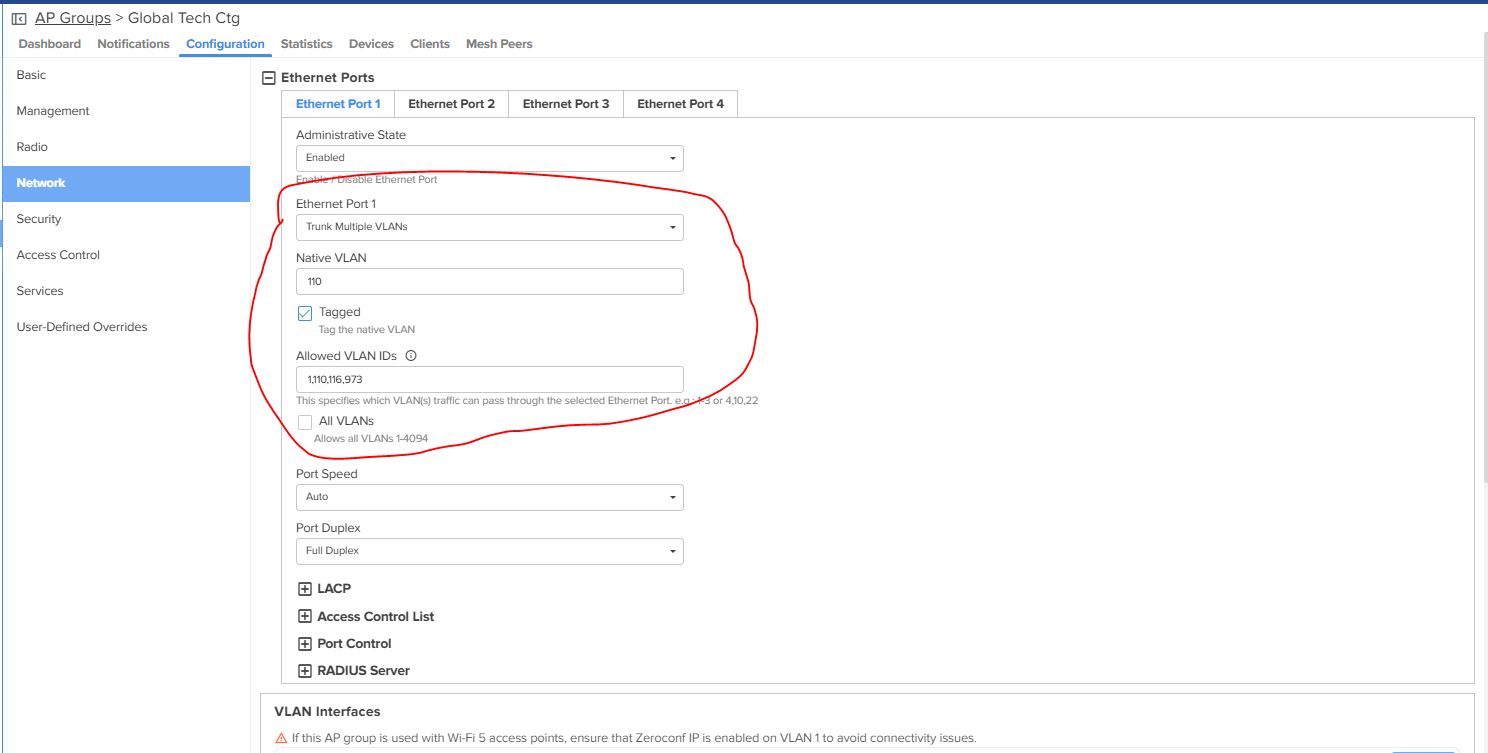
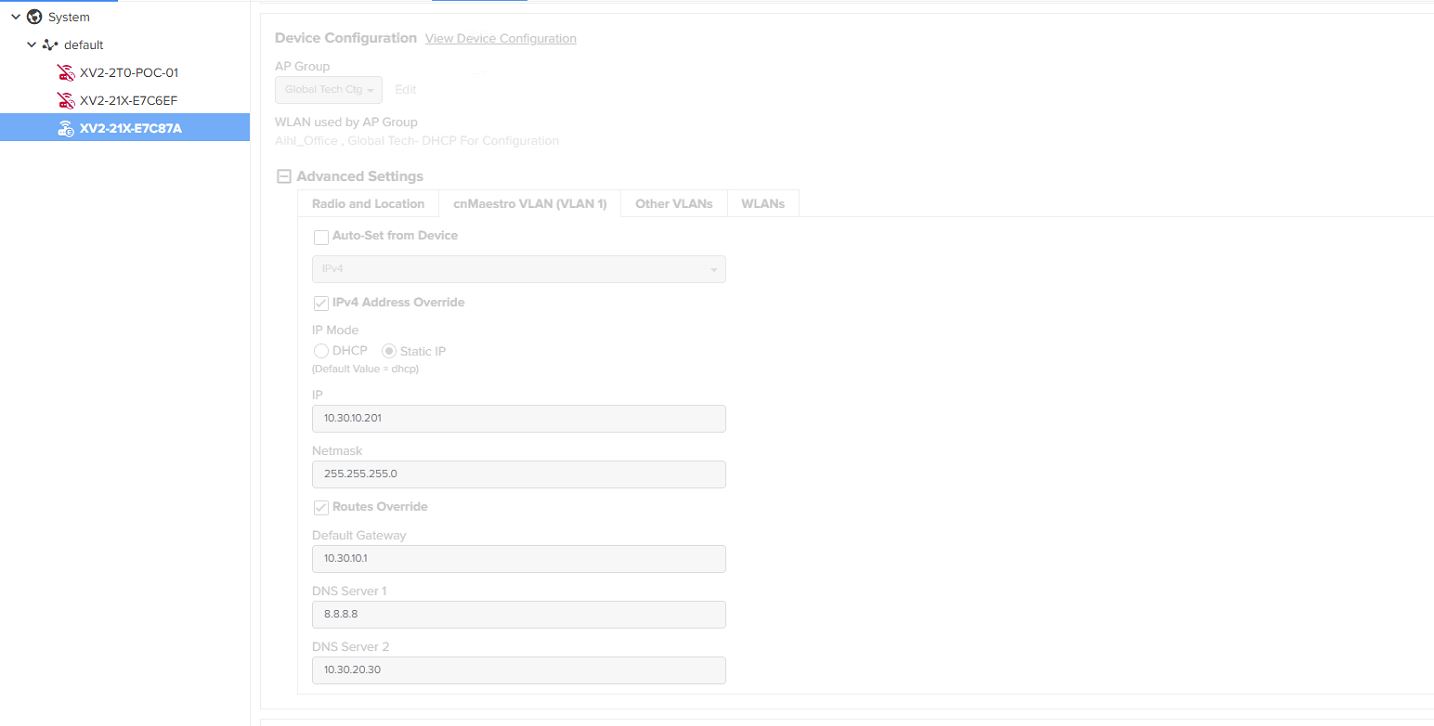
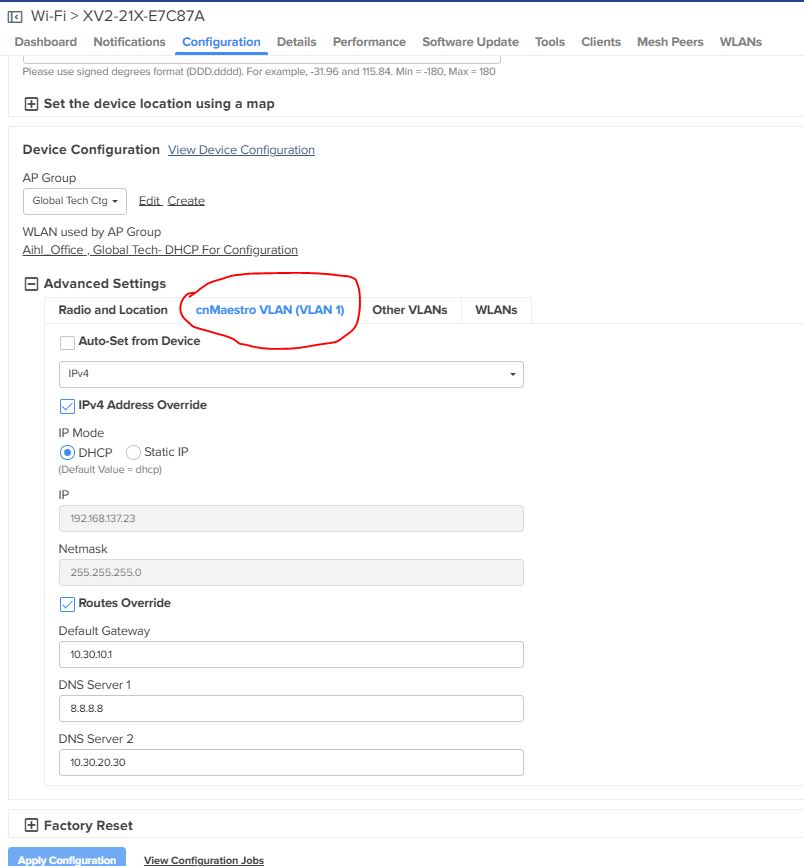
The issue is that cnMaestro management VLAN is fixed at VLAN 1, and I cannot change it to VLAN 110. Because of this, the AP is not applying the correct management VLAN and static IP configuration.
Question
Is there a way to change the cnMaestro management VLAN from VLAN 1 to a custom VLAN (e.g., VLAN 110)?
@Md_Anwar_Hossain
Its pretty straight forward configuration.
Is VLAN 110 a tagged or untagged management network? From the configuration, I see its tagged. Please confirm.
If so, add VLAN 110 interface and edit the following:
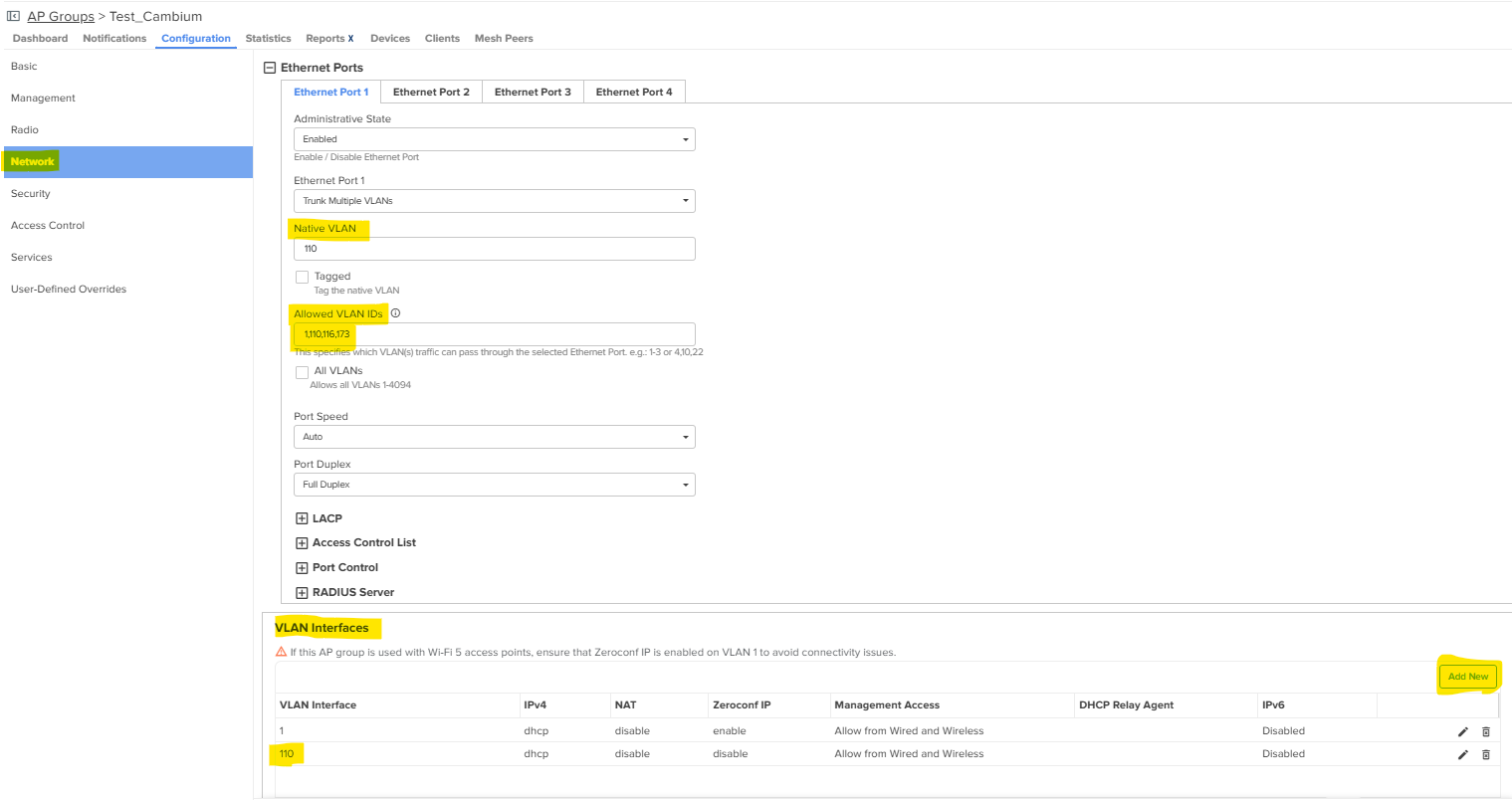
Navigate to AP Group >> Network >> Ethernet Ports >> Ethernet Port 1 >> Set the Port to Trunk. Then configure Native VLAN 110. Set allowed VLAN IDs with all the necessary VLANs allowed including the Native VLAN. If the Native VLAN needs to be tagged, please check the Tagged option which will Tag the Native VLAN. Please ensure the switchport on the AP’s uplink has the identical config, else the switch will drop the traffic.
Under VLAN Interfaces >> Click Add New >> Configure the Native VLAN ID 110
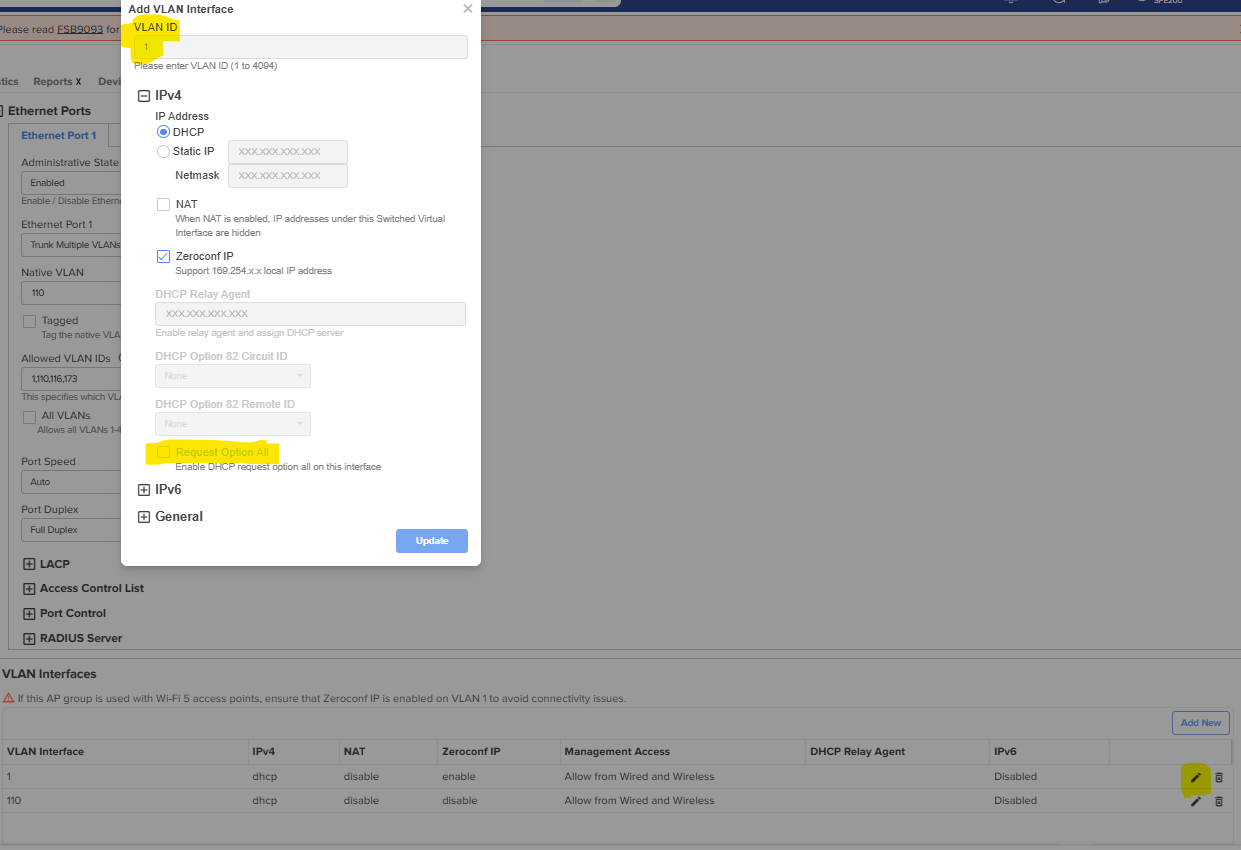
Edit the VLAN 1 under VLAN interfaces >> Uncheck the “Request Option All” and click Update
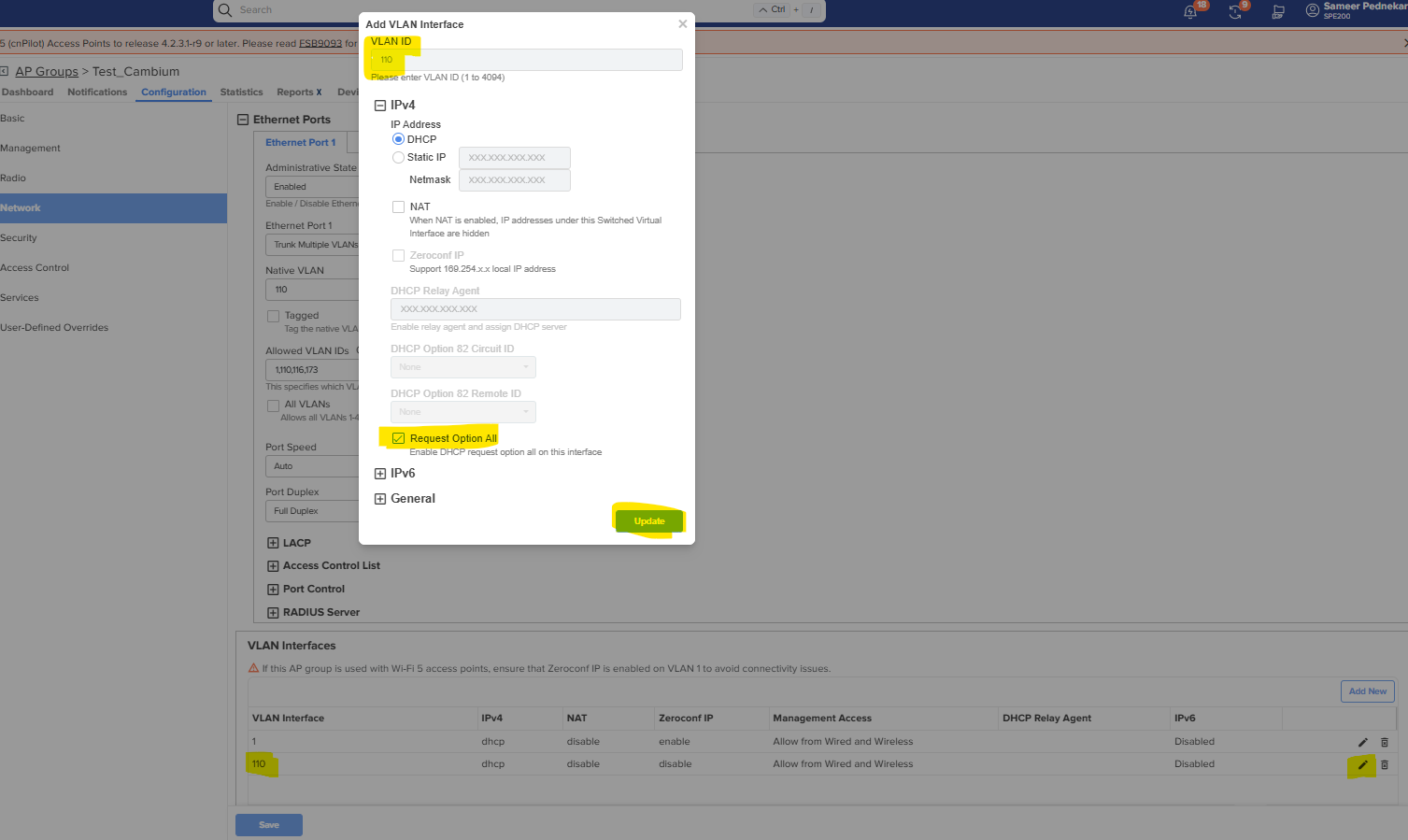
Edit VLAN 110 under VLAN interfaces >> Check the “Request Option All” and click Update
Once done, Save the Configuration under the AP group settings