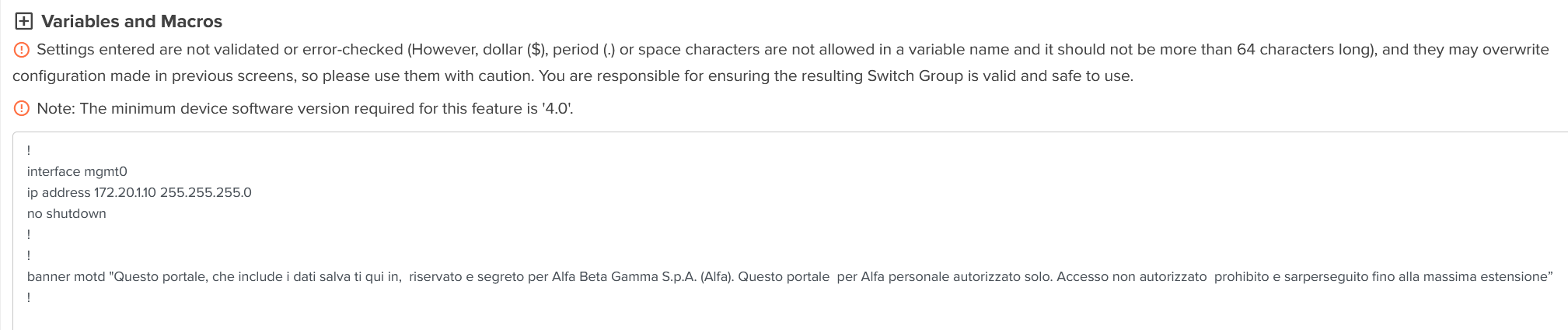
For certification reason about one of our primary customer we need to put motd banner on all switches. We tried with User Defined Overrides but we cannot find the right syntax.
This command, via SSH client, works correctly:
banner motd "Questo portale, che include i dati salva ti qui in, riservato e segreto per Alfa Beta Gamma S.p.A. (Alfa). Questo portale per Alfa personale autorizzato solo. Accesso non autorizzato prohibito e sarperseguito fino alla massima estensione”
But this in cnMaestro “User Defined Overrides”
!
banner motd "Questo portale, che include i dati salva ti qui in,  riservato e segreto per Alfa Beta Gamma S.p.A. (Alfa). Questo portale  per Alfa personale autorizzato solo. Accesso non autorizzato  prohibito e sarperseguito fino alla massima estensione”
!
I’m not sure if it’s happened during copy/paste onto this site, but both of your snippets have an incorrect double-quote character at the end. They both use ” rather than ".
Can you confirm that the quote characters in your actual user-defined override are correct?
it seems that problem was only that, I made a lot o test with different word combination, commas, point and so on but never changed the last character, very sorry for wasting your time