LINKPlanner BOM Estimator has been updated to version 1.1.0 and is available at LINKPlanner BOM Estimator
Key Features
Global Preferences
Default values for cnMaestro X, Cambium Care, and Extended Warranty terms can now be set across all products using the  button located on the top toolbar. To configure these settings, click the button and select the desired option.
Why this matters: Set your preferences once, and they will automatically apply to every valid product you add to your BOM, significantly reducing data entry time.
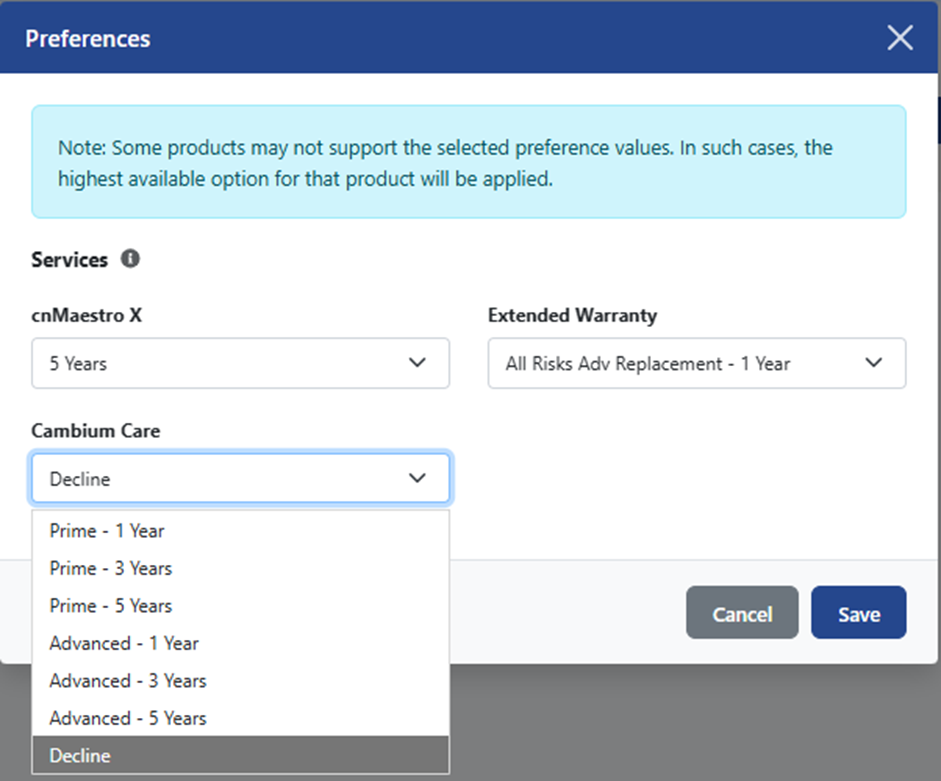

Some products may not support the selected preference values. In such cases, the highest available option for that product will be applied.
Customize Support and Services
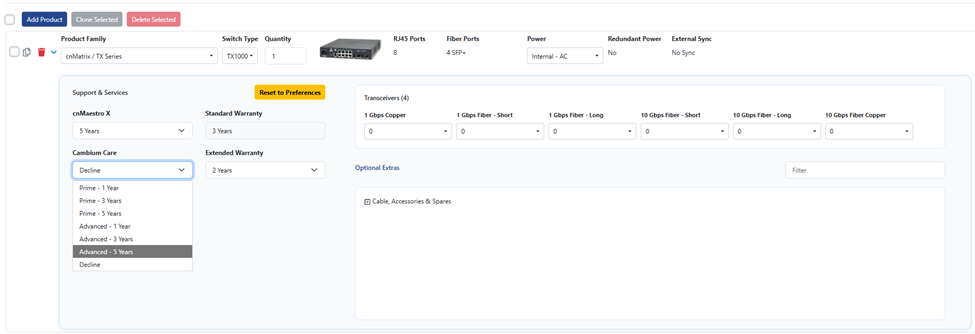
Global preferences can be overridden at the product level if required. To set a specific configuration, click the  button located beside the product row.
In the expanded window, cnMaestro X, Cambium Care, and Extended Warranty terms can be selected for the product, overriding the Preferences. Settings can be reverted to the preferences using the  button.
Interactive Product Tour
We have added a guided tour that is launched automatically for first-time users. It’s a great way to get up to speed with the key features quickly.
The tour can also be accessed at any time using  icon in the top right corner.
Product Updates
Added support for cnWave 60GHz products
The cnWave 60 GHz portfolio is now listed under the cnWave Product Family. Available configurations include:
- Bridge in a Box: 1 Gb and 2 Gb
- CN: V1000, V2000, V2000i, and V3000
- DN: V5000 and V5000i
An Antenna Height field is included for these models. Input in this field determines the selection of cables and other accessories and its quantity within the BOM.

Retired Products
Removed retired switch models EX1010, EX2010, EX2052, EX2052R-P, and TX2028RF-P.
Bug Fixes
- Quantity limit of 100 has been removed, allowing for larger scale estimates
- Resolved a bug where TX-specific fields like redundant power or fiber ports persisted when switching to non-TX products