LINKPlanner online has been updated to version 6.3.5
The key features of the 6.3.5 release are:
New Features
Added an option to import image overlay layers into the map
LINKPlanner now supports importing image overlays on the map from KMZ files.
To import image overlays, click  icon in the right-hand map menu bar. This opens the Additional Geometry Layers window. Click
  button to browse and import image overlays from KMZ file.

Image overlays cannot be imported from KML files since the overlay images must be included in the zipped file. Externally linked overlays are not supported.
Once the import has finished, the menu in the Additional Geometry Layers will be populated with an entry for each imported file. Use the radio button  to display the desired layer or select
  to hide the layer.
Click  to locate the layer in the map. This command causes the layer to be visible.
Click  to delete the geometry layer.
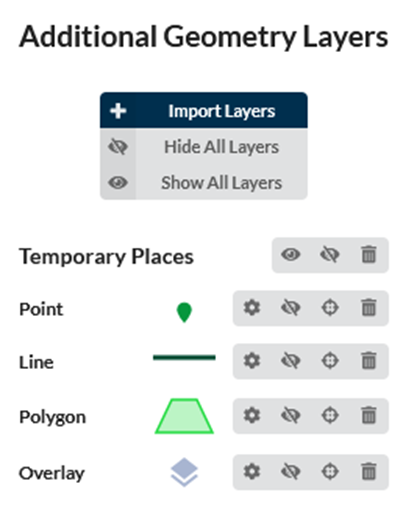
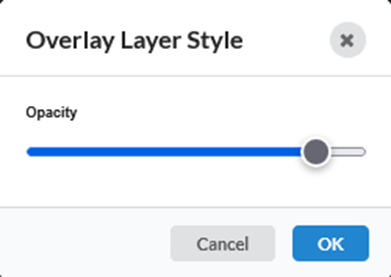
Individual layer types within the imported file can be styled for better visualization. To set the layer style, click  the icon. The Style Edit window will open. For the image overlay layer, opacity can be customized.
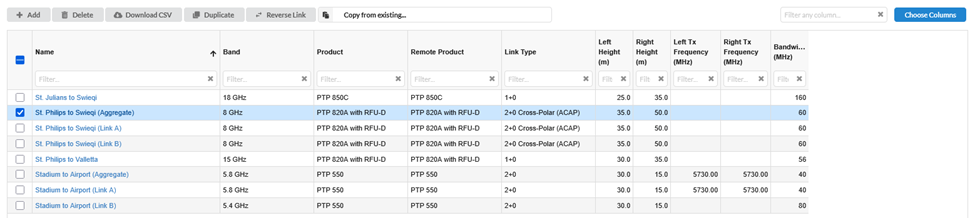
Added Reverse Link button to the PTP table view
To reverse PTP links, select one or more links in the table view and click  icon. Selecting this option will reverse the ends on the link, for example a link “End A to End B” will become “End B to End A”, with associated changes to the Link Description and report titles. All properties associated with an end will move with the end, for example antenna and power configurations and Master/Slave or Hi/Lo settings.
cnWave 60 GHz
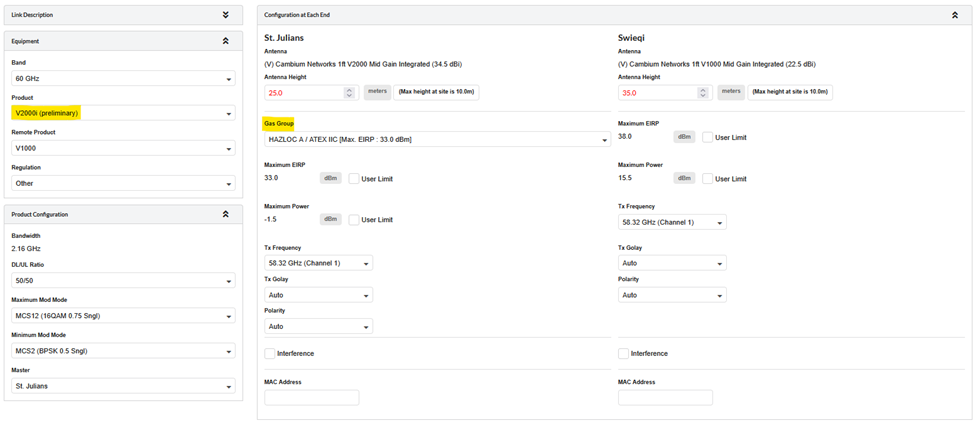
Added industrial version of cnWave 60 GHz V5000i and V2000i products
Industrial cnWave 60 GHz V5000i and V2000i have been added to both the PTP and PMP sides of LINKPlanner. Select the 60 GHz band to access these products and then choose the required Gas Groups to apply the EIRP limitations.
- The V5000i has similar functionality to the V5000 (meaning it can operate in a distributed mesh environment as a DN or a PMP network as a hub/AP).
- The V2000i has similar functionality to the V2000i (meaning it can be a client node connected to a V5000i or a PTP link to another V2000i).
- The V5000i and V2000i are interoperable with other cnWave products: V1000, V2000, V3000, and V5000.
The V5000i and V2000i are not yet available in Terragraph Planner. As a workaround, use the V5000 and V2000 products in Terragraph Planner, and then switch to the V5000i and V2000i after importing the results into LINKPlanner.
Added channel bonding for V2000 product in PTP mode
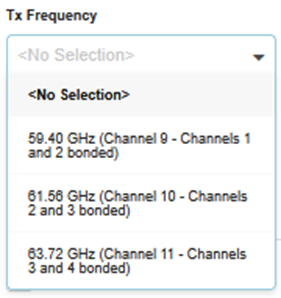
Channel Bonding is now available for the V2000, V2000i, and V3000 in PTP mode. When both the local and remote ends of a PTP link are either V3000 or V2000/V2000i, select 4.32 GHz from the bandwidth options.
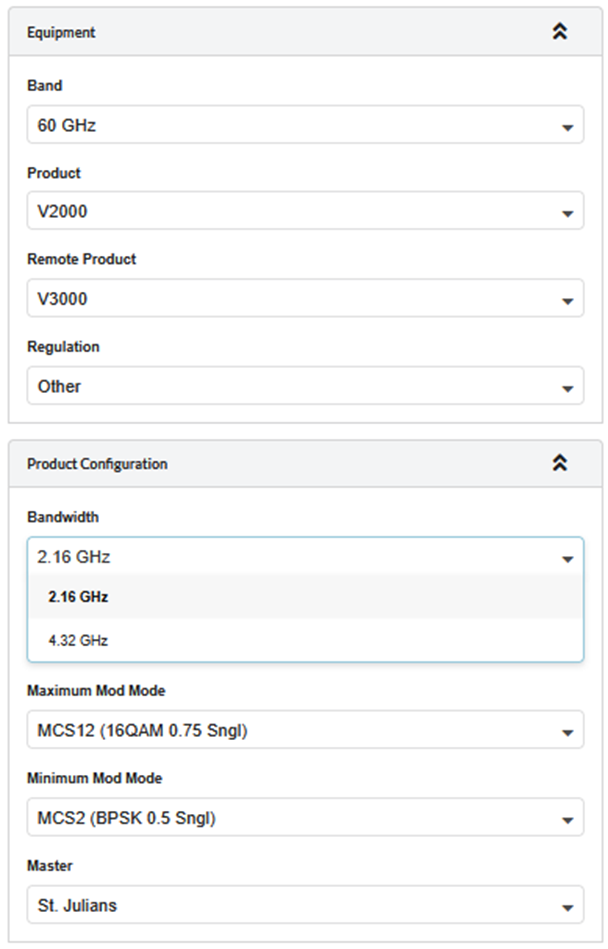
In Tx Frequency choose the required channel from the following options:
Include additional 60GHz cnWave cnMaestro Export fields in the network device and subscriber module tables.
Added Accuracy, Default Gateway, IPv4 Address, and Network Mask columns to the 60 GHz cnWave cnMaestro export file. The mandatory MSN and MAC field requirements have also been removed for the export.
Ensure that all links have valid MAC addresses before importing the file into cnMaestro.
Allow users to run Terragraph Planner without LiDAR data.
Terragraph Planner can now be run without LiDAR data. To do this, select the Run if LiDAR is not available? option.
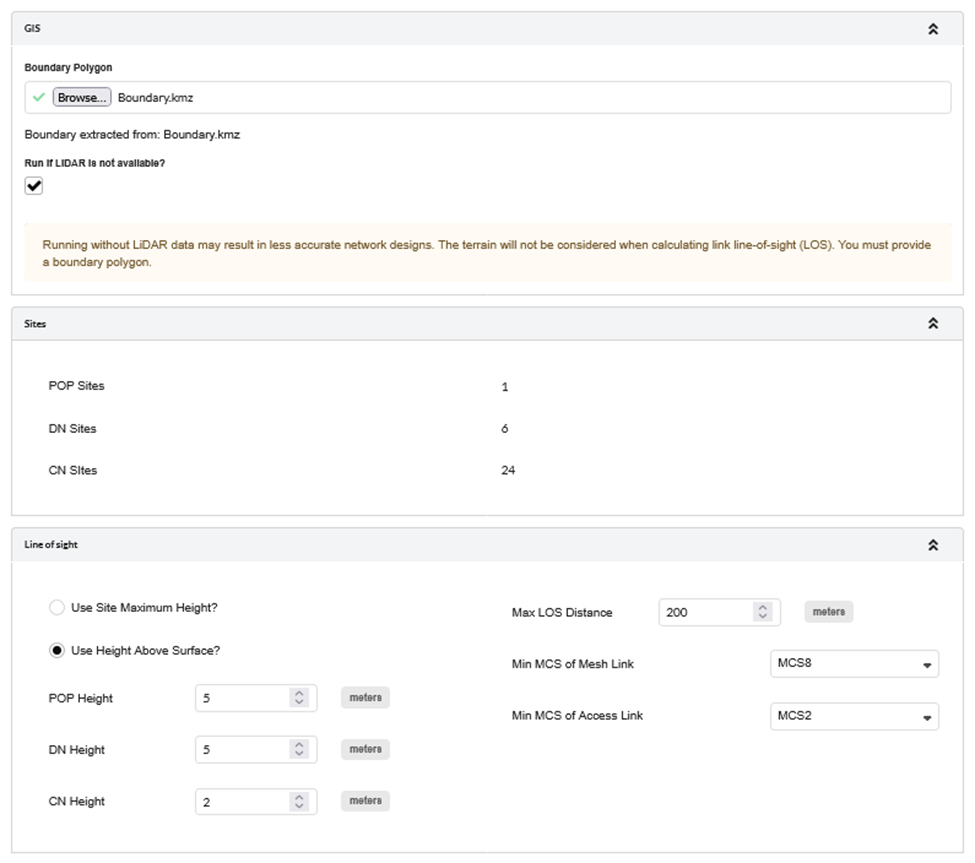
Running without LiDAR data may result in less accurate network designs. The terrain will not be considered when calculating link line-of-sight (LOS).
PTP 820/850
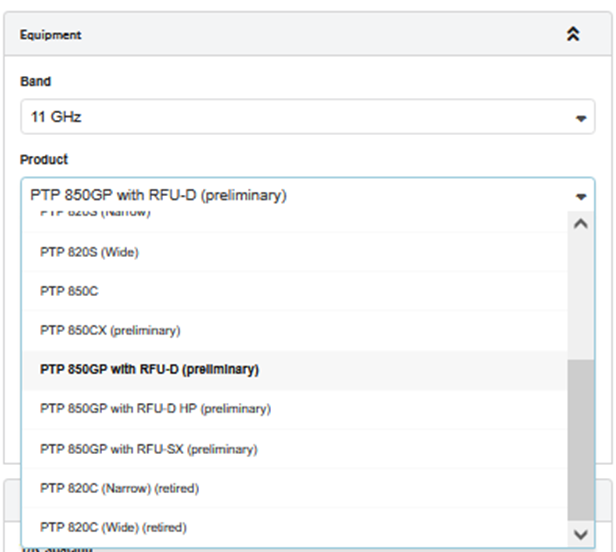
Added PTP 850GP with RFU-D/RFU-D HP/RFU-SX.
For the PTP 850GP with RFU-D and RFU-D HP support 2+0 links, while PTP 850GP with RFU-SX supports 1+0 links. Only DC power is supported in this release.
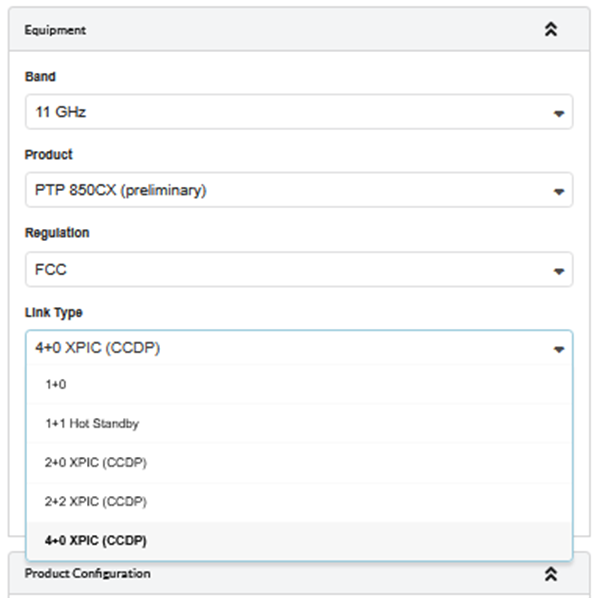
Added 4+0 XPIC Link Type for the PTP 850CX.
Added 3-foot dish antenna with stabilizer for PTP 850E, PTP 850EX and PTP 850EX-P.
3-foot E-band antenna with stabilizer is now available for the PTP 850E, PTP 850EX, and PTP 850EX-P. For 1+0 links, a single-polarized antenna is available, and for 2+0 links, a dual-polarized antenna is available.

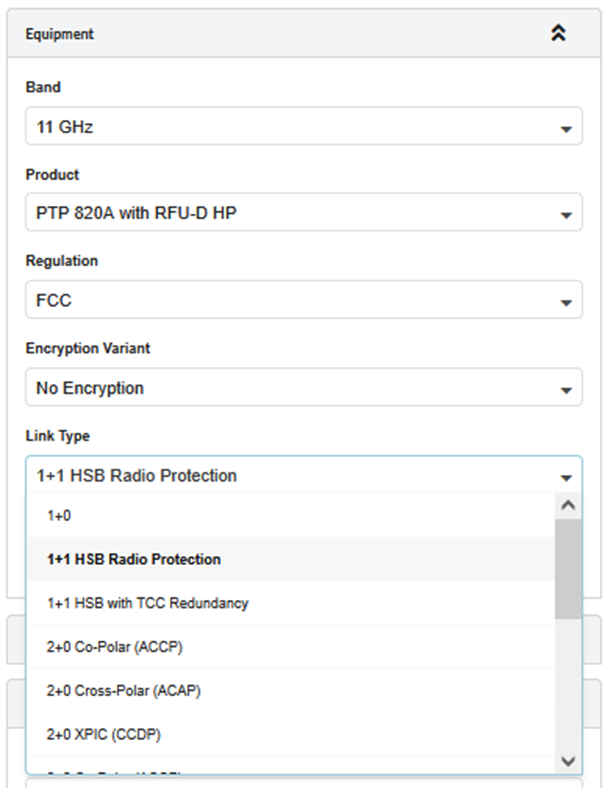
Added 1+1 HSB Radio Protection and 1+1 HSB with TCC Redundancy Link Type for the PTP 820A with RFU-D and RFU-D HP.
Added 1+1 HSB Radio Protection for the PTP 820G with RFU-C.
Hot Standby link types have been added for the PTP 820A and PTP 820G products.
For the PTP 820A with RFU-D/RFU-D HP, the following link types are available:
- 1+1 HSB Radio Protection
- 1+1 HSB with TCC Redundancy
For the PTP 820G with RFU-C, the following link type is available:
- 1+1 HSB Radio Protection
ePMP
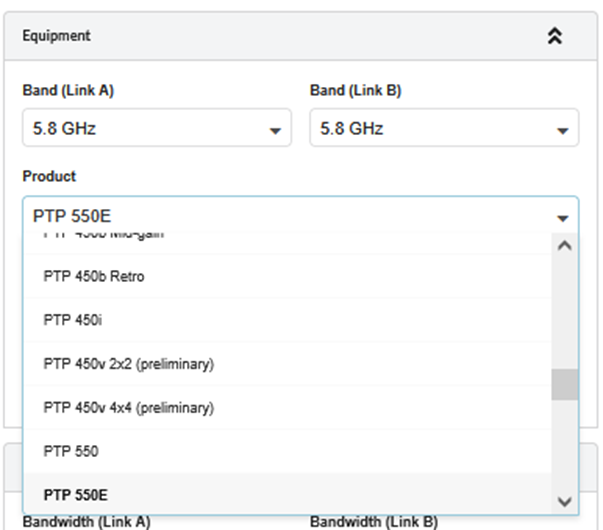
Added support for PTP 550 and PTP 550E products.
Select the 4.9 to Lower 6 GHz band to choose the PTP 550E, and the 5.1 to 5.9 GHz band to choose the PTP 550. Both 1+0 and 2+0 Link Types are available.
Added RF Elements wide band antennas for ePMP 11ax AP products.
The following RF Elements Asymmetric Horn wideband sector antennas are available for ePMP 11ax connectorized AP products in the 4.9 GHz to upper 6 GHz band.
- AH90WB – ePMP 4500L and ePMP 4600L
- AH90WB-4x4-SMA – ePMP 4500C
- AH60WB – ePMP 4500L and ePMP 4600L
- AH45WB– ePMP 4500L and ePMP 4600L
In addition, the RF Elements wideband dish antenna UD29WB is available for ePMP PTP and SM products.
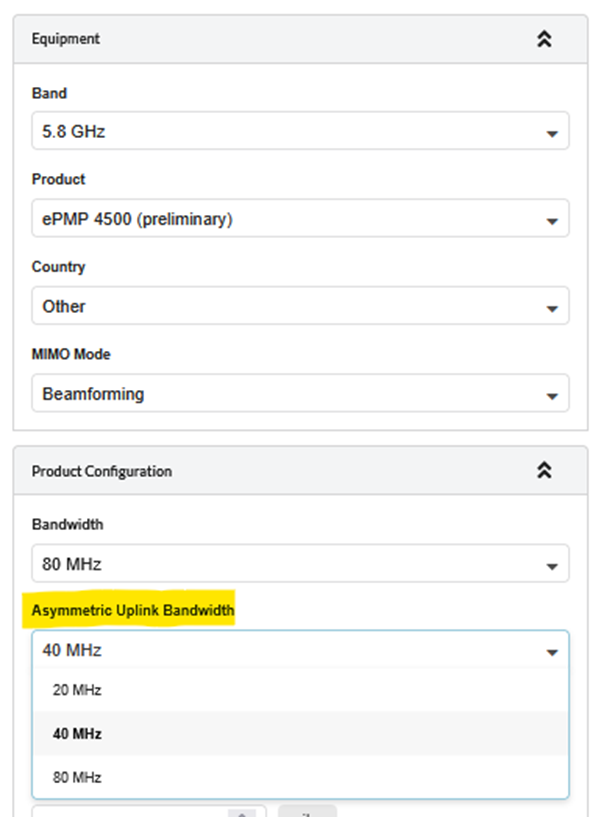
Added Asymmetric DL/UL Bandwidth option for ePMP 11ax AP products.
The Asymmetric Uplink Bandwidth feature is introduced for ePMP 4xxx/Force 4xxx. his feature allows configuring a narrower Uplink channel bandwidth while the Access Point (AP) continues operating on a wider Downlink channel.
Select the required uplink bandwidth in the Asymmetric Uplink Bandwidth field. This field is only visible for ePMP 11ax products.
Retired ePMP Force 130 and Force 200L EU variants.
PMP 450
Added FCC and Canada regulatory for PTP 450v.
PTP 670/700
Added Thailand regulatory for PTP 670.
The PTP 670 software has been updated to Release 670-04-26.
Retired E1/T1 support for PTP 670/700 products
General
Enabled AP antenna height editing in the Mesh Links table.
Height edited in the Mesh Links table will also be updated on the Network Devices.
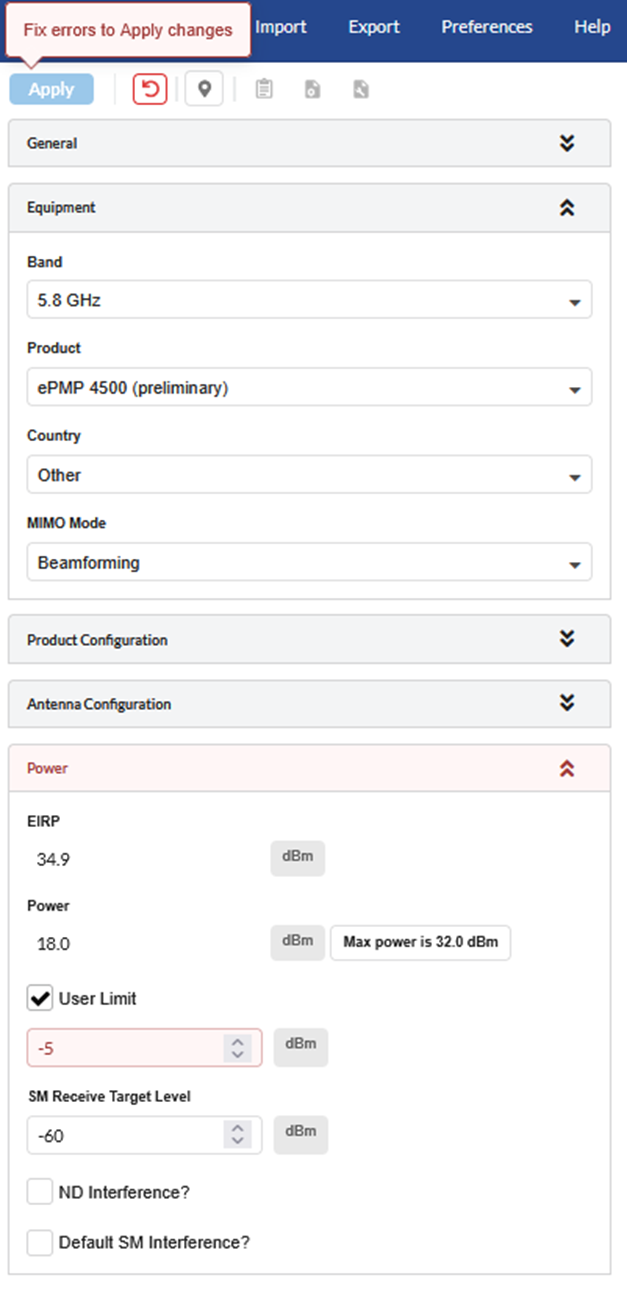
Added warning to the Apply button when input errors prevent changes from being applied.
When there are errors in any section, the error will be highlighted on the Apply button.
Bug Fixes
- Fixed an issue where complex PTP links failing to meet FCC 99.95% were not highlighted in red.
- Fixed an issue where users were unable to select E1/T1 options for PTP 670/700 products.
- Ensured that the correct DL/UL Ratio option is listed for ePMP PTP ePTP mode.
- Ensured that the curvature of the worst earth is displayed on the path profile.
- Fixed an issue where the AP panel did not evaluate parameter limits until the Apply button was clicked.
- Removed Multiple Ethernet with LAG option for PTP 850C 2+0 and 4+0 links.
- Removed C000065L002 part from optional extras of PTP 820/850 products.
- Ensured that the address search bar handles various latitude/longitude formats.
- Ensured that imported 60 GHz cnWave projects display the correct warnings for Sector 2.
- Ensured that mesh links show a tilt warning when applicable.
- Fixed an error that occurred while creating the PTP 450v proposal report.
- Fixed a bug that may appear when editing the path profile of a mesh link.
- Ensured that the main menu search works correctly for features that have been renamed.