LINKPlanner online has been updated to version 6.4.3
The key features of the 6.4.3 release are:
New Features
Added Custom Fields
LINKPlanner now supports Custom Fields, allowing users to add their own information, such as an installation status or a reference number, to projects, sites, links and ends.
This allows each network operator to record the information that matters to their own business directly in the project, rather than tracking it in separate spreadsheets or documents. As custom fields are also available as table columns, in reports and in project import and export, they can be used to sort, filter and share the plan across installation, operations and commercial teams.
Custom Fields can be created for the following:
- Project
- Network Site
- Subscriber Site
- PTP Link
- PTP End
- Network Device
- Subscriber Module
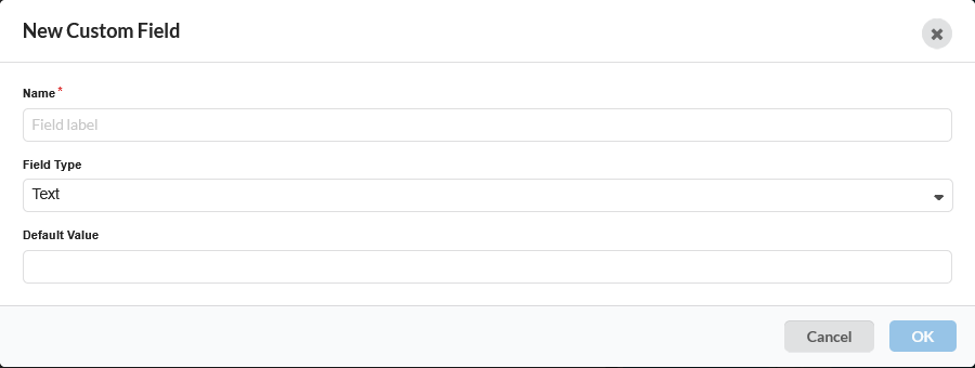
To create a custom field, navigate to:
Custom Fields (left-side menu bar) > click the New Field icon under the required option.
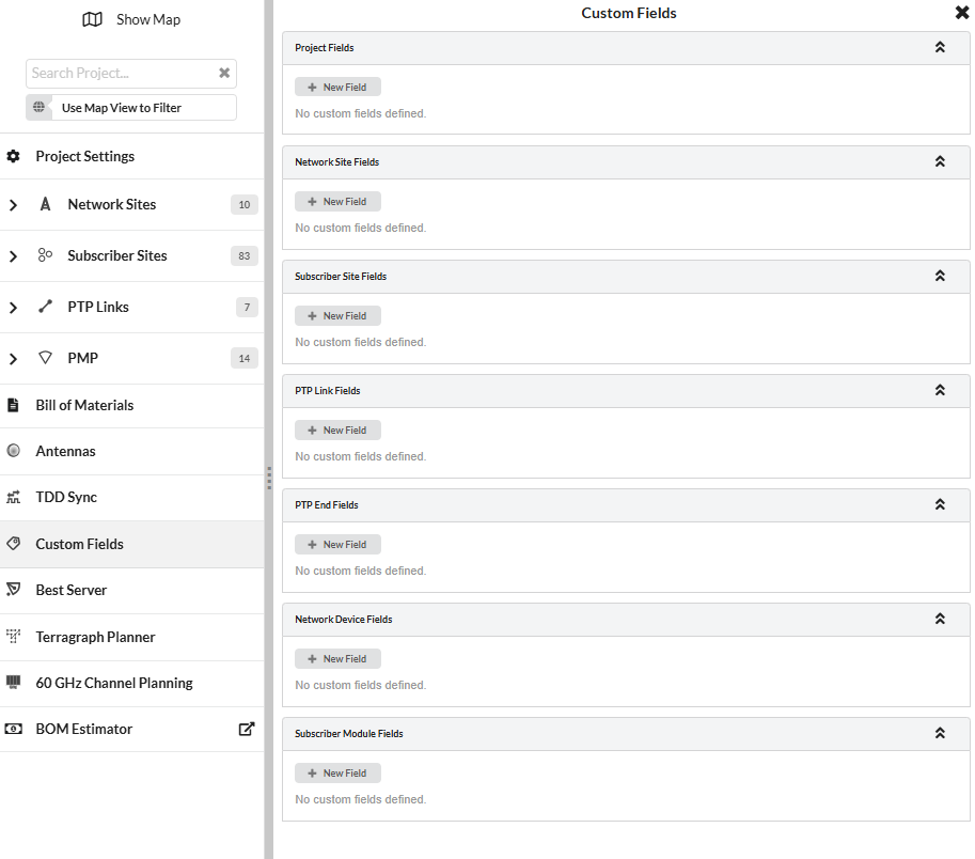
In the Create custom field window, enter a Name and select the Field Type from Text, Number, Choice, List or Yes/No, then enter the Default Value. For Number fields the precision and optional minimum and maximum values can also be set, and for Choice and List fields the available options are defined in the Choices section.
Custom field names and values are displayed in the relevant properties section of the project, site, link, network device or subscriber module page, and are also available as columns in the corresponding table views, in project reports and in project import and export.

Added support for PTP cnReach
PTP links can now be planned using cnReach N500 radios.
cnReach is supported in the following bands:
- 200 MHz
- 400 MHz (licensed and unlicensed)
- 700 MHz
- 900 MHz
- 1.4 GHz
This allows users to plan narrowband PTP links in LINKPlanner, with the appropriate products, accessories and bill of materials generated automatically.
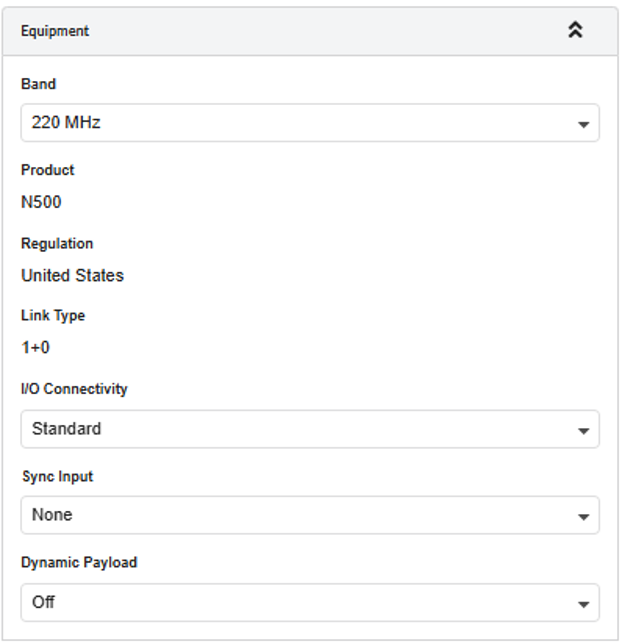
To use cnReach, create a PTP link and then select the required band and cnReach as the Equipment in the Equipment section of the link page.
Added the ability to add a tower switch at subscriber sites
A subscriber site is not always a single subscriber module on a customer rooftop. In industrial or security applications, these subscriber sites would normally host other directly connected devices such as CCTV cameras, WiFi access points, mesh nodes, and other PoE-capable devices, all of which need to be powered and connected at the site.
A tower switch can now be added at subscriber sites, in the same way as it is already supported at network sites.
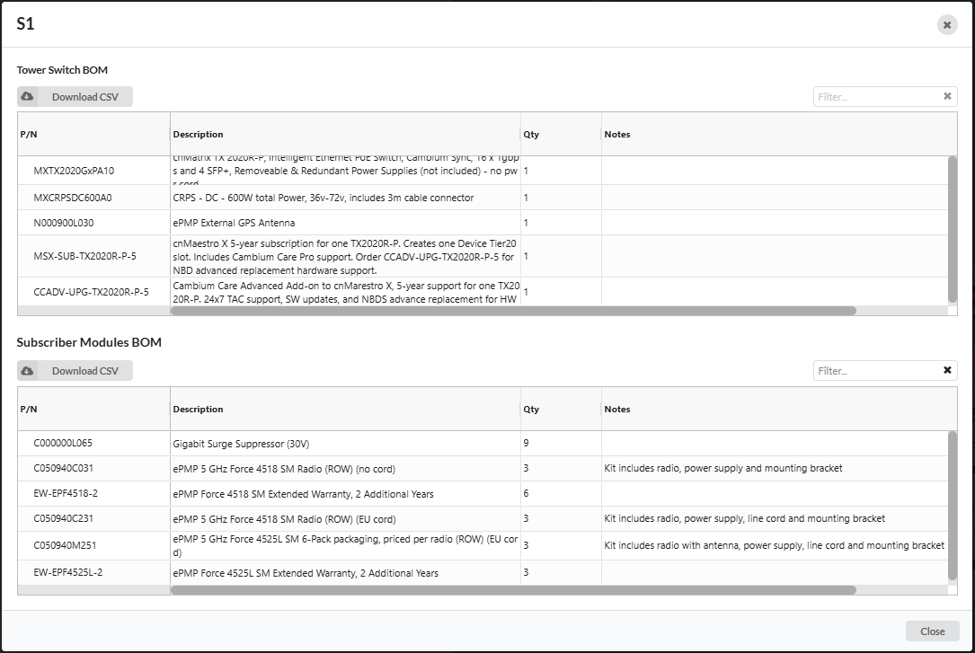
This allows the complete subscriber site to be planned in one place, so that the switch, the powered devices and the associated parts are all included in the site and project bill of materials, giving a more accurate equipment list for the installation.
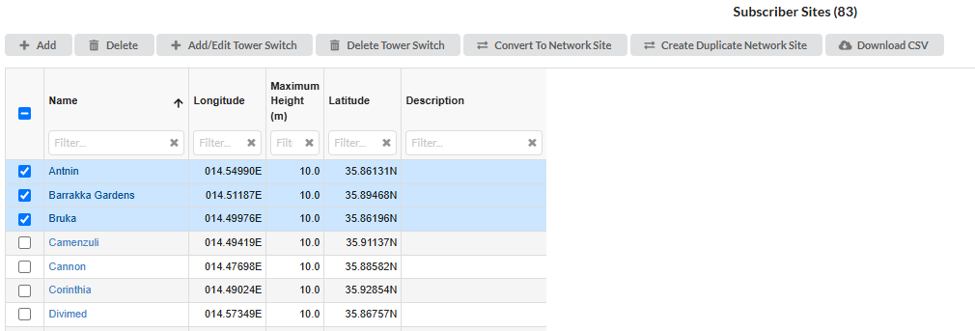
To add a tower switch, open the required subscriber site and use the Tower Switch Equipment section. Can be added to one or subscriber site in the Subscriber site table view.

Where a subscriber module is powered from the tower switch, set the Power from Switch option for that subscriber module. The subscriber module bill of materials is then updated to reflect the power source.
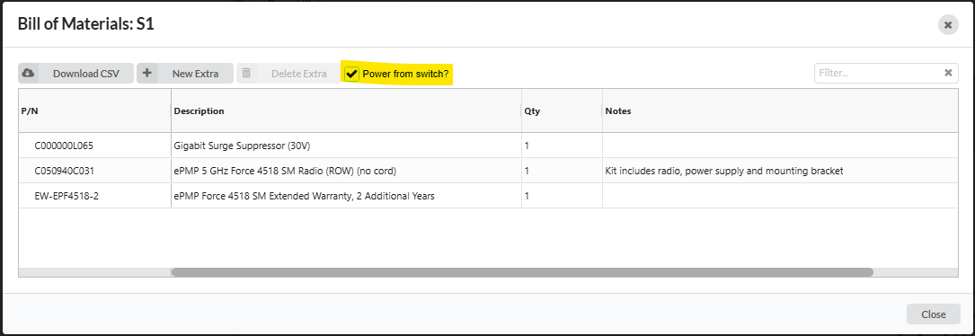
The bill of materials can be reviewed from the subscriber site page using the BOM option.
PTP 820/850
Added support for multiband link types for PTP 850E
Multiband link types are now supported for PTP 850E.
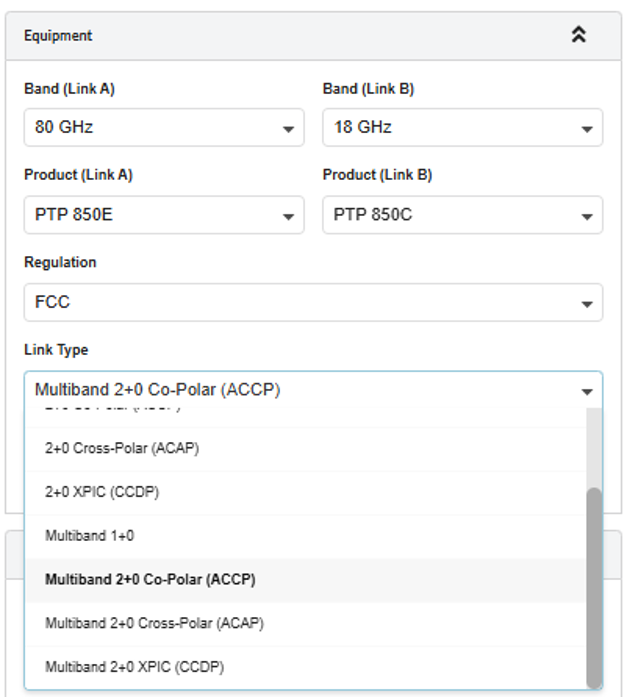
Multiband allows an 80 GHz radio as well as either 11 GHz/ 18 GHz / 23 GHz radio to share a common antenna.
PTP 850C and PTP 850CX are supported with L1 Link Bonding Ethernet configuration. PTP 820S and PTP 820C are supported with Enhanced MC-ABC Ethernet configuration.
PTP 820C and PTP 820S radios are now retired.
To configure a multiband link, on the PTP link page select the 80 GHz band and PTP 850E, then select one of the following Link Types:
- Multiband 1+0: In this configuration Link B will also be a 1+0 link
- Multiband 2+0 Co-Polar (ACCP): In this configuration Link B will be a 2+0 Co-Polar (ACCP) link using a single polarization antenna. PTP 850C and PTP 850CX are not supported in 11 GHz band.
- Multiband 2+0 Cross-Polar (ACAP)z: In this configuration Link B will be a 2+0 Cross-Polar (ACAP) link using dual polarization antenna
- Multiband 2+0 XPIC (CCDP): In this configuration Link B will be a 2+0 XPIC (CCDP) link using dual polarization antenna
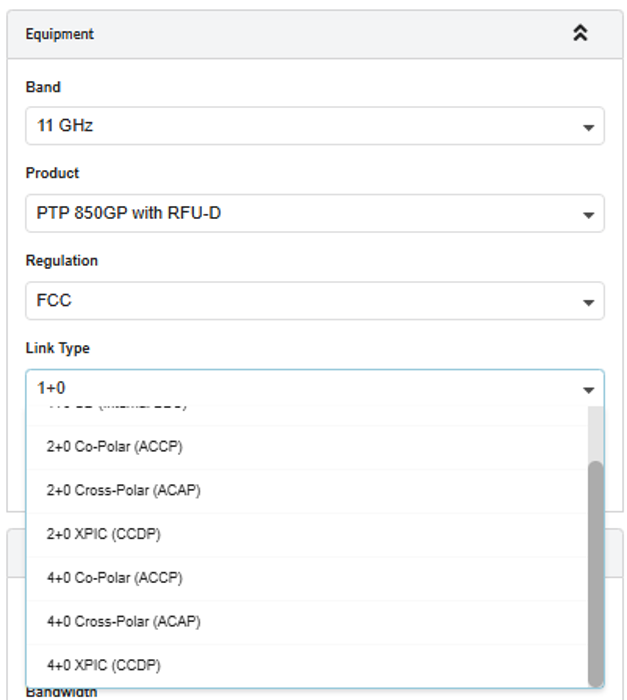
Added 1+0 SD (Internal BBC) configuration for PTP 820A and PTP 850GP with RFU-D and RFU-D HP
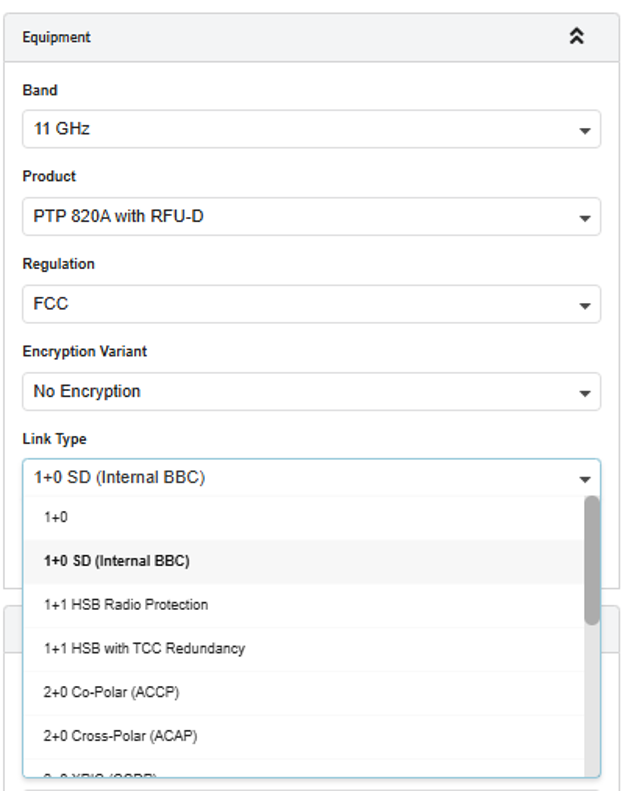
A 1+0 SD (Internal BBC) configuration is now available for PTP 820A and PTP 850GP when used with RFU-D or RFU-D HP in Lower 6 GHz band to 11 GHz band.
This configuration provides space diversity using the internal baseband combining of the radio, improving link availability on paths affected by multipath fading.
To use this configuration, select 1+0 SD (Internal BBC) in the Link Type field on the PTP link page.
Added 4+0 link types for PTP 850GP with RFU-D and RFU-D HP
4+0 link types are now supported for PTP 850GP with RFU-D and RFU-D HP.
The following 4+0 link types are available:
- 4+0 Co-Polar (ACCP)
- 4+0 Cross-Polar (ACAP)
- 4+0 XPIC (CCDP)
Added new PTP 850CX diplexer parts in the 11 GHz band
PMP 450
Updated India regulatory for PMP 450 in the 5.8 GHz band
The India regulatory settings for PMP 450 products in the 5.8 GHz band have been updated in line with the latest India regulatory requirements.
Retired PMP 450 MicroPoP and PMP 450b Omni
ePMP
Replaced the 56V Surge Suppressor with the 30V Surge Suppressor for Force 4518
The 56V Surge Suppressor has been replaced with the 30V Surge Suppressor for Force 4518, so that the bill of materials includes the correct accessory for this product.
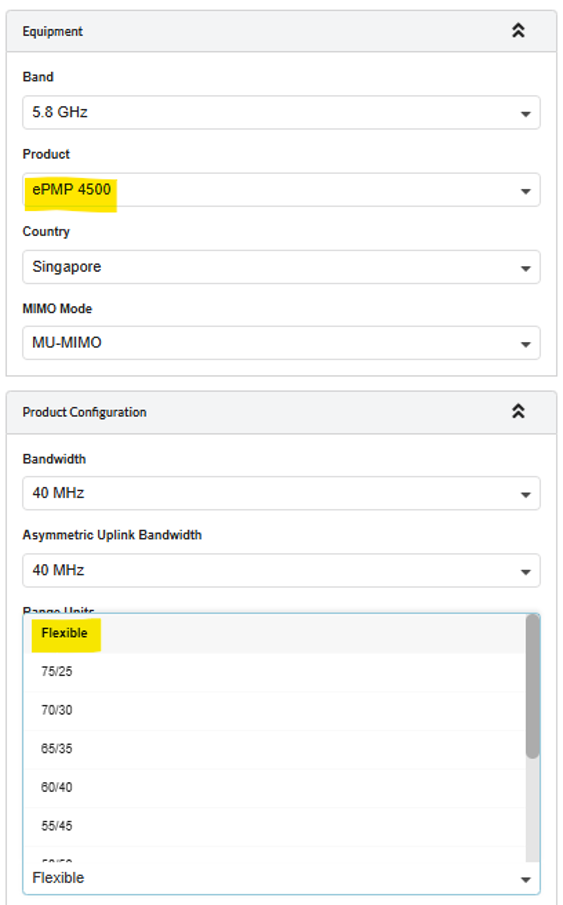
Allowed Flexible Frame support for ePMP 11ax products in MIMO mode
Flexible Frame is now supported for ePMP 11ax products when operating in MIMO mode.
Corrected the ePMP 11ax FCC/IC part number in the BOM
The FCC/IC part number used for below ePMP 11ax products in the bill of materials has been corrected.
- ePMP 4600 (FCC/IC)
- Force 4600C (FCC/IC)
- Force 4625 (FCC/IC)
- ePMP 4500 (FCC)
- ePMP 4500C (FCC)
- ePMP 4500L (FCC)
- ePMP 4500L (ROW, no PSU)
- Force 400C (FCC)
- Force 425 (FCC)
Added Singapore regulatory support in the 5.4 GHz band and updated the India regulatory in the 5.8 GHz band
Singapore regulatory support has been added for ePMP products in the 5.4 GHz band.
The India regulatory settings in the 5.8 GHz band have also been updated, in line with the latest India regulatory requirements.
PTP 550
Retired PTP 550 and PTP 550E
General
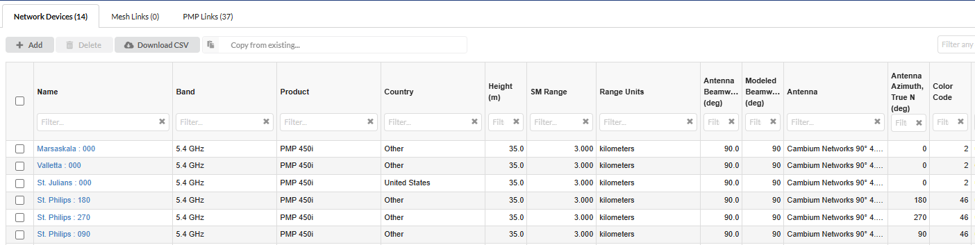
Added Color Code as a table column
Color Code is now available as a column in the table views, for PTP links, network devices and subscriber modules.
To display the column, open the required table view and select Color Code from the column selection options.
Improved table view filtering
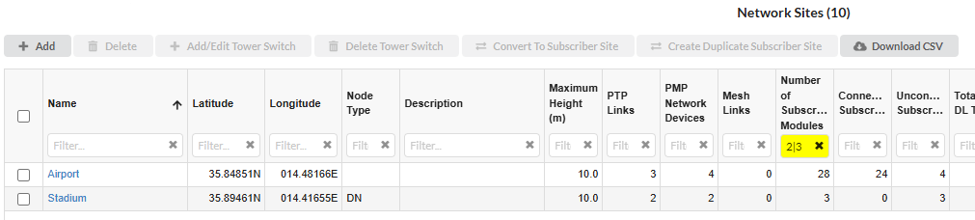
Table view filtering has been improved so that the text entered in a column filter is treated as a regular expression, which allows exact match and multiple value searches.
For example:
- ^Site 1$ matches only the entry “Site 1”, giving an exact match.
- 9|4 matches entries containing either 9 or 4.
The same behaviour is now used consistently across the table column filters, the map filter in the header and the project search in the main menu.
Bug Fixes
- Fixed an issue where throughput became zero when switching from a 1+0 Link to a 2+0 Link on PTP 78700.
- Resolved an issue where users were repeatedly logged out with a session expired message due to refresh-token rotation.
- Resolved an issue where users were unable to connect when websocket traffic was blocked.