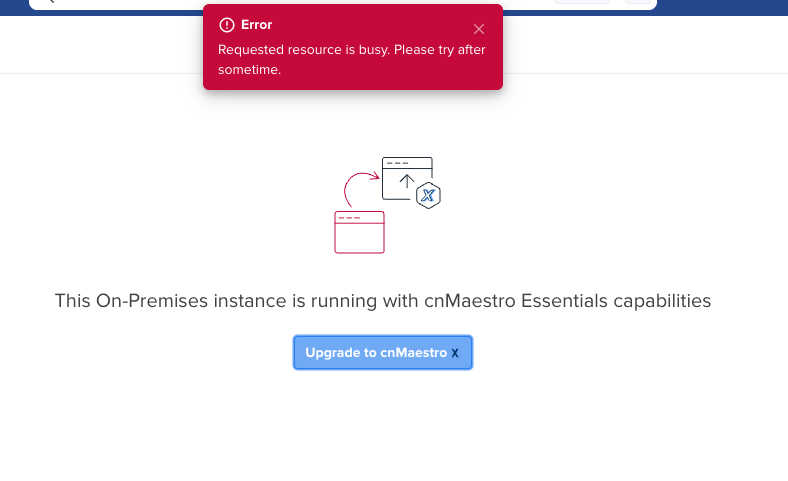
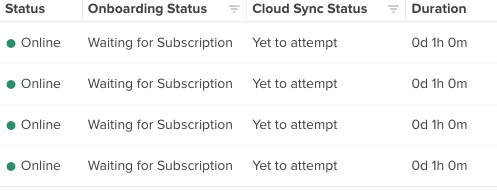
since today (28 Sep 2026) our cnMaestro On-Premises instance can no longer sync subscriptions since 2 hours, and the upgrade to cnMaestro X fails.
Symptoms
Clicking “Upgrade to cnMaestro X” returns: “Requested resource is busy. Please try after sometime.”
A newly onboarded cnMatrix EX1010-P is online but stuck at “Waiting for Subscription”, and Cloud Sync Status shows: “Subscription synchronization failed due to some internal error.” This affects all our on-premises servers with various devices.
Environment
Running as a VM on Proxmox
Anchor account is active and linked in the On-Prem instance
Everything worked fine shortly before the issue started
What we have checked
Connectivity from the VM to cloud.cambiumnetworks.com: DNS resolves correctly, TLS handshake OK (valid Amazon-issued certificate, no TLS inspection), HTTP 200
System time and NTP on the Proxmox host and the VM
VM rebooted, issue persists
Is anyone else seeing this? Is there a known issue with the subscription/licensing backend at the moment, possibly related to the current situation around Cambium? Any information or workaround would be appreciated.
I’m having the same issue that I am unable to delete SMs from cnMaestro. Was thinking about upgrading the cnMaestro version to 6 to see if that would help if something changed on the backend.
Look forward to hearing if there is another fix or ETR.
I’m having problems deleting a single (offline / failed) device from our onprem instance, but I am not seeing any of the errors mentioned in the subject here. Ours happens to be a switch (cnMatrix, an EX2010-P if it matters).
Would love to know if anybody has any solutions or suggestions…
We are still experiencing exactly what you are describing… cannot delete a single AP from an on-premise instance. I am sure it is all tied to the same underlying problem. Anchor account can see everything, but like it cannot verify the subscription.
We were informed by a Cambium rep who has transitioned to Airspan that the cnMaestro issues are related to mass amounts of users migrating their devices to on-prem.
Crazy to me that this would affect our on-prem servers to such a degree, but that is what we have been told.
Login issues seem much better today, but the device deletion issue is still there
login issues are substantially better and we were able to delete from the on-prem instance. SBBinc might have had good info from the Airspan rep and that it was simply a bottleneck problem.
We run almost 40 on-prem instances, and activating cnMaestro X often causes problems. There’s a good chance the anchor stops responding afterwards. We’ve been able to reproduce this several times now. While it’s in that state, you can’t do anything else with it. On some on-prem installs it took a few days to recover, and others never became usable again and had to be reinstalled.
Here’s what we’ve already tried, without success:
Regenerating the UUID in the shell
Disconnecting the anchor in the shell
Deleting stuck sync jobs in the shell
If anyone has run into the same thing or found a workaround, we’d really appreciate hearing about it.
We have switched to on premises from our cloud account. We have a essentials plan and have no intention now to switch to cnmaestro X. Currently, we have this same issue when onboarding new devices:
Subscription synchronization failed due to some internal error.
We even have a features config (related to the licence) that fails to sync during login, causing login to take 60 sec.
Does anyone have any info on this or help how can we fix this. We were able to onboard new devices last week, but cannot onboard anyone today.
In the last days I tested any possible solution/woirkaround mentioned anywhere online and nothing worked…
Today I just discoonected from the cloud account, rebooted the machine, reconnected and it worked! I was able to onboard all the devices that were stuck in “subscription synchronization failed due to some internal error” state