PMP450b SM is not supporting gigainterfence ,its getting only 100/fullduplex , did anyone face same isseu (Note : we tried with cable/connector , more than 200 SM but AP we are getting interfence.
What is the SM plugged into at the ethernet interface? The power supply also could be limiting it depending on what type of power supply is being used. Did this ever work on this device or has it always gone to 100F at this site? Please share an debug capture to me via IM and I can look at the ethernet logs to see if that shows anything interesting.
What is the RF channel bandwidth you are using? Depending on that, 100M will be plenty capable for the link capacity so while it would be nice to run ful GigE, it may not actually matter for performance at the SM side of the link.
Yes, make sure you are using a GigE capable POE.
Also make sure you have the Link Speed set to Auto 1000F/100F/100H/10F/10H in the Configuration>General tab (we once had a template with that wrong and used it to configure a bunch of radios). And I assume you are using at least Cat5e cable.
450b can definitely do GigE, you must have something wrong. I’m not clear what you mean by more than 200 SM, are you seeing this on 200 SMs?
It is unlikely this is caused by interference. Unless you are running a cable up a tower with high power RF like an FM radio station transmitter.
@ Aaron AT AP side we are facing issue even with cable length 80 M but at SM endl cable length is 25M but still not getting (Note : Once we configure Auto 1000F/100F/100H/10F/10H connect to RTR port is not coming but at same time when configure 100F/100H/10F/10H and connect to cisco rtr interfcae gig port is coming up and at SM end its showing Mainethernet interface 100Base-TX full duplex .
@Ken Hohhof -Auto 1000F/100F/100H/10F/10H not working once set Auto 100F/100H/10F/10H tried all cable cat 5e to 6E even tried small cable 5M its same (idu is supporting 1GE) its big project where we are have 200+SM with same issue ( connecting AP around 40+).
it may not actually matter for performance at the SM side of the link -correct but customer keep asking why its not working ( link is used monitior road traffic recording vedio camera pupose.
screenshot attached .
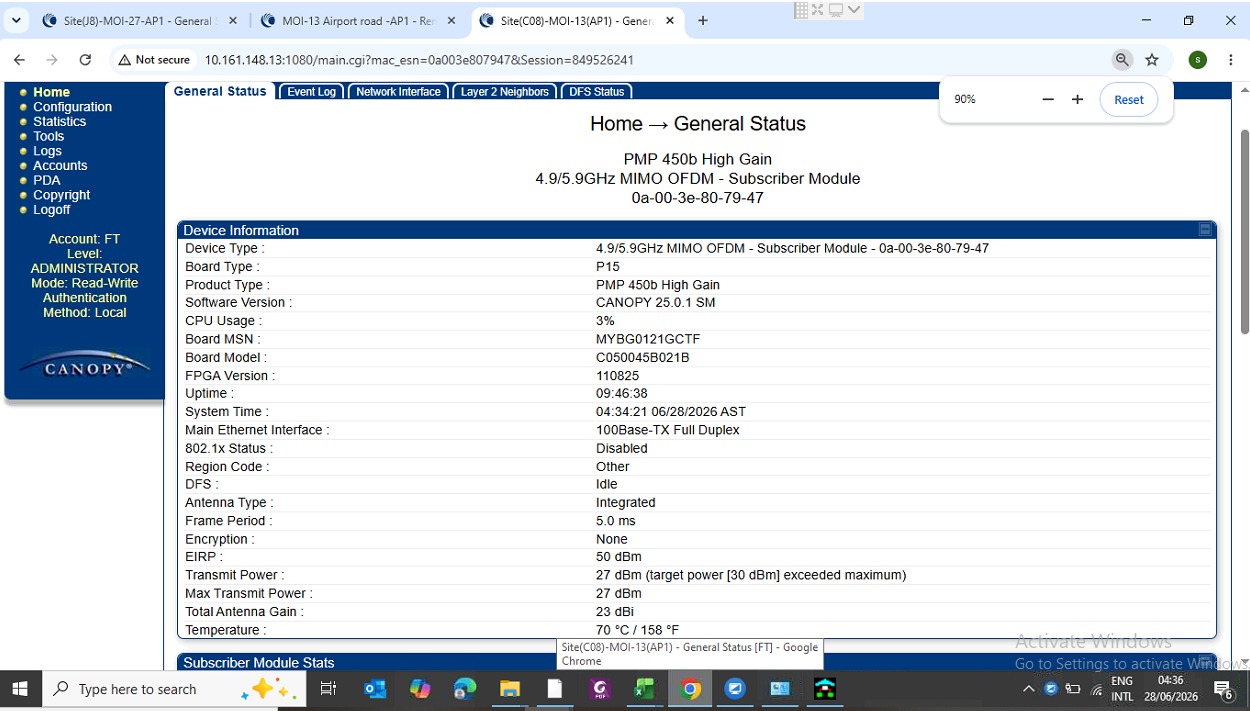
What else is at this customer site and what type of cable is being used? Is it possible there is noise requiring use of shielded cable? If GigE is not working but 100F auto is, then I’d suspect something like that but hard without knowing the environment. Typically in a residential house I wouldn’t expect to need shielded cable. Sounds like this is outdoor video surviellance so if a cable is running up some sort of tower outside, you would want to use shielded cable. And it can also be impacted by whatever else is installed alongside the device or running next to the cable.
Depending on your channel bandwidth capacity (which I can’t quite see from the screen shot you provided), the RF link itself may not even have a 100M data capacity. In that case, I would inform the customer that the radio link itself is not capable of more than 100M so the 100M Ethernet link is capable while you try to sort it out.
Please capture a full debug capture of that SM and send it to me via IM if you’d like and I can dig deeper. If you aren’t sure how to do that, @Cambium_Lena can help you via IM.
@Aron& Ken Hohhof , FYI issue solved , once we disconnect earthing from surge protector link is supporting 1GE but it strange for us . during installation we tried all option without surge protector also but same issue .