Issue: In certain deployments, users connecting to a Guest SSID while running VPN applications (for example, Thunder VPN) may experience one or more of the following issues:
-
The client is not redirected to the captive portal (Splash Page).
-
The client is redirected to the Splash Page, but after entering a valid voucher code, authentication fails.
-
The device connects but does not receive proper network access post-authentication.
This behavior typically occurs because some VPN applications attempt to establish an encrypted tunnel immediately upon network connection. When DNS traffic is sent to external DNS servers before captive portal authentication is completed, it can interfere with redirection and voucher validation.
Recommended Configuration:
Create an Access Control Policy that:
- Allows DNS traffic (UDP port 53) only to legitimate DNS servers.
- Blocks all other DNS traffic.
- Applies the policy to the Guest WLAN.
This prevents VPN applications from forming a tunnel prior to successful captive portal authentication.
Configuration Steps
Step 1: Create Access Control Policy
Navigate to:
WiFi Profiles → Access Control Policy → Add WLAN Policy
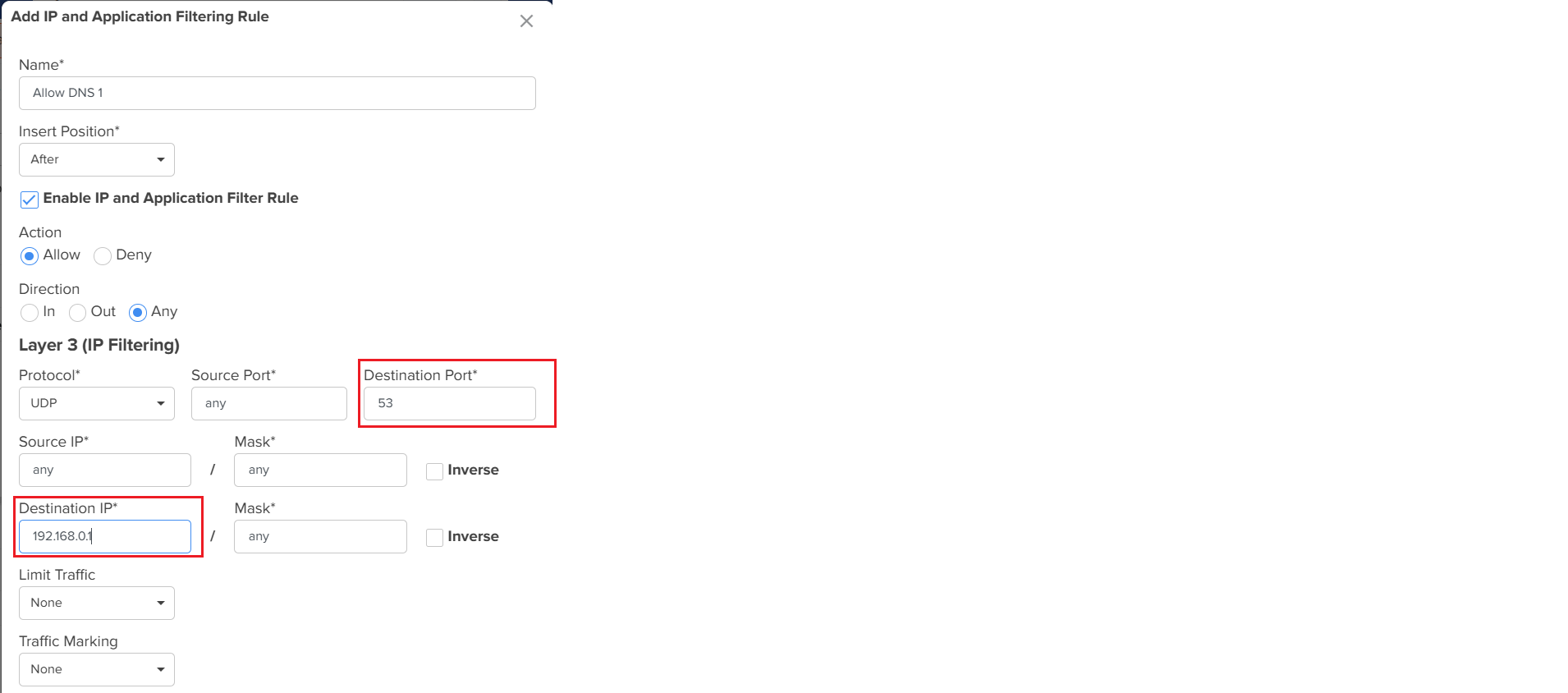
Step 2: Allow DNS to Primary DNS Server
- Action: Allow
- Protocol: UDP
- Destination Port: 53
- Destination IP: Primary DNS Server (example: 192.168.0.1)
This allows clients to send DNS queries only to the approved DNS server.
Step 3: Allow DNS to Secondary DNS Server (If Applicable)
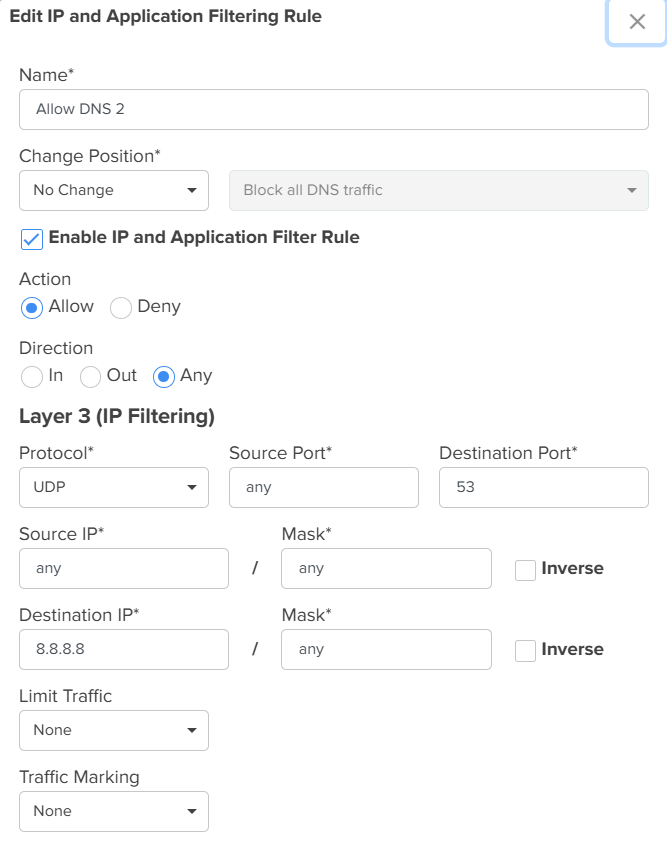
If a secondary DNS server is configured (for example, 8.8.8.8 or another internal DNS):
Create an additional rule:
- Action: Allow
- Protocol: UDP
- Destination Port: 53
- Destination IP: Secondary DNS Server
Step 4: Block All Other DNS Traffic
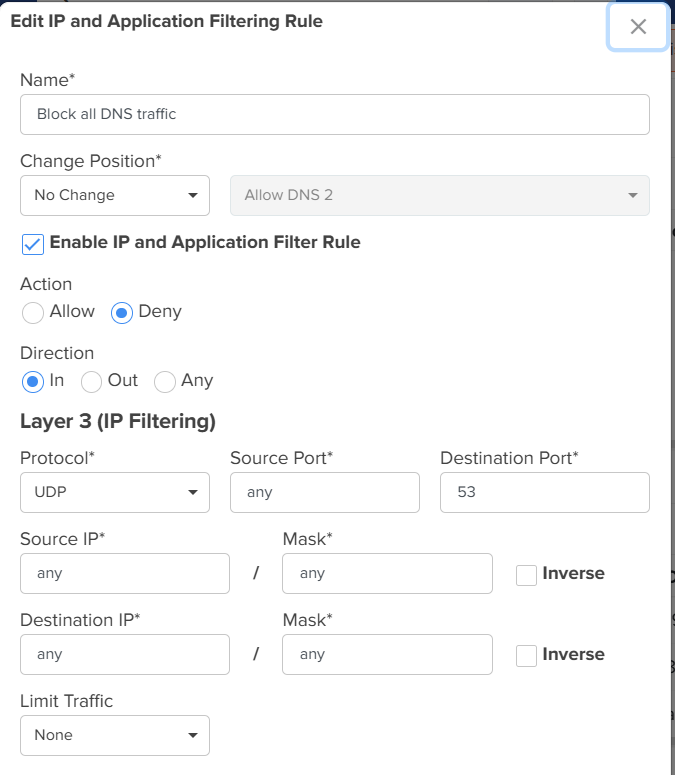
- Action: Deny
- Protocol: UDP
- Destination Port: 53
- Destination IP: Any
This rule must be placed below the allow rules to ensure only approved DNS servers are permitted.|
Apply the Policy to the Guest WLAN
Navigate to:
- WiFi Profiles → WLAN → Access Control
- Enable Access Control Policy
- Select the newly created policy
- Save and apply the configuration
Expected Outcome
With this configuration:
- DNS queries are restricted to approved servers.
- VPN applications are unable to establish tunnels before authentication.
- Splash Page redirection functions correctly.
- Guest / EasyPass authentication completes successfully.