SM Priority - e4K?

I am a little confused on SM Priority. I see on my SMs that they all say High Priority on the Status page and the description says:

“High” forces all non-VoIP traffic to have high priority and thus be at an advantage to other SMs that do not use “High”.
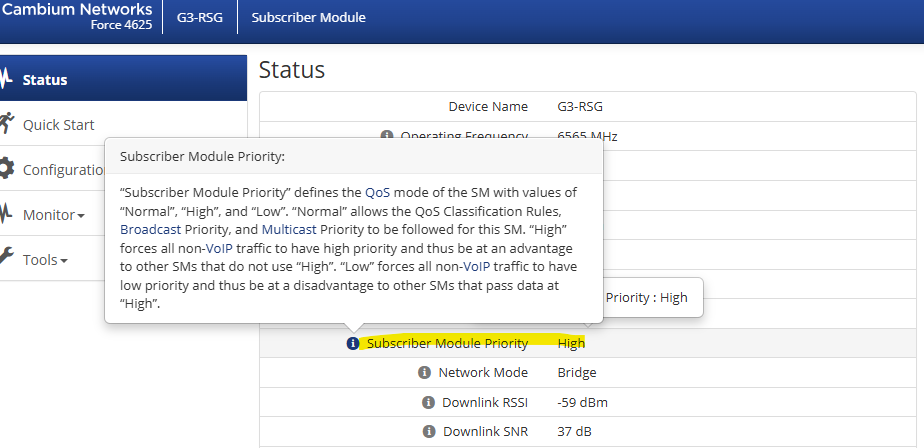
My QoS settings on the SM are as below.
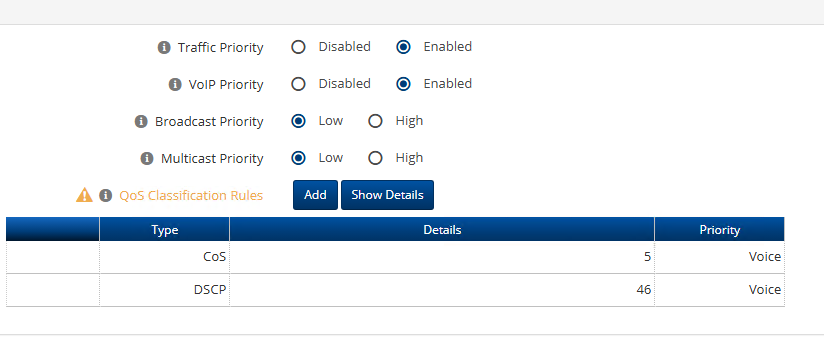
From the above it seems only VOIP should be High not all Non-voip traffic as well.

Searching the forums I found reference to the below.

Controlling Overall Prioritization by Enabling Subscriber Module Priority
Prioritization may also be controlled by modifying the Subscriber Module Priority configuration parameter to automatically place all non-voice (non-VoIP) traffic in either the High priority queue or the Low priority queue.

I for the lifie of me cannot find that setting on any of the ePMP 4k SMs. I do not want all traffic High on the SM just VOIP.
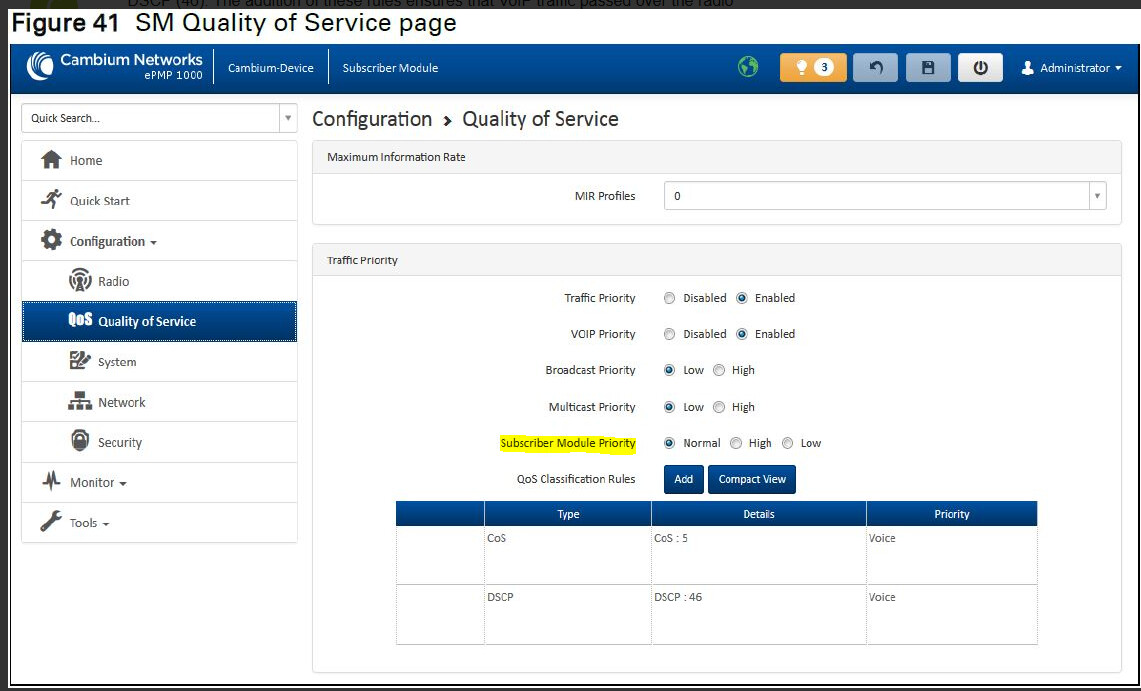
I’ve noticed this too… the lack of being able to set the SM priority on the e4k line. I just assumed it was a feature that they haven’t implemented yet.

So I found this photo from ePMP 1000 and this setting exists.

Is this a cosmetic bug? Does this mean that for 4k SMs that when VOIP is enabled it sets all traffic to High and thus might cause conjestion issues? What exactly is going on on 4K when I set QoS like I have it set and the SM reports High Priority on the Status page?

@Fedor- Can you confirm if e4K SMs are actually having all traffic set to High priority or is it a GUI bug and only VOIP is set to HIgh?

Hi @terintamel ,

We can confirm that this is a cosmetic issue and does not impact device functionality.

The behavior is a development artifact from the AC-series radios that will be fixed in the future releases.