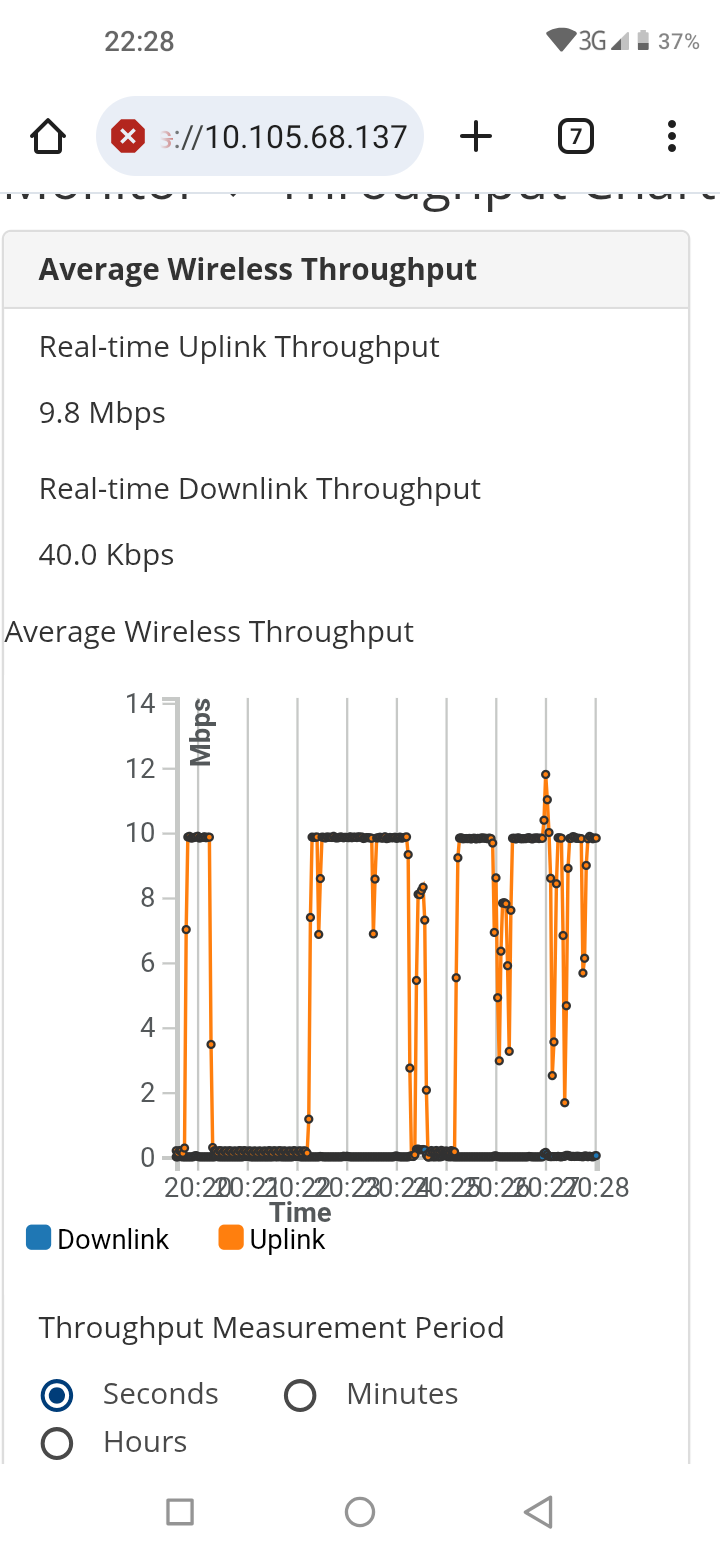
sm antena it has uploads only but the client is not making any upload just only whatching media ? i want some one to help me
There are Setup Boxes that have a problem with the firmware.
We had that problem as far as I remember, the upload was how much SM could miss, regardless of whether the user was limited much below. Android Box A95X or AT 95.
Regards
Hell @Ahmed_Saed,
you can ssh to your SM and from CLI run a normal Linux tcpdump. The only difference is to put everything after tcpdump in “quotes”.
For example you can filter by source IP address. This way you can check what exactly is sending some traffic where.
F4625_CS>tcpdump "-nevi eth0 src 169.254.1.1"
tcpdump: listening on eth0, link-type EN10MB (Ethernet), snapshot length 262144 bytes
13:10:39.362008 bc:e6:7c:90:04:fb > 00:0c:29:89:6f:a2, ethertype IPv4 (0x0800), length 146: (tos 0x10, ttl 64, id 17982, offset 0, flags [DF], proto TCP (6), length 132)
    169.254.1.1.22 > 169.254.123.74.42978: Flags [P.], cksum 0xd0be (incorrect -> 0xc024), seq 1707113901:1707113981, ack 3128635475, win 165, options [nop,nop,TS val 33046859 ecr 310113342], length 80
There are two interfaces eth0 for Ethernet and ath0 for Wireless. Choose the interface where you want to see the ingress traffic.
Continuing the discussion from SM upload problem:
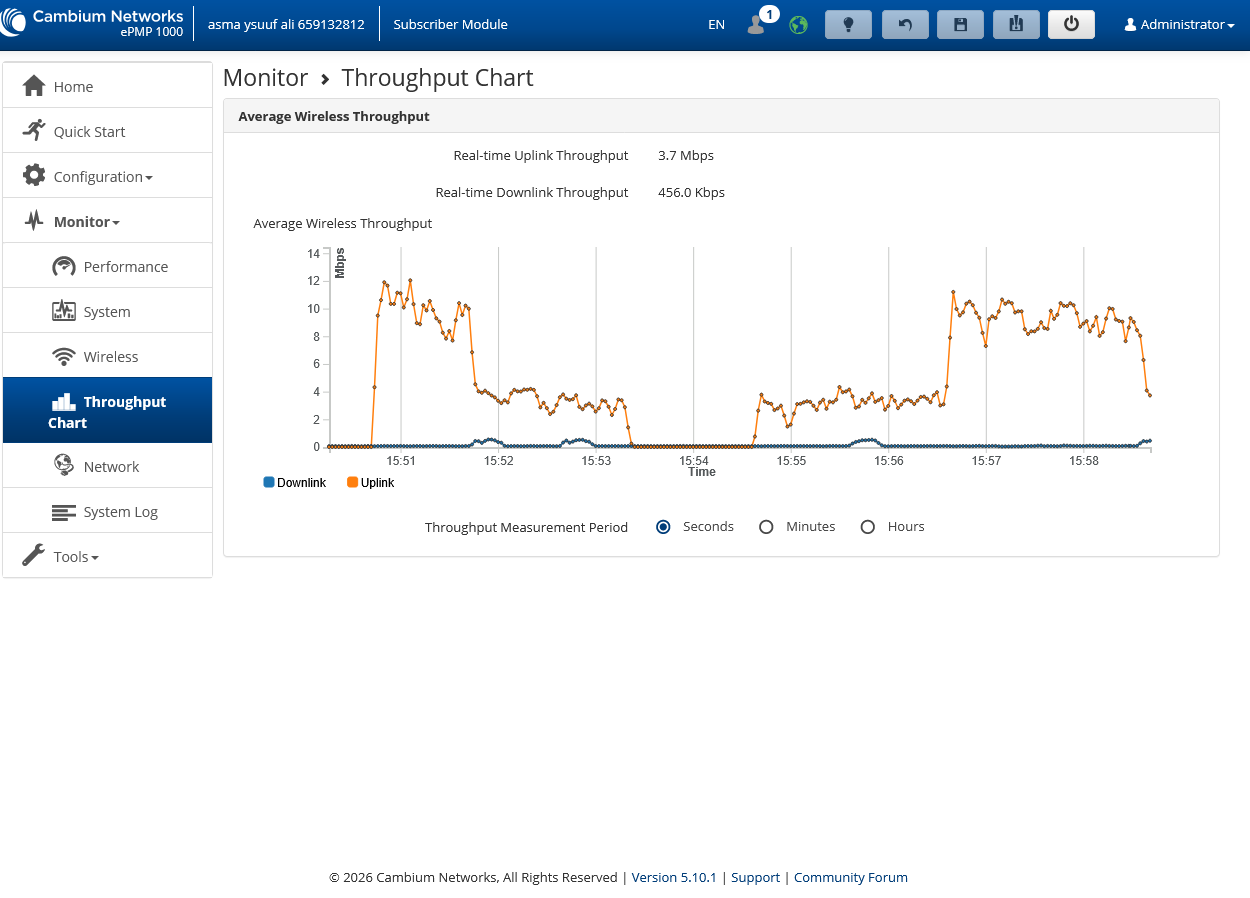
this figure is sm antena you see the upload but the sm client is used downlink only and internet too slow
Looks like a loop in customer’s network. Did you have a chance to sniff the traffic to see what exactly it is?
customer is used router and sm antena and there mobile devices only but not used any network device so where loop is coming ?
Are you certain that the client doesn’t simply have cloud storage turned on, on their devices? Like an iPhone using iCloud and uploading photos& videos from their phones in the background, without them even being aware if it? LOTS of devices and apps are streaming out unknown all the time… Torrents and Cloud and Sync and all sorts of stuff they might not be aware of on their network.
I repeat, we had several similar incidents in the network where clients bought some kind of setup boxes on the Android platform. For €150, they get a box and 3000 illegal TV channels for a year (they just need to connect it to wifi or a LAN cable at home)
Some kind of internal service in the box was doing an abnormal upload through SM many times more than was defined by the user package.
Happened on all SM models.
Fixed with a new firmware version on the boxes.
Ask the client (but be honest) if he has a setup box on the android platform A95X or AT95, maybe some third.
all of them i checked but istill the problem not solved !
The conectorized and integrated radios ePMP 1000 have main and aux LAN, is the SM one of those two or something else from the 1K family in question?
Those two models knew how to make ethernet nebulae (damaged by lightning)

 Customers often insist nothing is uploading, but I’ll bet that unplugging all the devices and the upload drops to zero.
Today we found a similar problem, the user added a wi-fi range extender.
He was so persistent that he was uploading over 50 mbps even though the package is limited to 8 mbps. Some kind of noname extender. He plugs into the socket and presses the button, it adjusts itself, in fact it adjusts to chaos.
I tasked the technicians with hammers to pound it wherever they found it.
In order for the Access Point to survive the night, I had to set the user’s Ethernet to 10 mbps.
Regards