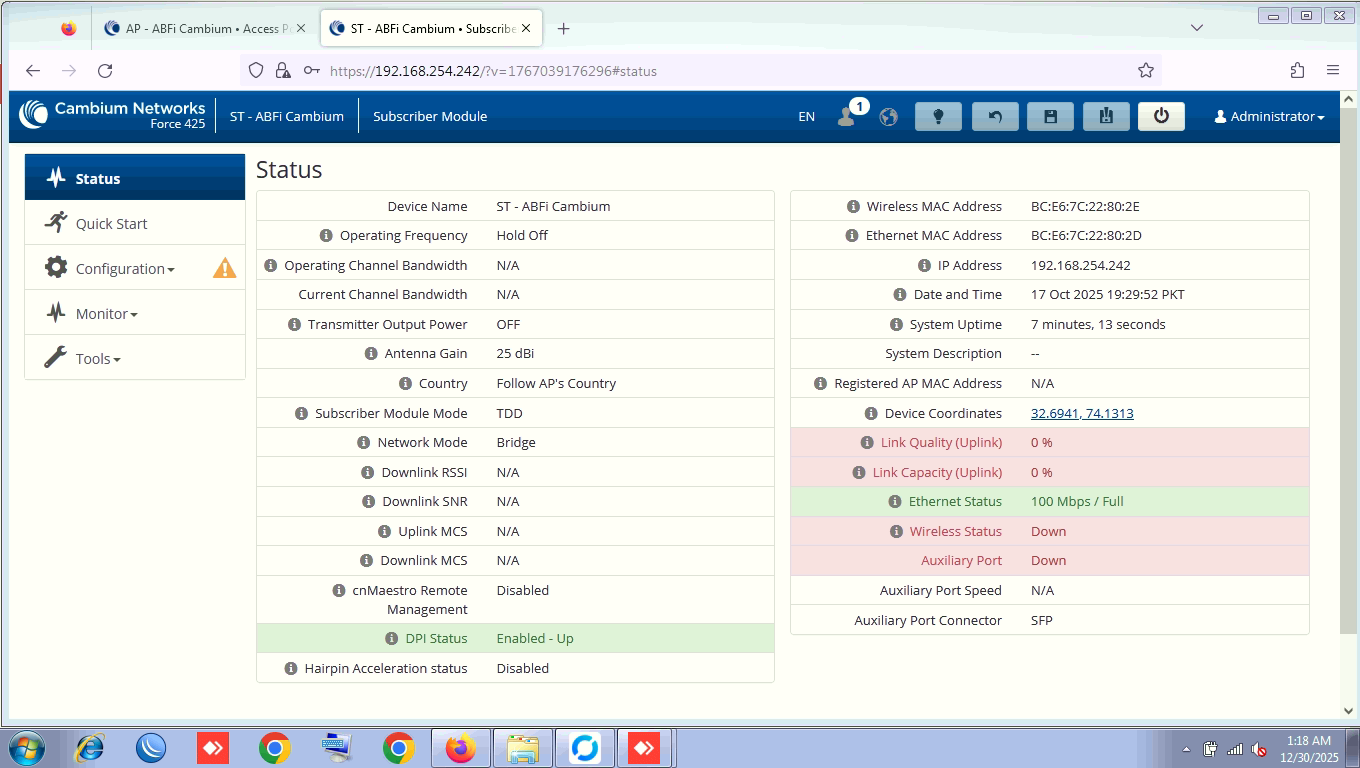
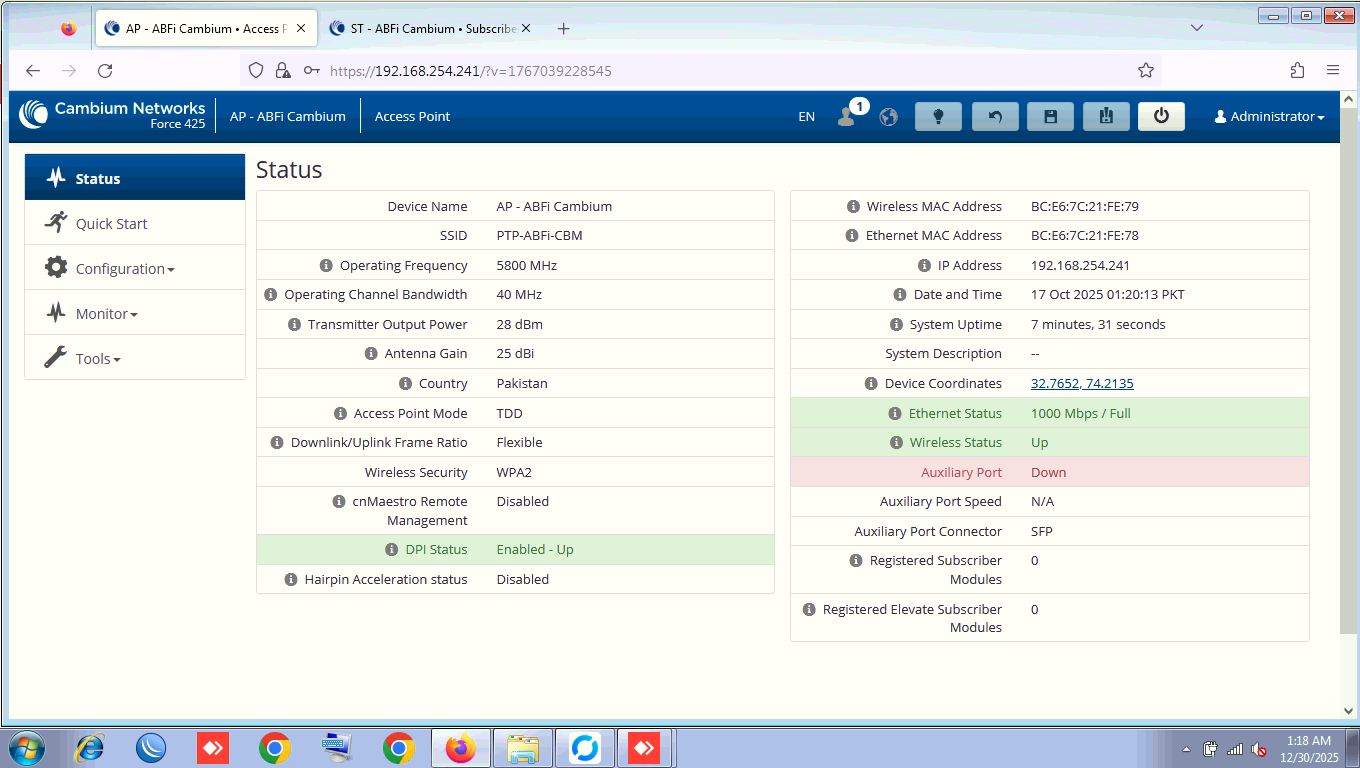
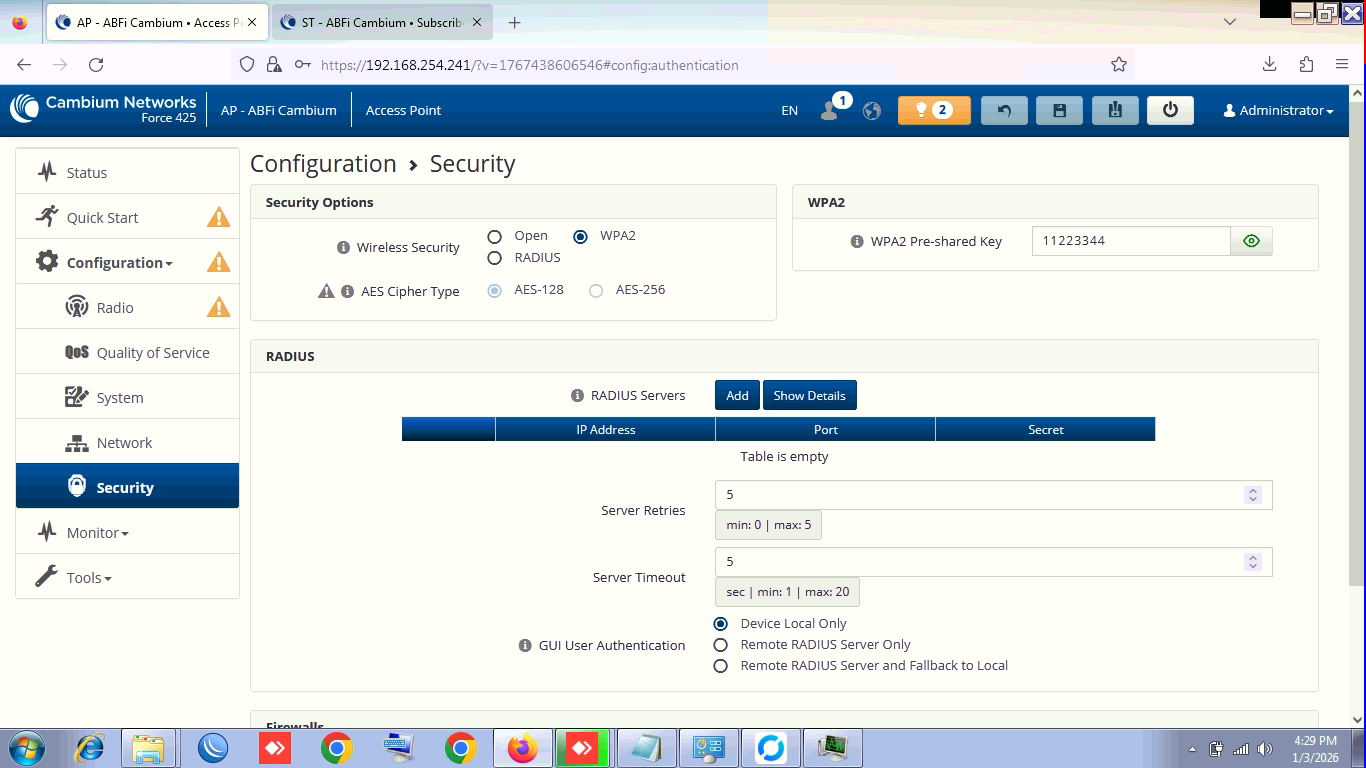
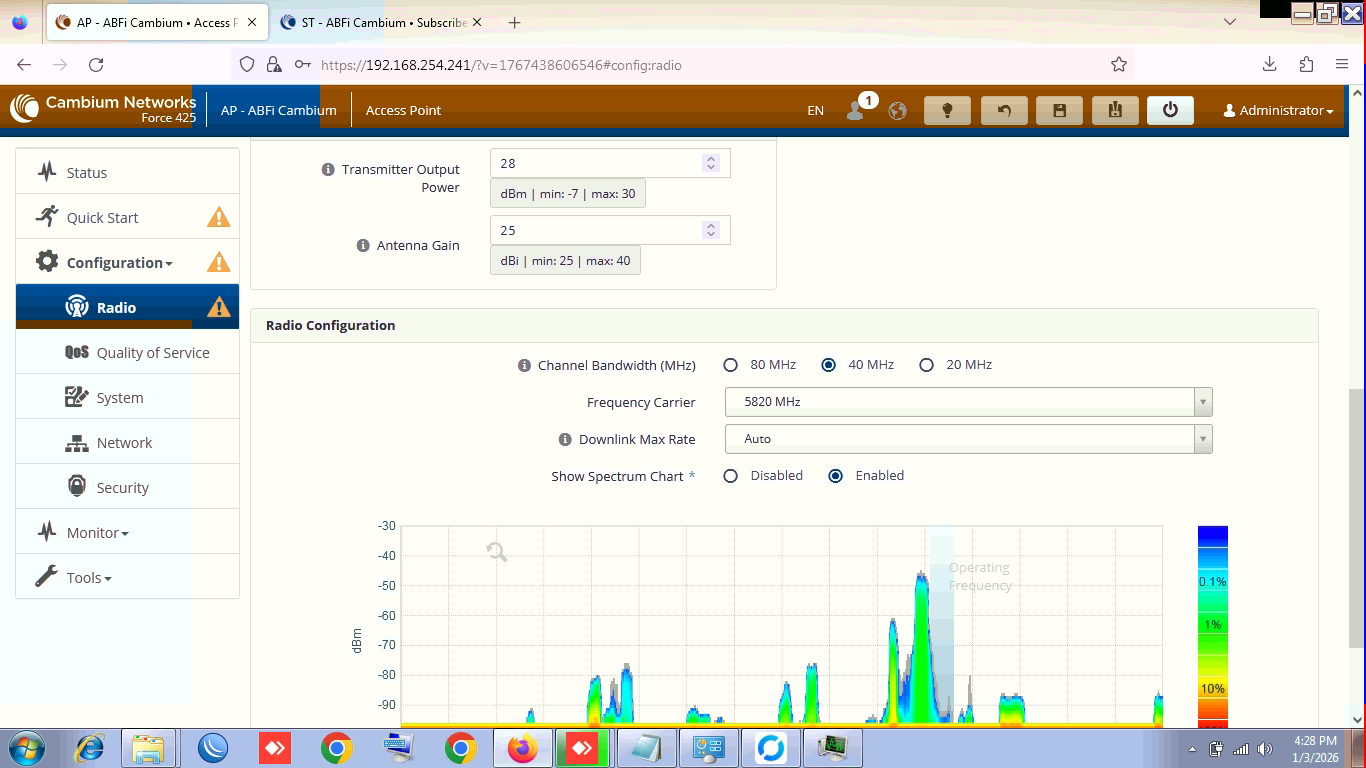
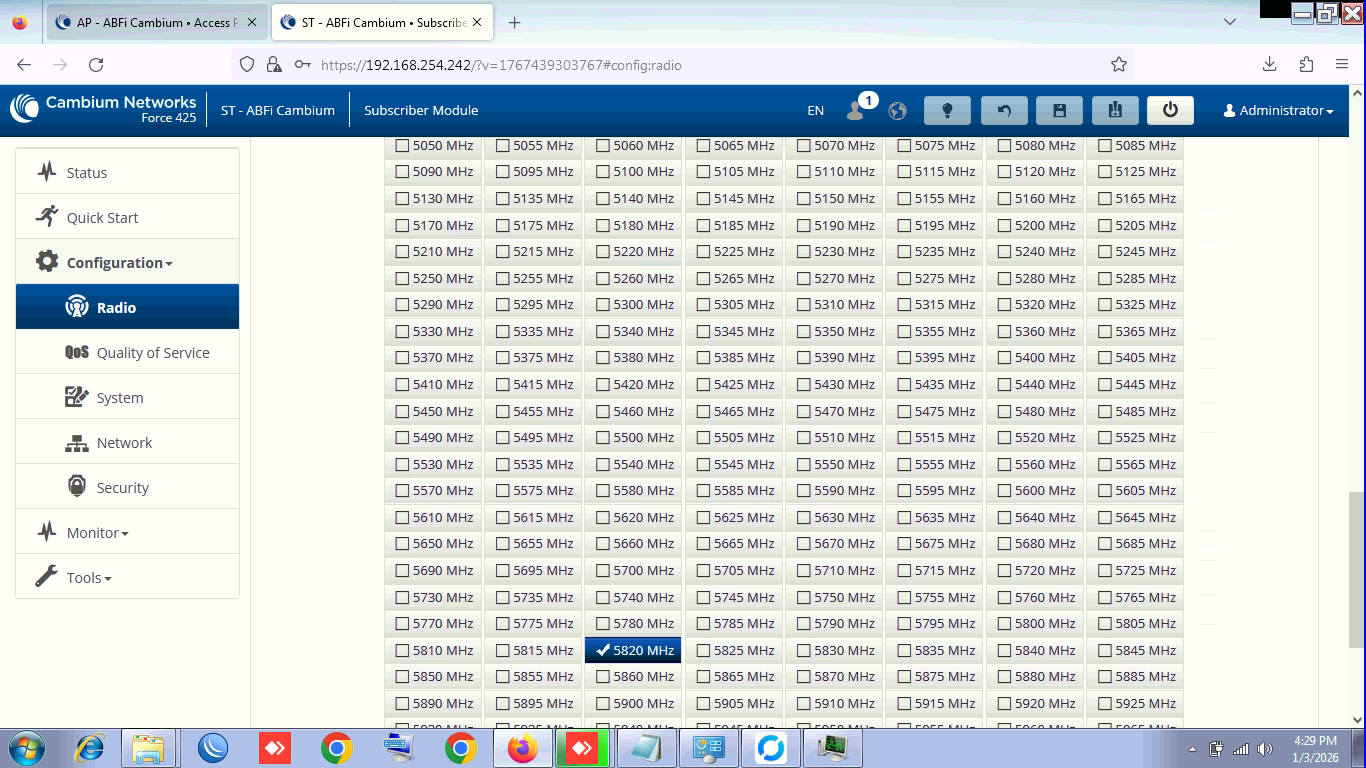
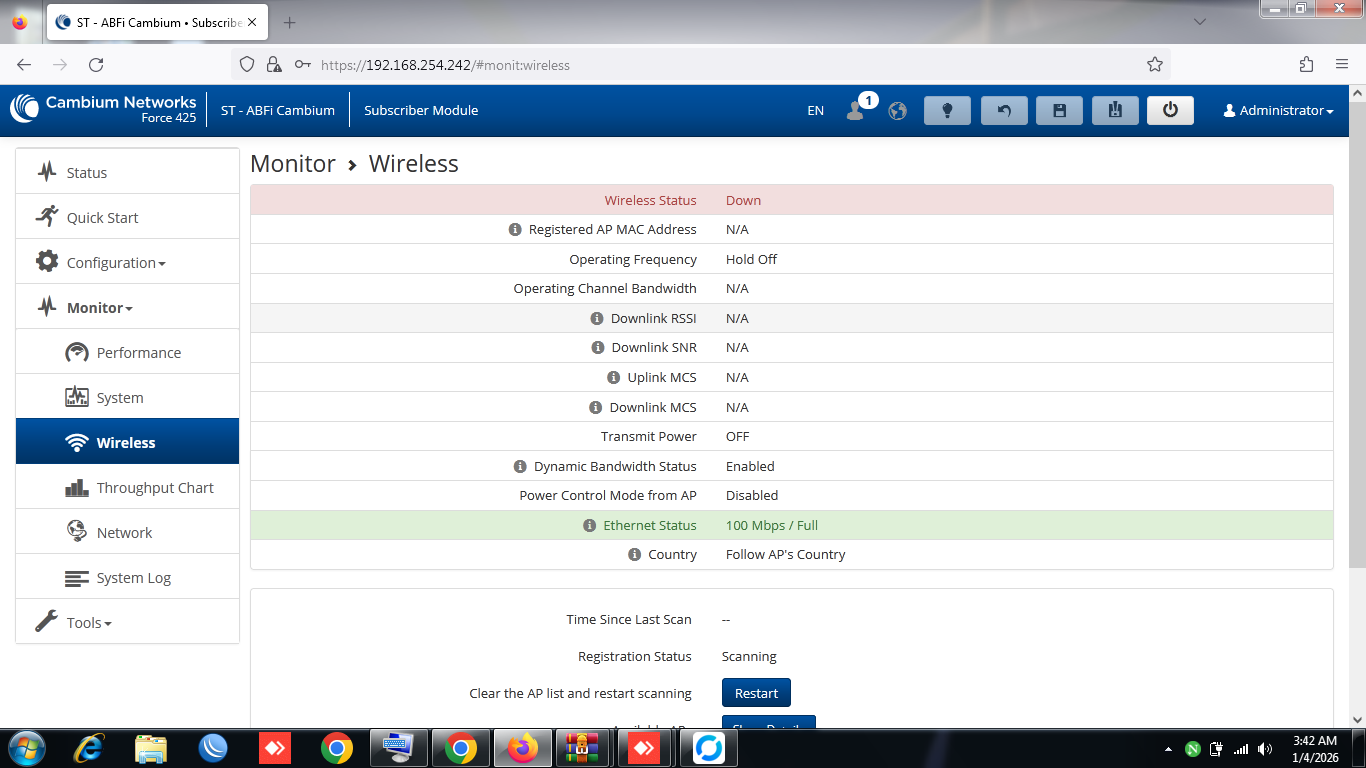
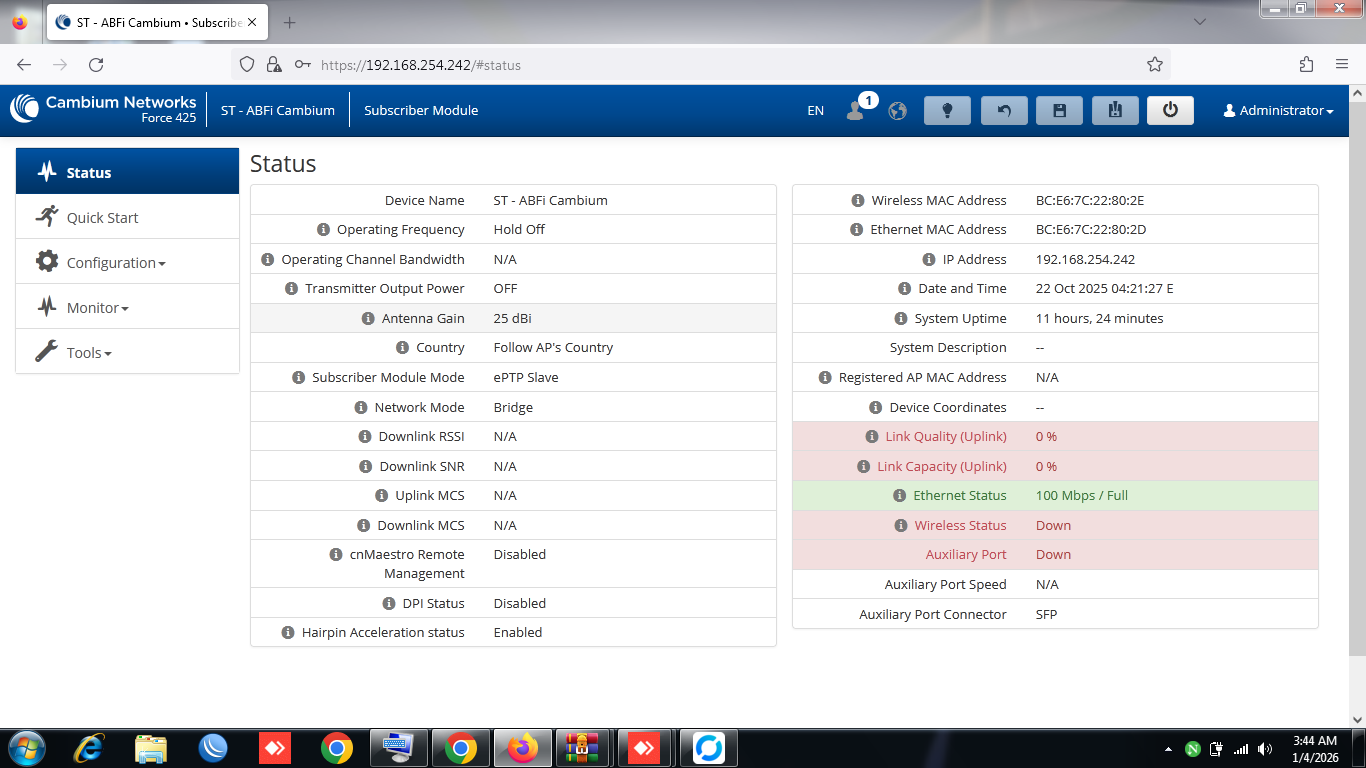
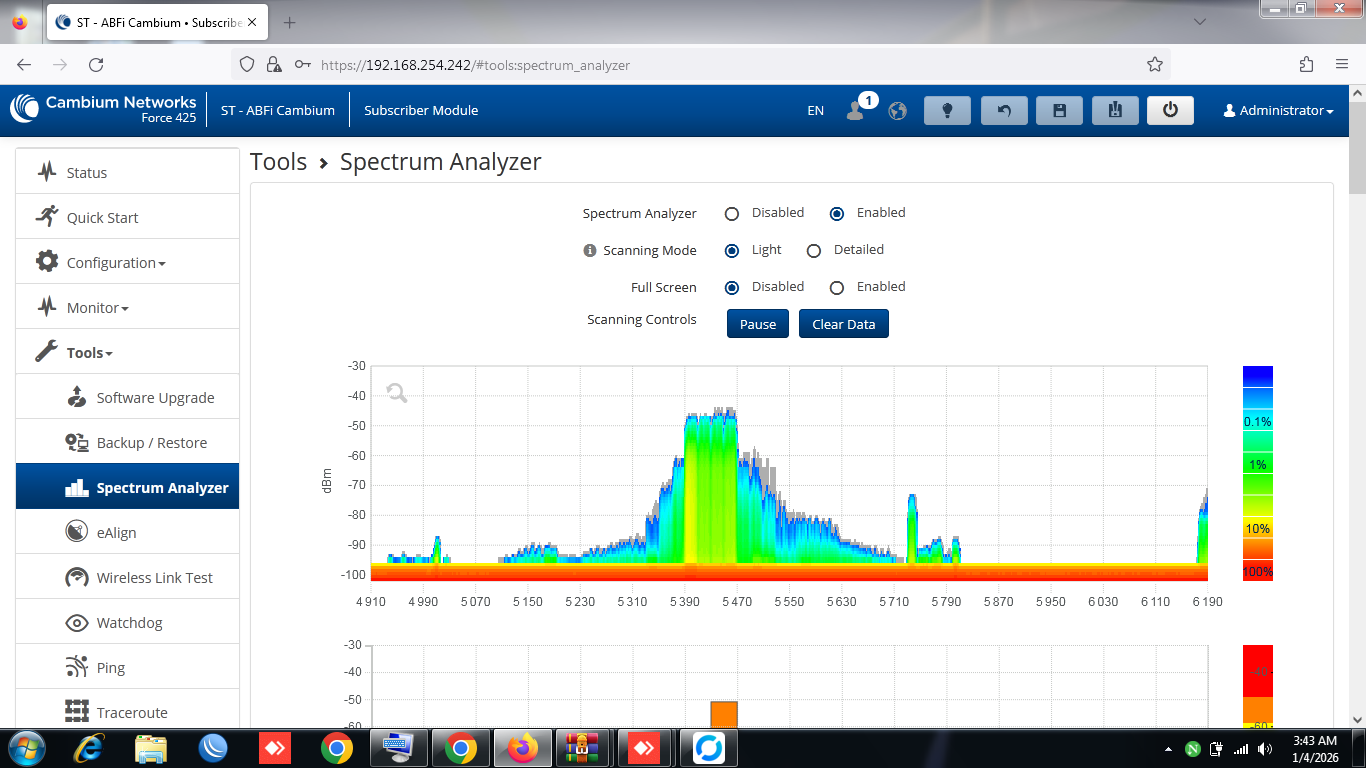
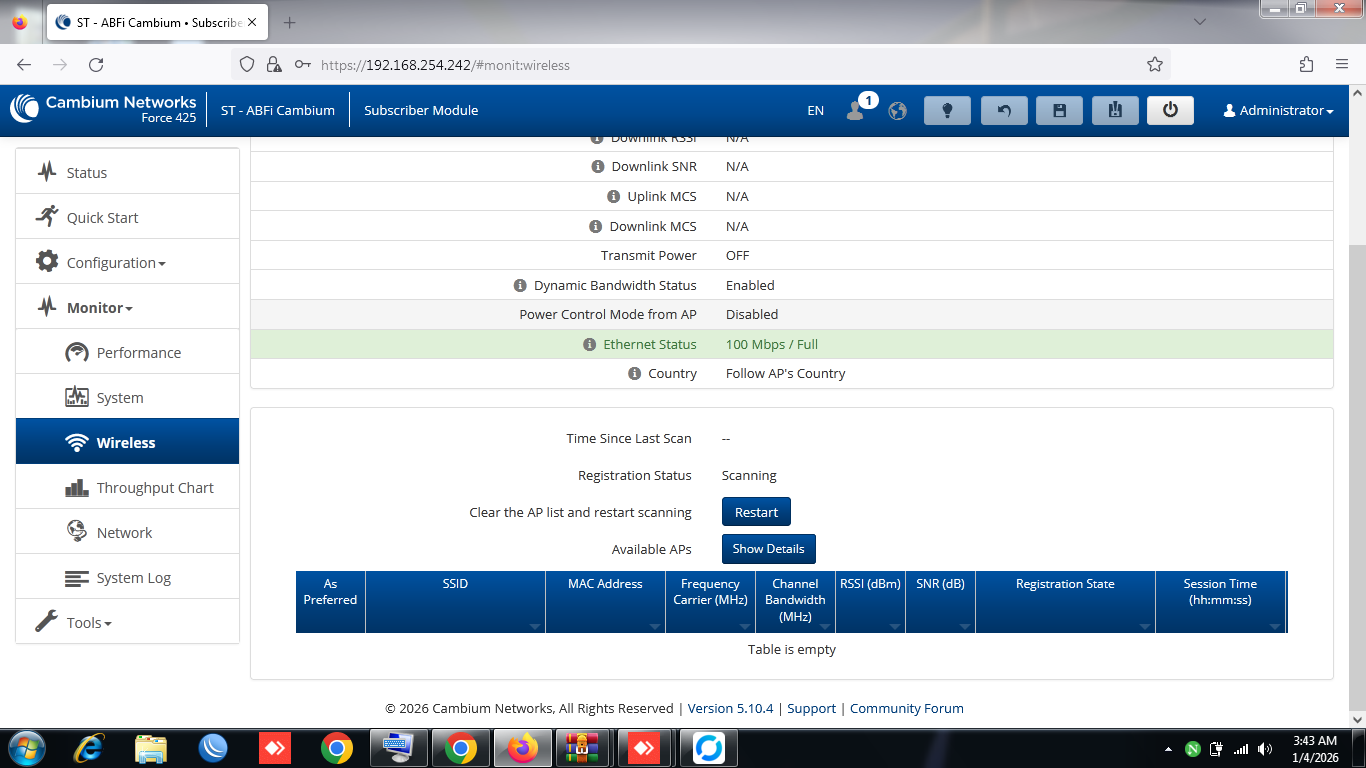
Hello sir i am from Pakistan, i had purchased i pair of epmp force 425 few months ago, but due to some issue unable to install at that time;
now installed on towers on both sides now, but unable to pair after trying everything, every frequency, even countries
please can anyone help us to configure these modules or what info you i can provide you.
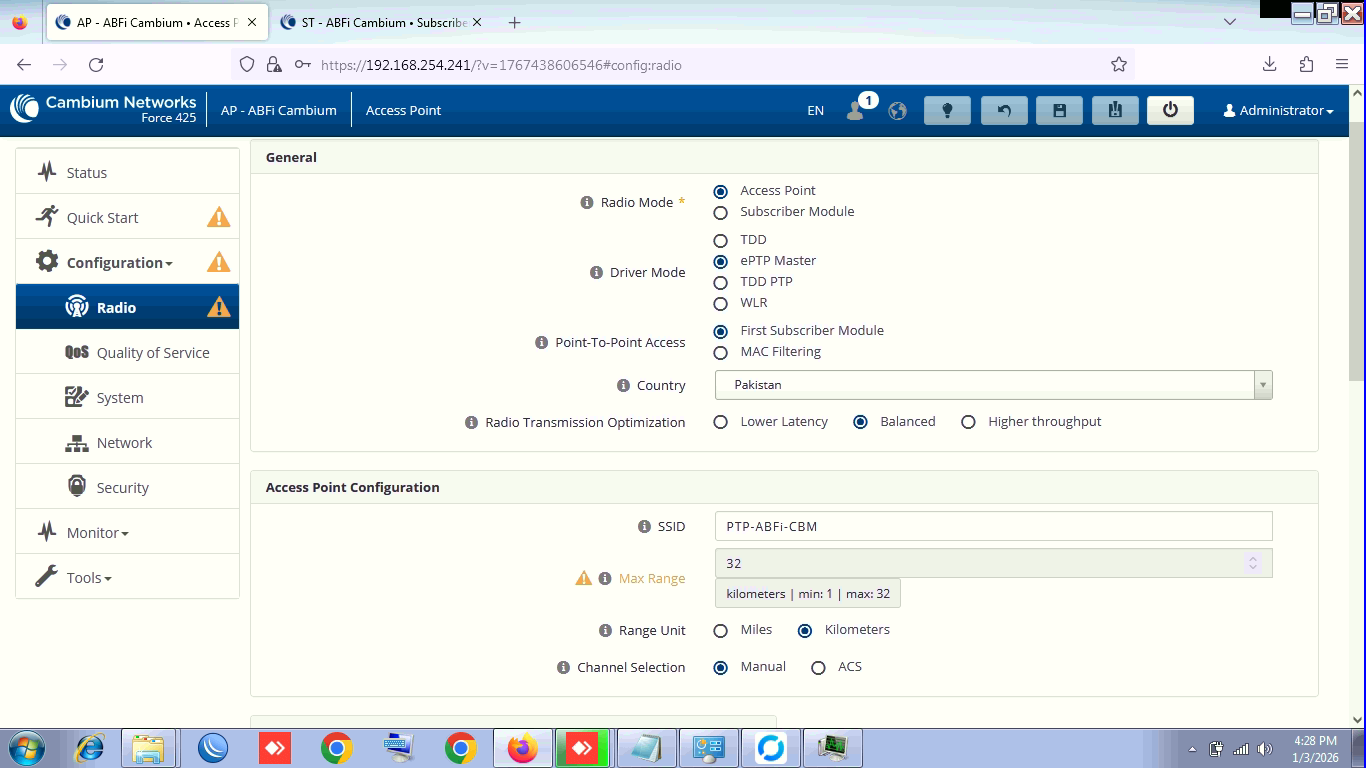
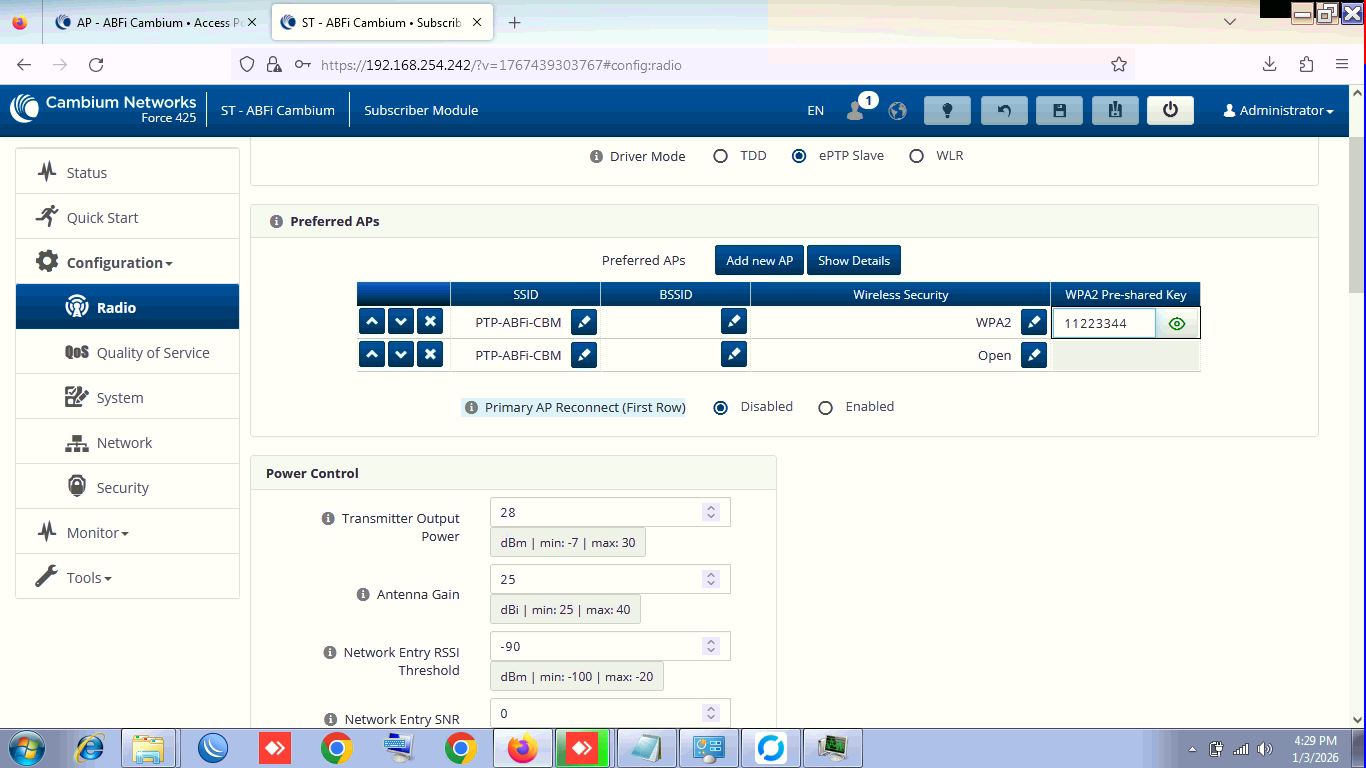
screenshot attached,
ePTP, TDD all tried.
Link Distance by air almost 9 to 10Km only by road 12km
Hi. Post a screenshot of what your screenshot from the AP & SM side CONFIGURATION > WIRELESS as well as MONITOR > WIRELESS looks like?
Typically, what we do is make sure they are configured properly and linking properly at a close distance first (like in the shop) before taking them to 10km distance. That way you’re not chasing settings in the field.
there already a link working with pair of Mimosa devices; and these devices we add additionally to upgrade bandwidth requirents; after this successful pair we will down the mimosa dishes and devices.
Narrow the channel to 20 MHz
In the AP settings, select “other” country but choose a frequency that is allowed in your country.
Have you tried in TDD mode!
I see you did everything you needed to do.
Probably one of the radios is not hardware ok.
Listening to the link where the devices are next to each other and then placing them is not a healthy approach. Automatic power control does not help at a distance of two meters because the antennas can still amplify by 25+25 dB
Device A’s Tx can permanently damage Device B’s Rx and vice versa.
If you have a third device, try it on one side and then on the other side. I wish you much success in solving the problem.
No i haven’t any other modules of same devices, and also tell me what if there’s any hardware issue; what’s the warranty of these devices;
i am new to Cambium, earlier working with Ubnt, Unifi, Mimosa, LigoWave devices and satisfied with them; this is my first experience on Cambium recommended by a friend.
I Choose, i invested in cambium very first time; but unable to satisfy my client where i install these modules because these are not even connecting for a bit in multiple tries…
Any way to resolve the issue, how the cambium tech team will help me ?
As far as I know, it’s a 3 year warranty, longest standard warranty on the industry.
However, if it was me, I’d check by taking the SM side down and physically drive it closer to the AP (within a km or so) and from the vehicle where there is a perfectly clear line of sight, I’d get them connected from there.
I do realize you’ve said you already tested it linking in the shop, which is fine. But you also say you’ve tried all sorts of settings since, so that adds in a whole bunch of variables. If it was me, I would simplify it. I would set them on TDD mode, I would start with 20 megahertz wide, I would have all the channels active for scanning on the SM, not just one single frequency selected. I would make sure I can connect at 1 km and pass data from there, and make sure that signals are as expected from the shorter distances. And then return it with ‘known good’ settings to its regular location - and just aim. If the settings are working at 1km and signals/powers are correct at 1 km… then no need to monkey with them at longer distances (other than possibly changing channels to avoid some catastrophic interference)
And as far as the listing two different APs with two different encryptions… I would again simplify that. I would have just the proper settings in there (either open or WPA2 - whatever is correct for your setup, but not both). If it connects with WPA2 at 1 km, then it’ll connect with WPA2 at 10 km. So I would establish a working connection (whether that’s WPA2 or whether it’s OPEN is up to you) But once you have it working and connecting, the same settings that work at 1 km should work at 10 km.
But the point is, if It’s not connecting at 10km and you’ve been trying a whole bunch of different settings, I would get them within 1 km of each other, and get them set on settings that you know can connect, and Make sure that your powers and signals are what you calculate they should be at 1 km (for what link planner or radio mobile says that they should be)