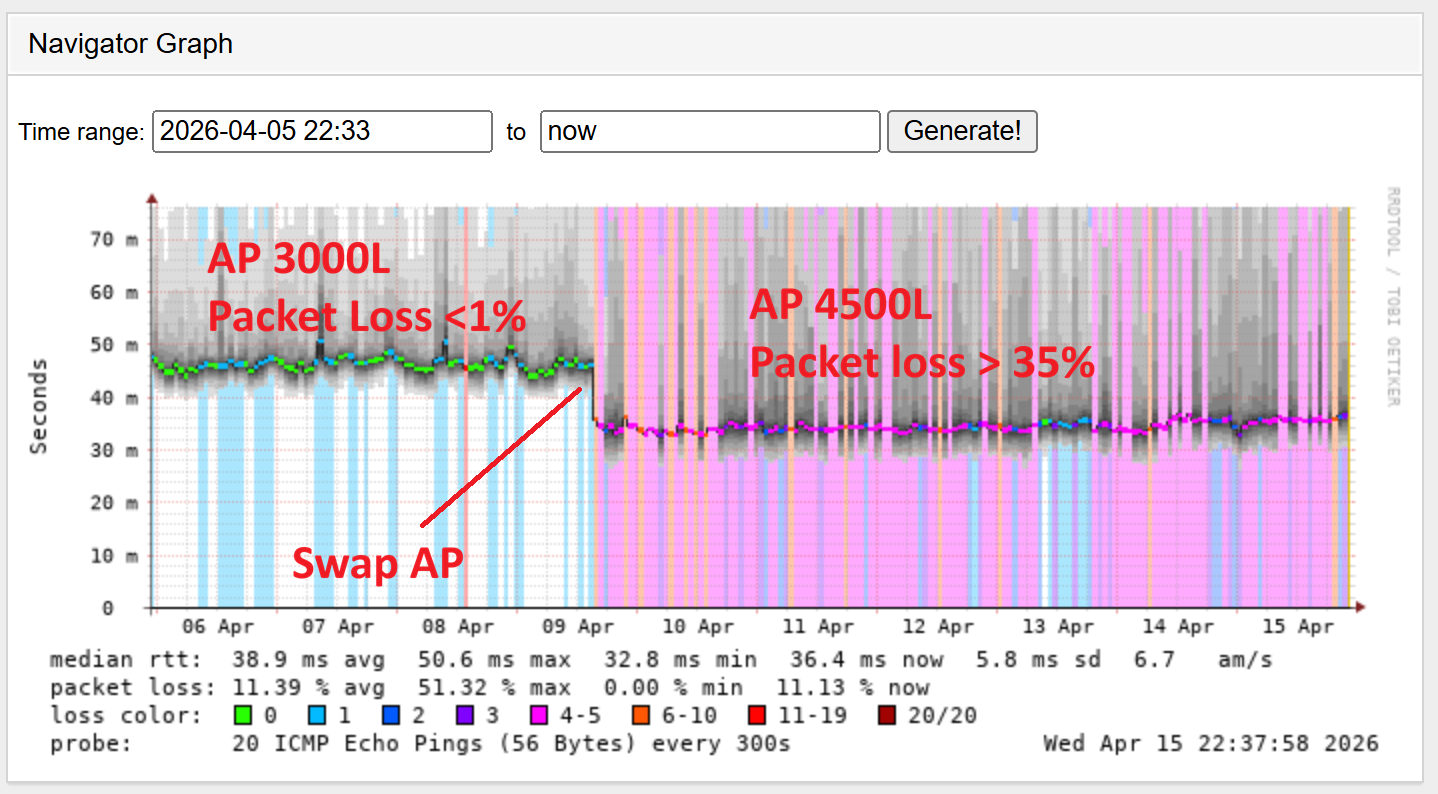
I recently upgraded the APs on a BTS from a 3000L to a 4500L without moving the antennas, and using the same settings (TxPower, TRL, Channel BW, Frequency, etc.)
All running version 5.10.1
The CPEs are Force 200 and Force 300-25 (Force 200 are 50% to 80% of the total).
All users have a Mikrotik router directed connected with CPE with PPPoE.
After swap some customers start showing packet loss. So I tried updating all to 5.11.0.
No luck.
Look at the deterioration after the switch of the ap radio
Packet loss rises from 1% to over 35%
I then tried everything, from changing frequencies to switching to other cells. Nothing worked until I noticed something unusual:
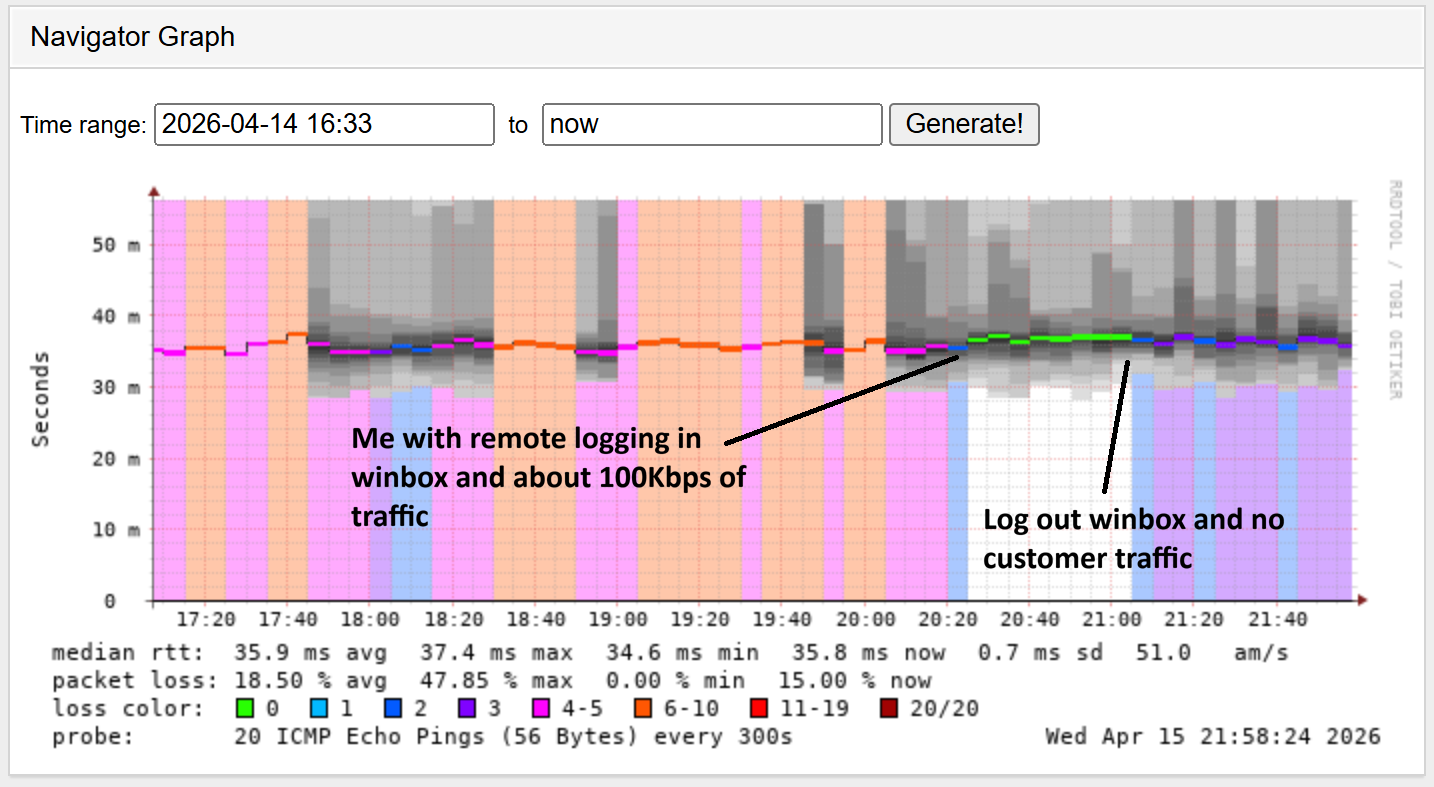
When I logged into the Mikrotik router via WinBox and tried pinging 8.8.8.8 to check for packet loss, the packet loss disappeared.
Then, when I logged out, Smokeping started reporting packet loss again.
I noticed this behavior on CPEs with no traffic. When I generate that 100 Kbps of traffic, it seems to “wake up” the radio.
Ya may take a look at this post. May help ya, may not. Im not using PPPoE not do have the packet loss your seeing. It looks more like you may have some control plane issue with reachability between the smokeping server and the end users, like some kind of L2/L3 isolation perhaps. The packet loss your showing seems quite extreme. Its gotta be an isolated issue or we’d be hearing more about this. Ive had ePMP4k deployed since its launch, most ive seen is 2-3% back in the early development days. Packet loss now is 0.1–0.2%, its dang near non-existent as long as the spectrum is relatively clean. Sorry im not more help, heres the post though. Maybe try adjusting some of this stuff–
All the SMs are in Bridge mode, so I don’t have access to the PPPoE compression and encryption options
I don’t have any issues between Smokeping and end users. I’ve already checked this. By the way, I have two Smokeping servers showing the same results. Everything is fine up to the BTS; when the traffic goes through the Mikrotik IP, packets are lost.
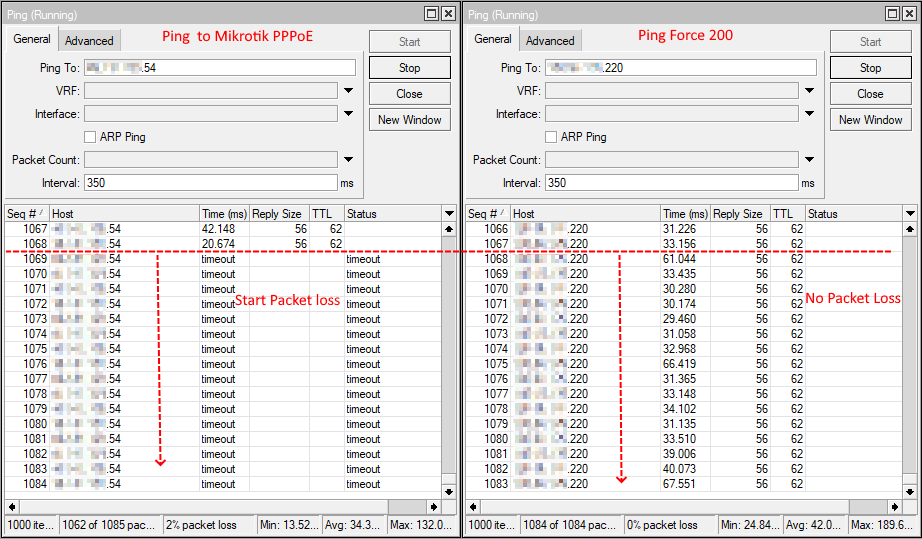
Check this out:
The ping on the left is to the Mikrotik router’s public IP address; the one on the right is to the Force200’s management IP address.
At some point, the ping over PPPoE stops responding for about ten seconds, while the antenna continues to respond.
Obviously, this isn’t an isolated incident; it’s happening to quite a few users.