As replied, we did upgrade to 5.01 but problem still happen.
its happen to about all the sw in the network if there a reboot on the sw (5 - 7 switches per sites).
The sw is in sync after upgrade fw. or after reboot
The lack of synchronization only occurred in my case on 1028 with automatic device recognition set. After restarting, older versions of the software always showed not in sync. I had to manually force synchronization.
There were only cameras on these switches.
Thanks lady.m3lody for the update. My understanding is that you are still seeing 1-2 APs offline after switch running 5.0.1 reboots. The symptom is present on several switches.
Updates on this after more than a year, problem still occurs. Over the year we tried as below;
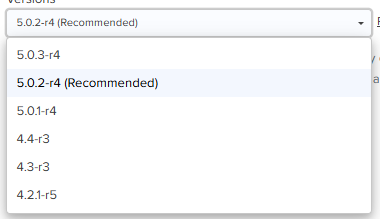
1st we tried to upgrade firmware, to 5.0.2-r4 as recommended, still effected by the same issue
2nd we tried to upgrade firmware to 5.0.3-r4, help a bit but later on still having the same issue.
Worst case was the port switch is not showing its powering the AP, and the port is offline. Even rebooting the switch is not helping. We have to switch the cable to another port to make it works again.
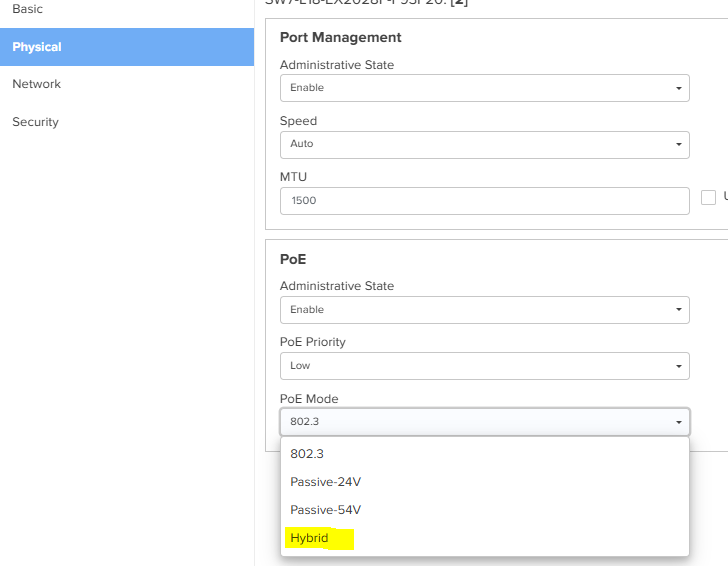
So we try to put the switch port PoE Mode to Hybrid (we find it accidently, it was a try an error kinda thing) which DID help, no issues a few months but now it happening again .
Really is there anyway that Cambium can find to solve this issue? what can possibly causing this?
Can it cause by bottle neck on the network, the uplink port on the switch 10G on Cambium but their fibre sw is 1G?
Already create a ticket on this (396200) - Solved with the hybrid setting but now same issue occurs again.
Assuming this is still a thing… And the power budget (calculate the full power needed for all the AP’s/devices on that switch, not what it pulls during idle or with a few clients connected). And the cable length are all within 80meters ± I got two additional questions:
Are the AP’s on the switch random lose power or always the same?
Are more then 1 AP lose the power at the same time?
the switch is enough to power up all the AP, and the cable is not more 80meters.
(happen to the AP closer to the switch which is not possible to say its cable length)
before we change the port power to hybrid it happen when the switch was rebooted (dont know if someone reboot it or power off n on the switch, after the hybrid setting when the switch goes to off9 or got power cut/ rebooted. firmware already the newest. but what we notice is this happen 90% after the switch got rebooted.
we have to disable and enable the port to power up the AP everytime this happen (even before, but in a while this step is not helping anymore. we have to ask hotel people to change the cable port at the switch which suddenly a few ports is not working). so we try & error on the port power to hybrid. and the step to disable & enable the port works to power up the AP.
we afraid that this step will not works anymore in the future (as what happened before). thats why if anyone finding any solution here its really helpful for us.
** the site was ok for the 1st 6month after installations.
Since TamN could not reproduce with almost the same setup (little less AP’s) I wonder if this is the old or new model of the E410 A or B? And are these APs connected using FTP (Foiled Twisted Pair) cables or standard unshielded ones? Improper cabling can sometimes lead to power or connectivity inconsistencies, there where issue’s with FTP and some older models.
Test and scope
If possible, try connecting two 410 APs to the same switch using short (2-3 meter) unshielded patch cables to eliminate any potential cabling / grounding issues.
PoE configuration:
I agree with @TamN , so about the port configuration I’d recommend adhering to the 802.3af standard instead of hybrid PoE. Hybrid PoE can allow the AP to draw more power than the classification permits, which might cause issues during power fluctuations. so IMO forget about hybrid.
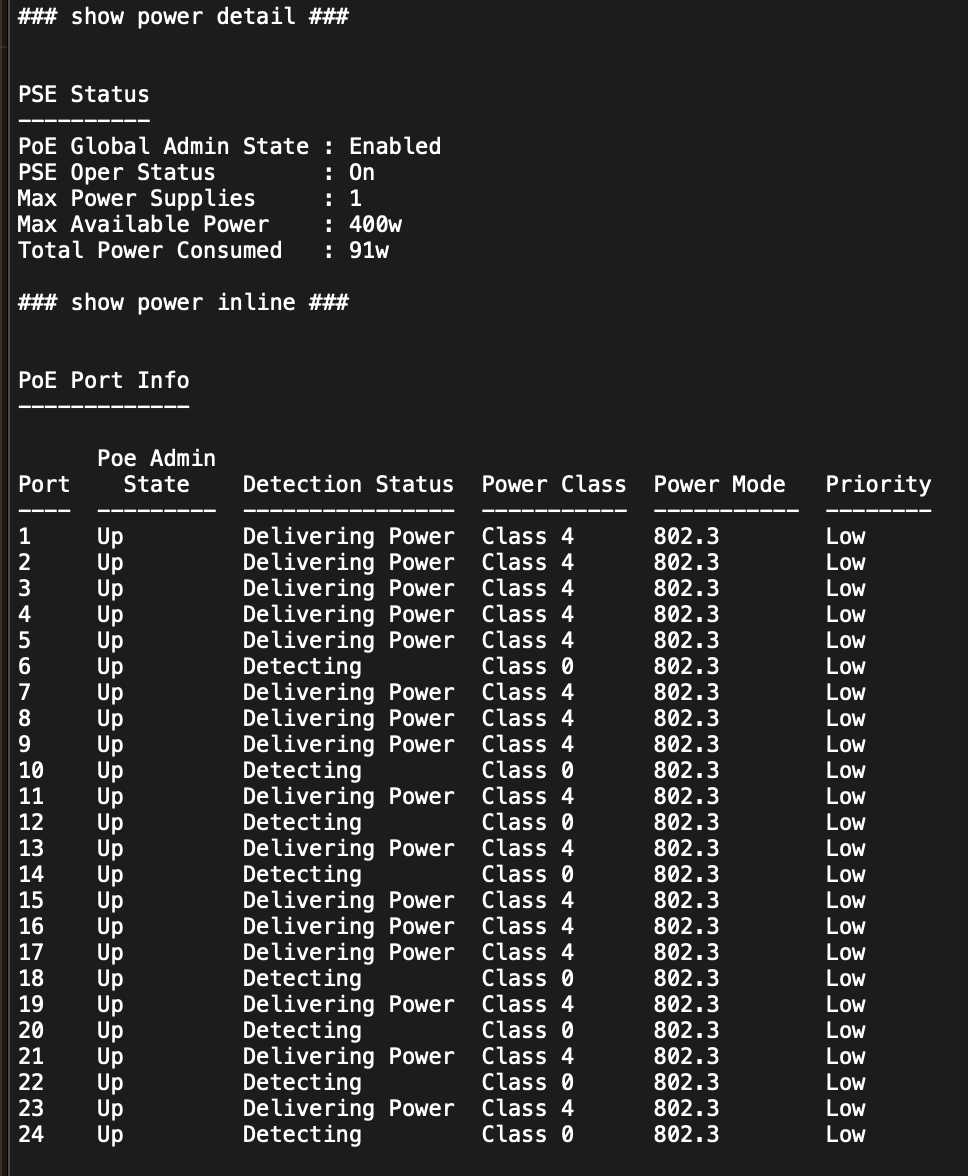
- When the APs are stuck, are the ports in a detecting state or simply showing no device connected?
- In cnMaestro, you mentioned that the APs are disconnected. Can you clarify:
- Are the APs powered and pingable but failing to reconnect to cnMaestro?
your answers are inconsistent so that’s why I ask
e.a
“the port where the AP connected will not show the AP info as per others ports that was power ok (goes on9 in cnm and can ping the AP).”
So it means its pingable?
But here you say:
“After we disable poe port and enable it after awhile (to reboot the AP) then the AP will come back on9 and we can ping the IP again”
So here you suggest it it was not ping-able before only after power cycle the port…
You mentioned
‘We stopped following up as we need to involve support, but we can’t do so because the account isn’t under our control and we can’t get approval.’
I suggest seeking approval to proceed, or alternatively, taking a hands-on approach by conducting tests and considering replacement of the APs or switch as needed. Because this issue can still be inside the AP, Switch or environment, what makes scoping and hands on tshoot crucial…
- installation done and things was ok for 6month (don’t think its a cable issues).
- since the beginning of installation setting was 802.3af, after a year the disable n enable port is not working anymore, we have to ask hotel staff to change the AP port to another port, which we found something else, the few ports on the switch are not able to power up the AP, even after rebooted the switch. (we noticed that the previous port will be working again after awhile)
- We try the hybrid mode, then it works again, almost eliminate the issues, after few months the problem came back but the disabled n enable the port seem to works until now. just afraid in future we have to do the switch the AP port to another port and having the port to have problem also.
Hi thanks for your response, however, it doesn’t directly address my questions, so I’am going to give this one more try and focus on your point 3 
So Hybrid mode seemed to temporarily resolve the issue…till it didn’t.
So why did, not checking poe classification temporarily solved the problem… bug (faulty negotiation.) cable problem, length/heat/interference we can only guess…
Believe me, cables can get bad: interference surfaces externally, and cables get warm, particularly with POE, are the laying in a separate cable tray? Cable connectors on the switch or ap side don’t shield good, yes heat can do alot. Also Foiled cables attached to an can given can cause problems… I saw it all…
So IMO It still can be the cables… the switch, or the type of AP (connector).
Still I suggest test and scope, to rule out the cables first
If possible, try connecting two 410 APs to the same switch directly using short (2-3 meter) unshielded patch cables to eliminate any potential cabling issues. Monitor if they experience the same problem as the rest. If it also happens on these: replace/RMA the switch.