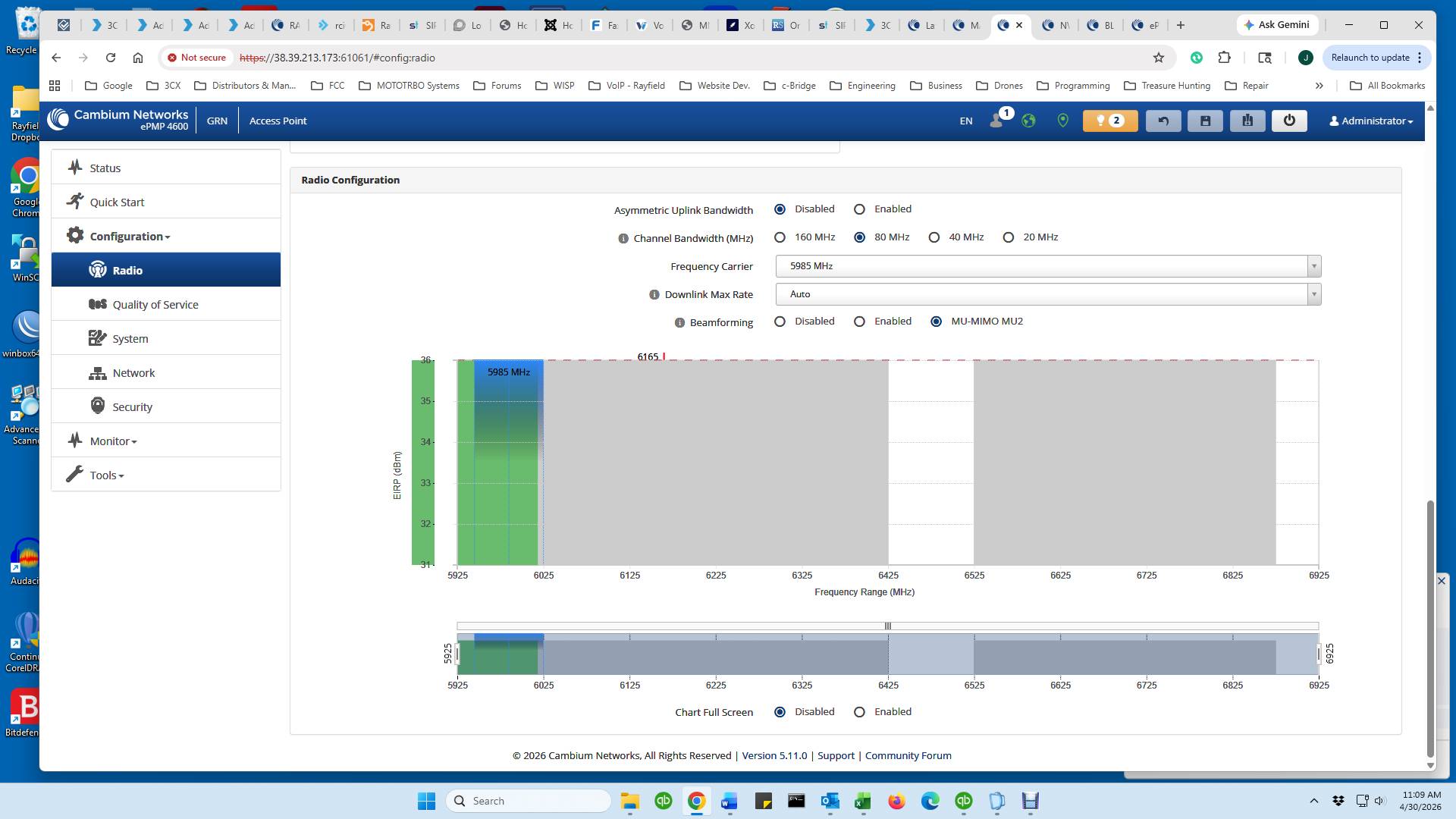
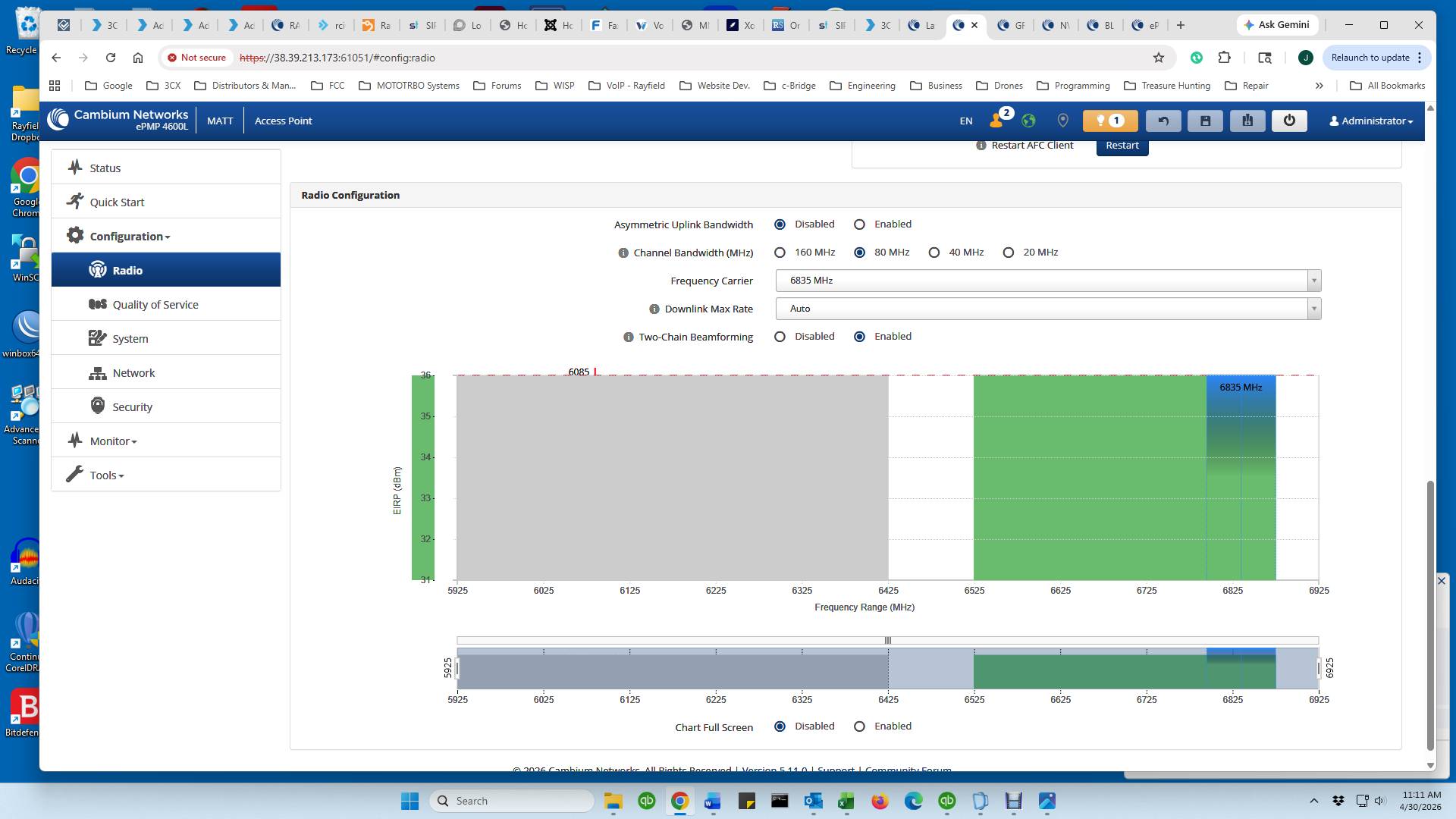
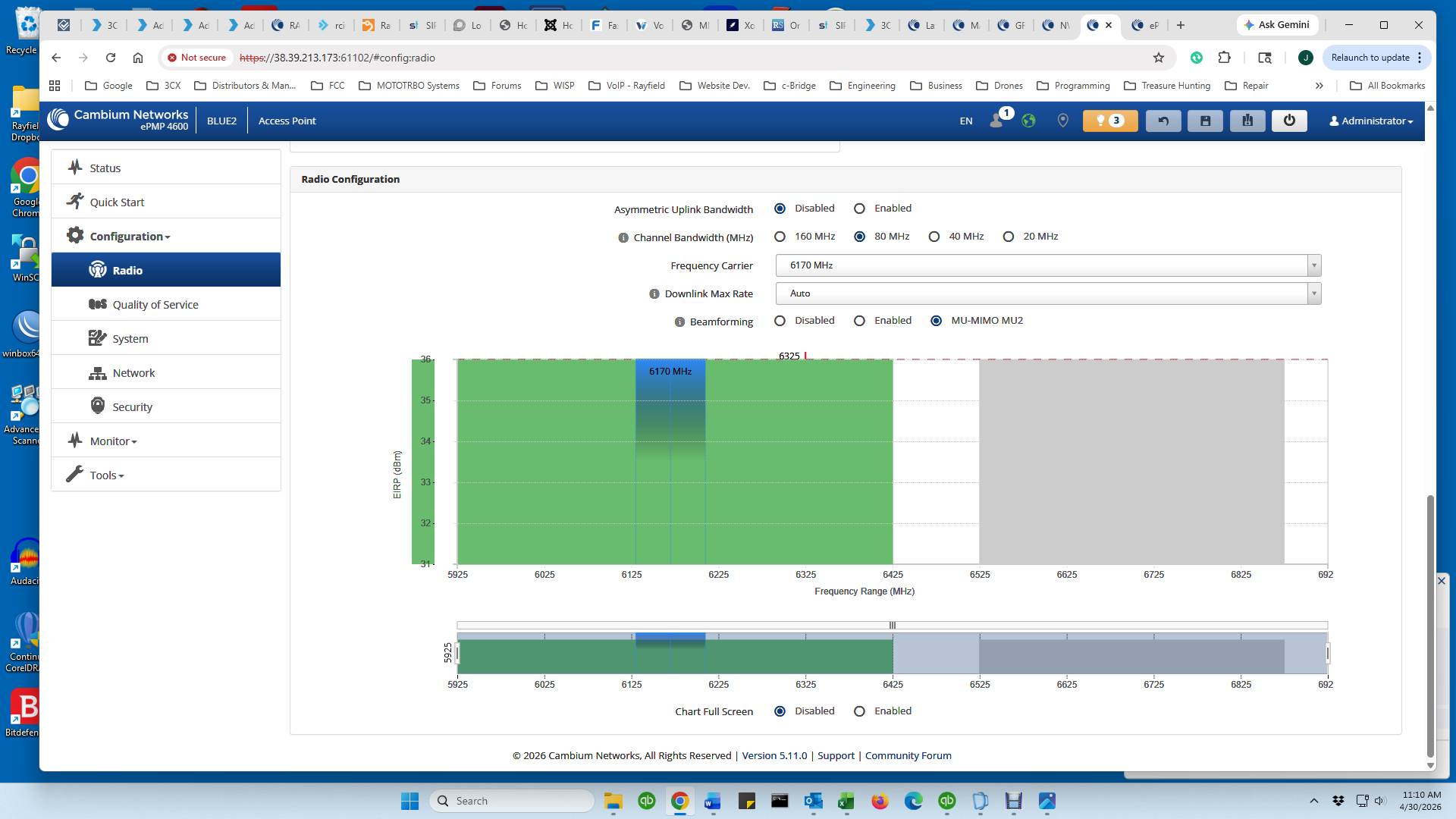
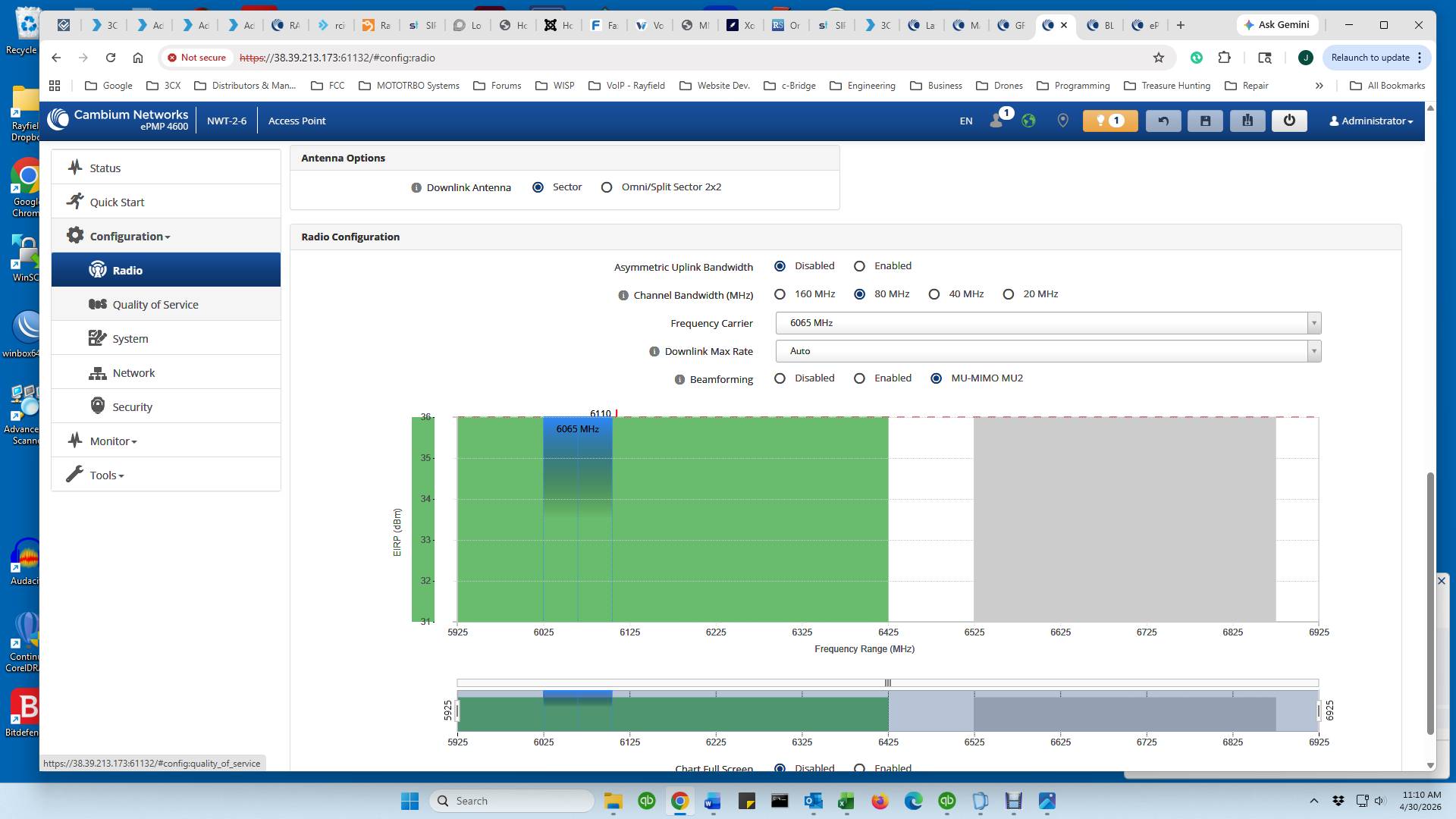
I just noticed that in the Radio/Frequency Configuration Screen with 5.11.0 firmware, it doesn’t look even close to how it looked before. Something is odd.
First, the page only shows either the bottom half or the top half of the frequency spectrum as being available (green). The other half is white/blank, as if the radio won’t even work in that range. Selecting a frequency in that ‘white’ range will then show that half as available but the other half as unavailable.
Second, in the list of frequencies from which to select, it doesn’t show any information pertaining to what the maxium EIRP can be for that frequency. It looks like none of the frequencies can be used, according the AFC. And this is on a site, out in the country, on a 20 ft pole, where there is no other 6 Ghz licensed systems anywhere near. And all SMs on this AP (4600L) are within about .5 miles of the AP.
On page 83 of the ePMP user guide, figure 47 shows what the Radio Configuration used to show regarding what frequencies were being used and what were available.
Am I correct in understanding that we should use the new AFC Analyzer, under Tools, if we want to see what the AFC is telling us (as to what frequencies are available, etc)?
Hi @John_Rayfield ,
First, what you see on the Configuration → Radio page highlighted in green is what I would refer to as a channel block. It indicates the maximum EIRP available from AFC for the selected channel. You may freely choose another channel within the displayed spectrum on Configuration → Radio, and it will also be highlighted in green.
This is designed to account for different 6 GHz operating conditions that other users may experience, especially where additional devices are already using the 6 GHz band. In some cases, a selected channel may overlap areas with different permitted maximum EIRP levels. For example, one portion of the channel may allow 30 dBm, while another portion may allow only 15 dBm. To remain compliant with regulatory requirements, the system must apply the lower permitted EIRP value.
In such cases, the customer device will highlight the affected channel block with the lower EIRP value so that the user can clearly understand the limitation and adjust the channel selection if needed.
If you would like to fully understand the EIRP values that AFC can provide - including the maximum EIRP available for both the AP and the SM - I would recommend using our new AFC Analyzer feature.
You can read more about it here.